5 tips to get started with MatePoints
Most chore rotas die in week three. Five things to set up on day one so yours doesn't — and the one thing not to bother with.

Most shared-chore systems die the same way. Somebody builds an elaborate rota on a Sunday, everyone is enthusiastic for about nine days, and by the third week it is a whiteboard nobody looks at.
MatePoints is built to survive that third week. But what you set up on day one decides whether it does. Here are the five things worth doing — and the one thing worth not doing.
1. Start with the chores you already do
The temptation on day one is to design the perfect system: every chore anyone has ever done, split by room, weighted by effort, priced to two decimal places.
Don't. That is the rota that dies in week three.
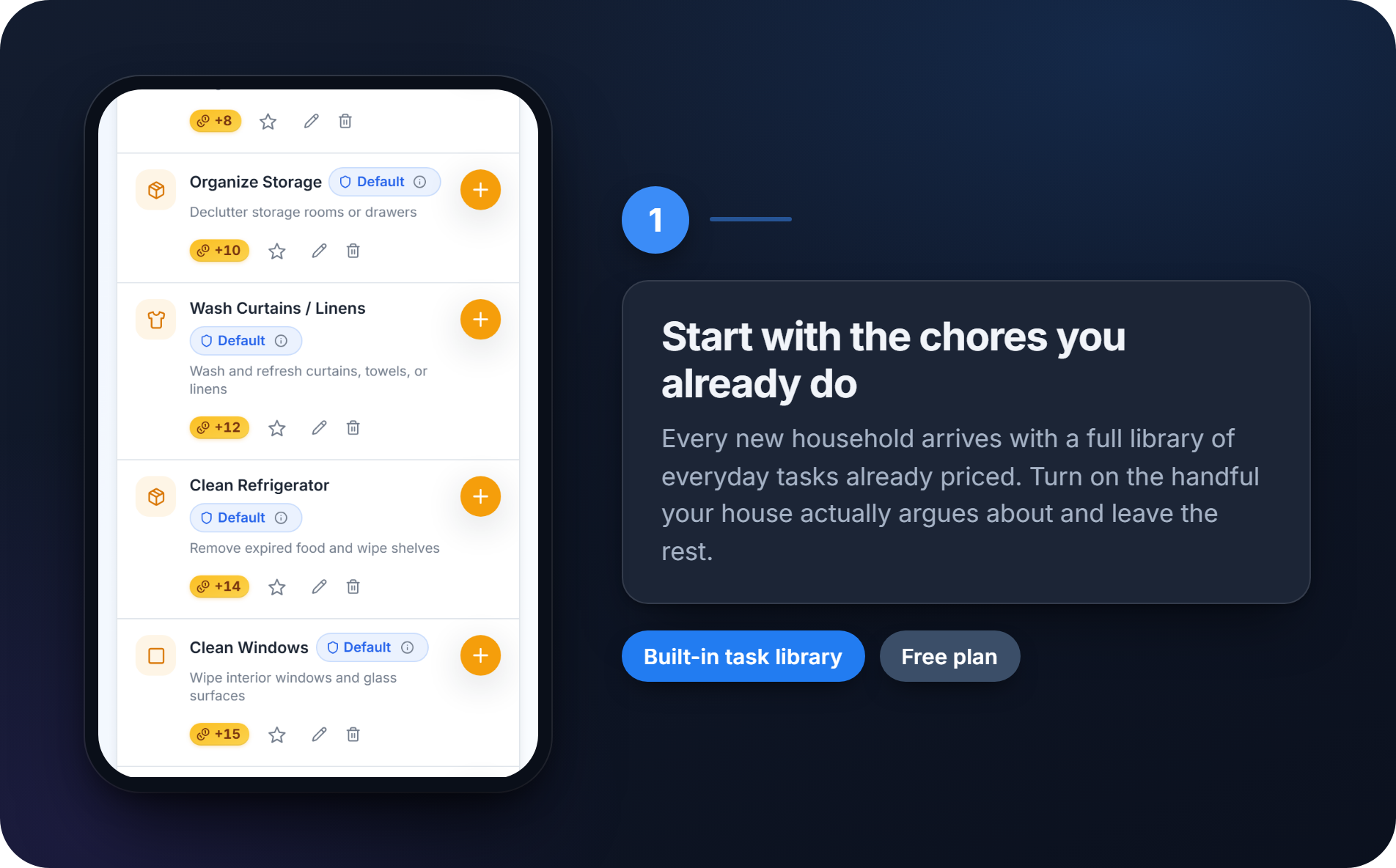
Every new household arrives with a full library of everyday tasks, already written and already priced — dishes, bins, laundry, bathroom, the lot. Switch on the handful your house actually argues about. Five or six is plenty.
You will know within a fortnight which chores people genuinely tap and which ones you added because they felt thorough. Add the rest then, if at all.
Free plan: the entire built-in library, plus five custom tasks of your own. Far more than a first week needs.
2. Group them the way your house runs
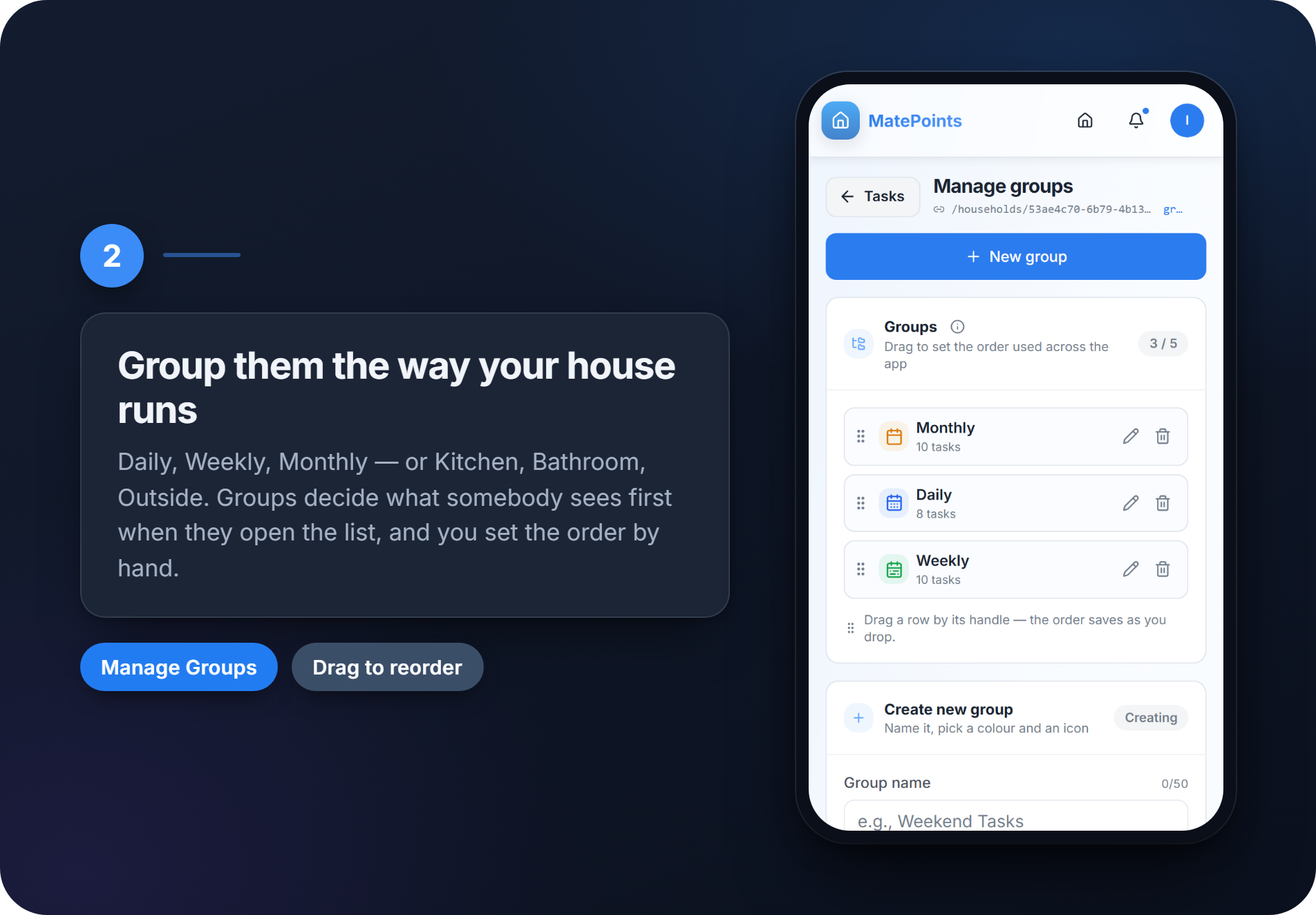
Groups are the buckets your tasks sit in, and they decide what somebody sees first when they open the list. Get them right and the list reads like your week. Get them wrong and everyone scrolls straight past the thing that needs doing.
Two schemes work:
- By rhythm — Daily, Weekly, Monthly. Best when the house shares everything.
- By place — Kitchen, Bathroom, Outside. Best when people have patches they look after.
Pick one and commit. Mixing them is how you end up with "Weekly" and "Kitchen" both containing the dishes, and nobody knowing which one counts.
Then drag the groups into order. The order you set is the order everyone sees, so put the one people open most at the top. It saves a scroll a hundred times a week, which is exactly the sort of friction that quietly kills a rota.
3. Give the points somewhere to land
Points on their own get boring by week three. They go up. Then they keep going up. Nothing happens.
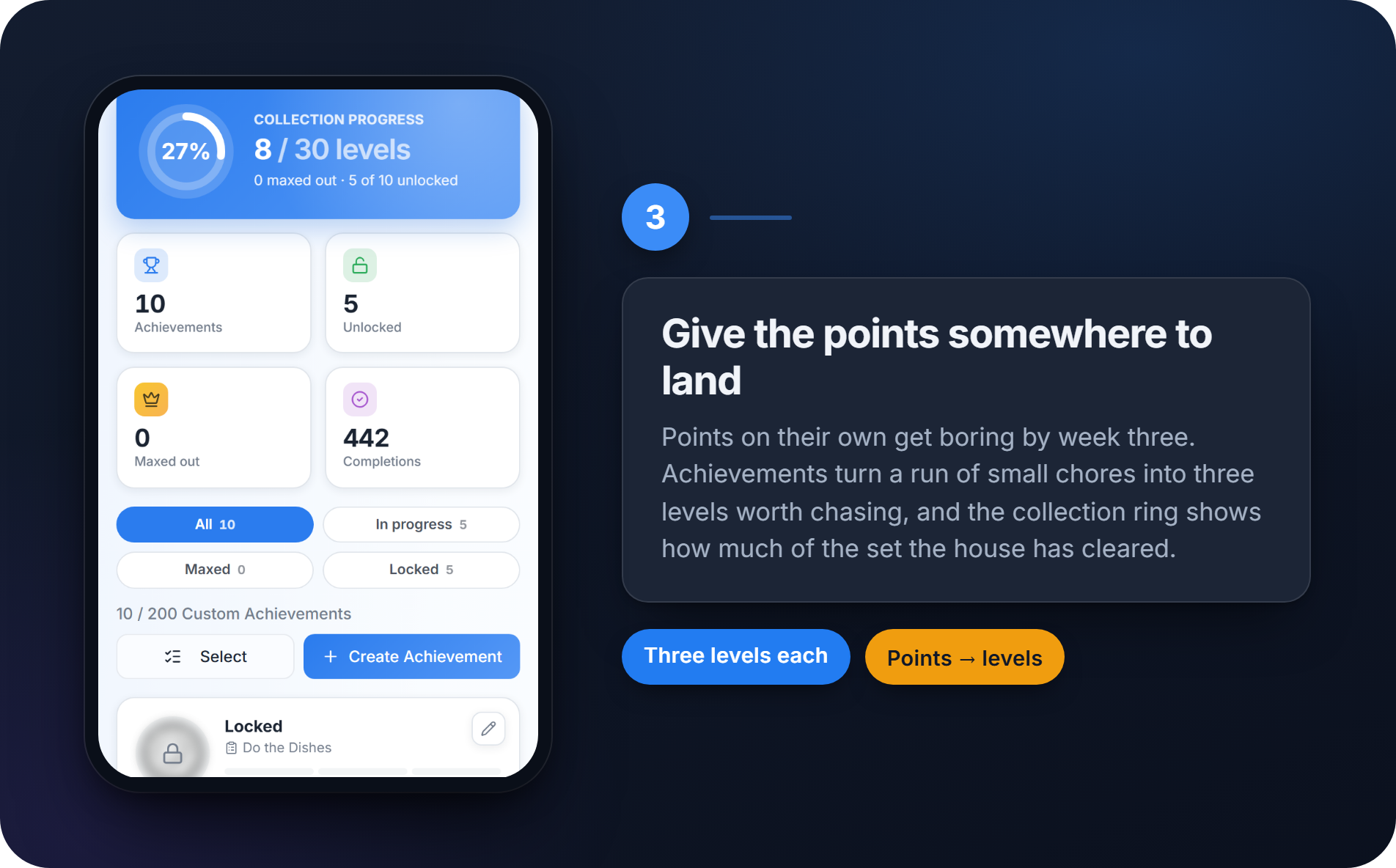
Achievements fix that. Each one turns a run of small chores into three levels worth chasing, so taking the bins out stops being a chore and starts being progress toward something. The ring at the top of the page shows how much of the set your household has cleared — a percentage that turns out to be far more motivating than it has any right to be.
Every household starts with a set of these already in place, so there is nothing to configure: do the chores, and the levels start falling on their own. Worth opening the page in week one anyway, just so everyone knows what they are working toward.
Free plan: you earn every achievement your household has. Creating and editing your own is a Pro feature.
4. Hang a real reward on a level
This is the tip that changes behaviour, and the one most households skip.
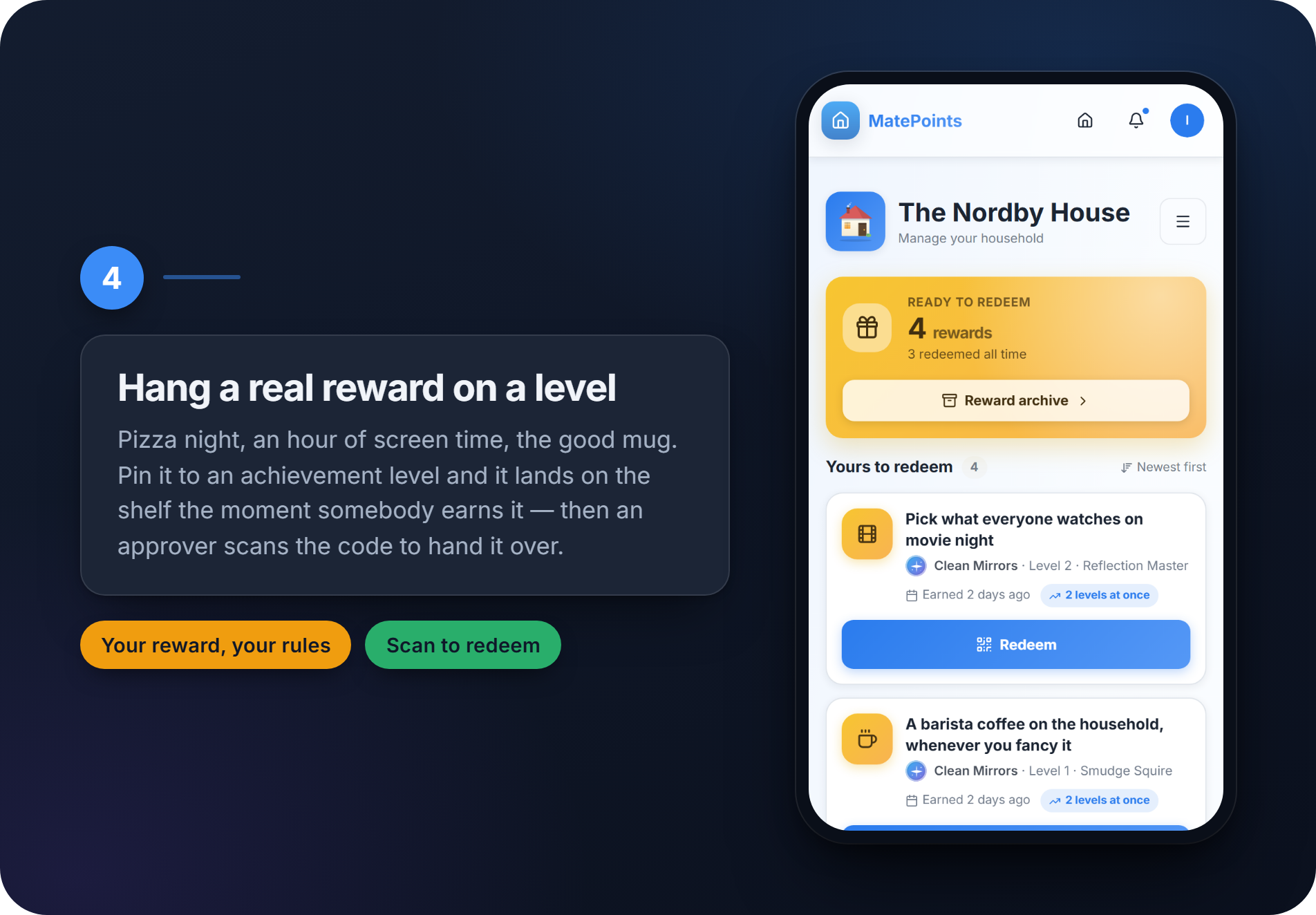
Pin a real reward to an achievement level — pizza night, an hour of screen time, first pick of the film, the good mug for a week. Whoever earns the level gets it on their shelf the moment they cross the line, and an approver scans their code to hand it over.
That last part matters more than it sounds. Households were already doing this informally, by renaming a level "Friday pizza pick" — and it worked exactly once, because nothing recorded whether the pizza ever actually happened. The scan turns the reward from a memory into a fact.
Two rules for choosing them:
- Small and frequent beats big and distant. An hour of screen time this Friday will move more chores than a day out in three months.
- It has to be something you will genuinely hand over. A reward nobody honours is worse than no reward at all — it teaches the house that the whole thing is decorative.
MatePoints provides the system, never the reward. What a level is worth is entirely your household's business: we don't fund it, supply it, or take a cut of it.
5. Put a tag where the chore happens
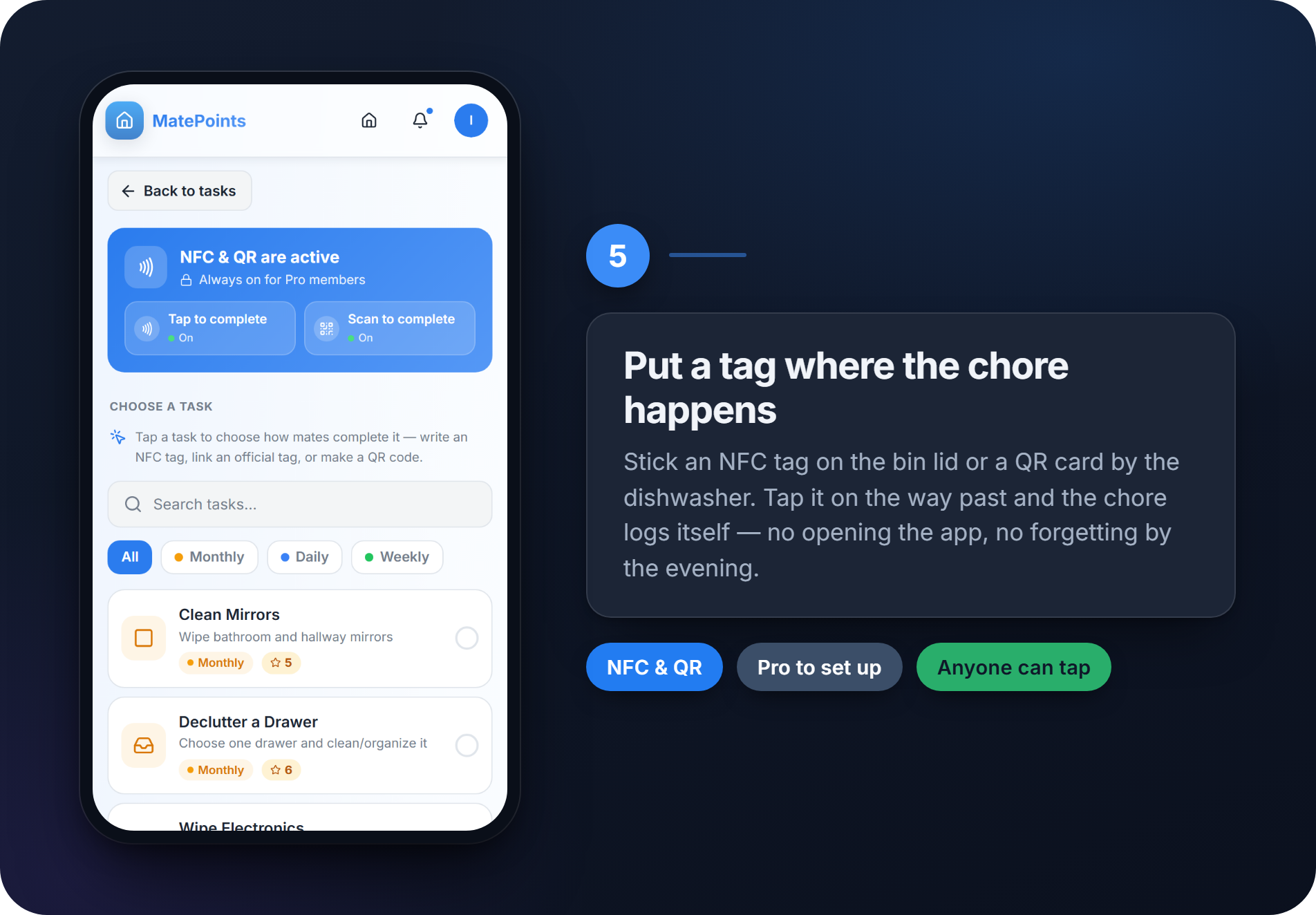
The gap between doing a chore and logging it is where the whole system leaks. You take the bins out in your slippers. You do not open an app about it. By the evening you have forgotten, and the points never land.
So move the logging to where the chore is. Stick an NFC tag on the bin lid or the washing machine, or print a QR card for the dishwasher. Tap it on the way past and the chore logs itself — no app, no typing, no remembering.
It sounds like a gimmick right up until the first week you use it. Then it becomes the reason the rota is still alive in month two.
Setting up tags and QR codes is a Pro feature — but anyone in the household can tap them, on any plan. One Pro owner covers the whole house.
And then let the house do the reminding
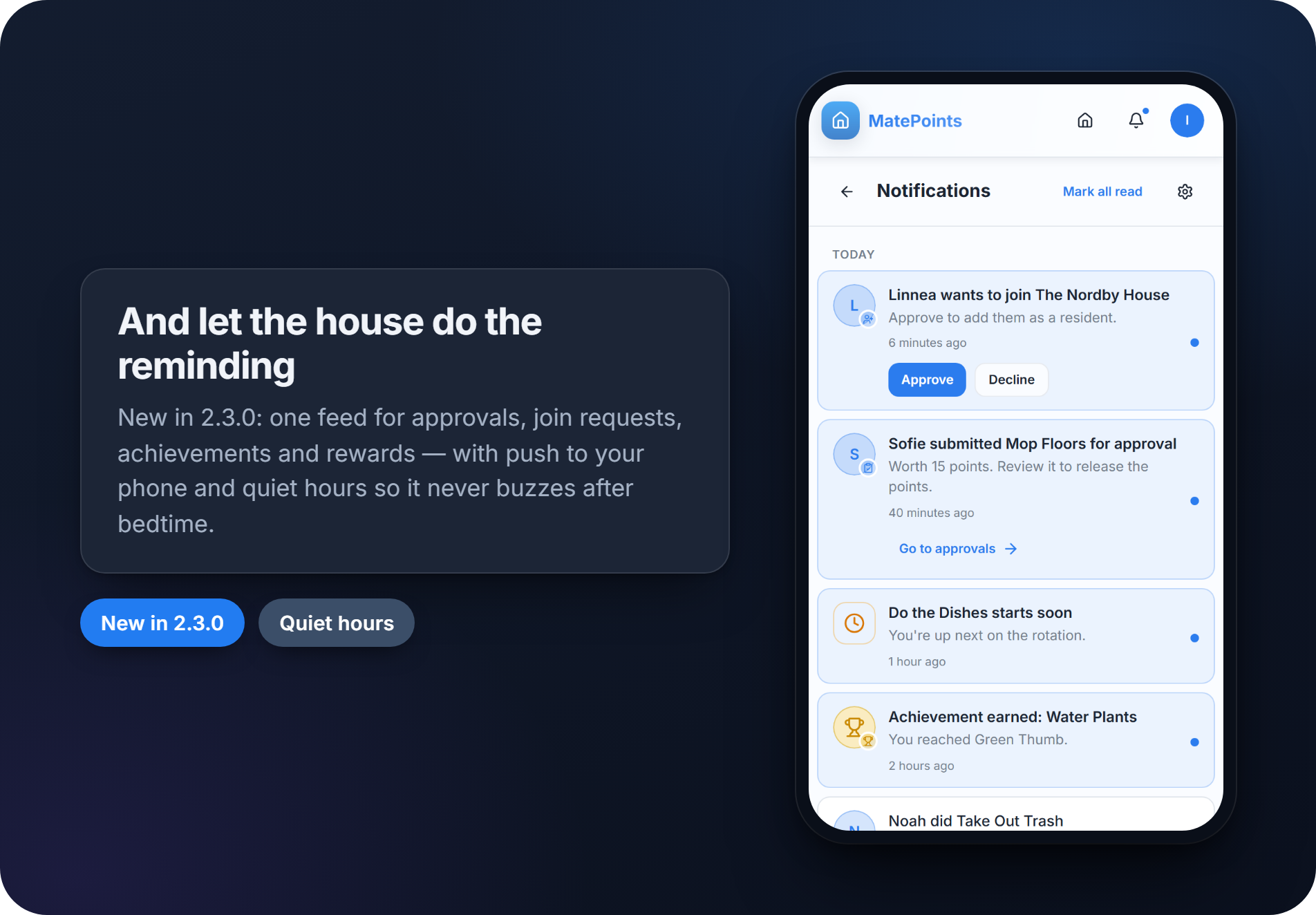
One last thing, new in the latest release: MatePoints now tells you when something needs you, instead of waiting for you to come and look.
One feed for join requests, chores waiting on your approval, achievements and rewards — with push to your phone if you want it, and quiet hours so it never buzzes after bedtime. If your household group chat is currently ninety per cent chore nagging, this is the feature that gets it back.
The short version
- Start with the built-in chores. Don't design a system on day one.
- Group them by rhythm or by place — never both.
- Open the achievements page so everyone knows what the points lead to.
- Put a real reward on a level, and actually hand it over.
- Tap a tag where the chore happens.
None of it takes more than a quarter of an hour. The difference shows up in week three, which is the only week that really tests a rota.
Start free at matepoints.app — one household, the full task library, and every bit of the gamification, at no cost.