Screen time rewards: what works, and what backfires
Screen time rewards work — but only when screens aren't the only reward. The research, a fair exchange rate by age, and when to swap tokens for an app.

Screen time rewards work best when a child earns minutes through effort rather than losing them to a countdown. Younger children do well with physical tokens or a printed chart. Households with several caregivers, or an older kid who has learned to negotiate, do better with an app that tracks the points automatically.
There is a catch, though, and it's worth knowing before you build the whole system around it.
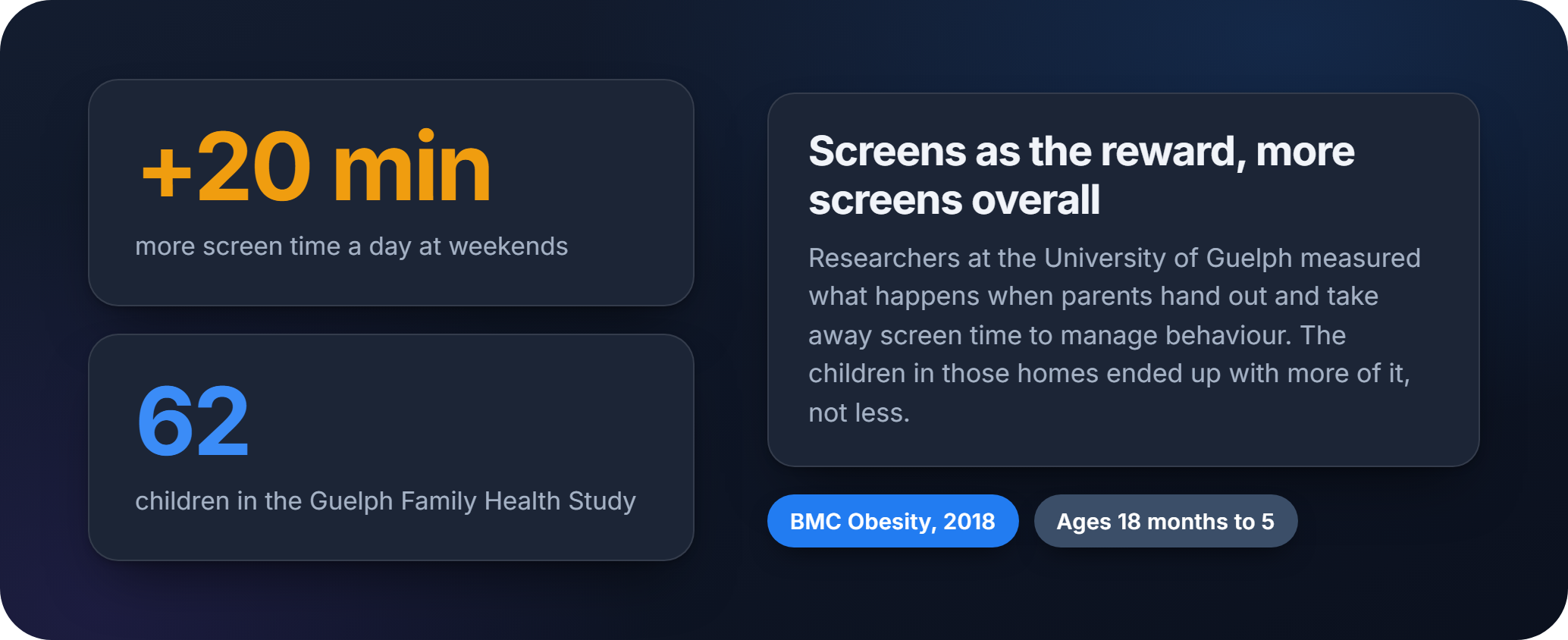
Researchers at the University of Guelph asked the parents of 62 young children how they handled screens at home. The children whose parents gave out screen time as a reward, or removed it as a punishment, averaged about 20 minutes more screen time a day at weekends than the children whose parents did neither. Jess Haines, who led the study, put it plainly: it's similar to how we shouldn't use sugary treats as rewards, because by doing so we can heighten the attraction to them.
That's not an argument against reward systems. It's an argument against making screen time the only thing your points can buy.
Five screen time reward systems that get used
A chore-based token economy. Physical tokens or a sticker chart, best for younger children. Finish a task, get a token, trade it for a set number of minutes. ScreenTime Tokens, designed by pediatric occupational therapist Brian Collins, is built around exactly that immediate cause-and-effect loop — young kids don't yet grasp an abstract running total.
A point chart with an exchange rate. From around six or seven, most kids can handle points instead of one-for-one tokens. A chore earns two to five points, and points convert to minutes at a rate you set. It scales better once a child has more than three or four regular chores.
A weekly time bank. Older kids do better managing a lump sum. One weekly total, spent however they choose, which builds the same budgeting muscle they'll need for money later.
An app. Once you've got multiple caregivers, or a kid old enough to argue the toss, manual tracking becomes the weak link.
A hybrid. Rotate non-screen prizes through the same points — choosing the film, staying up fifteen minutes later, picking dinner.
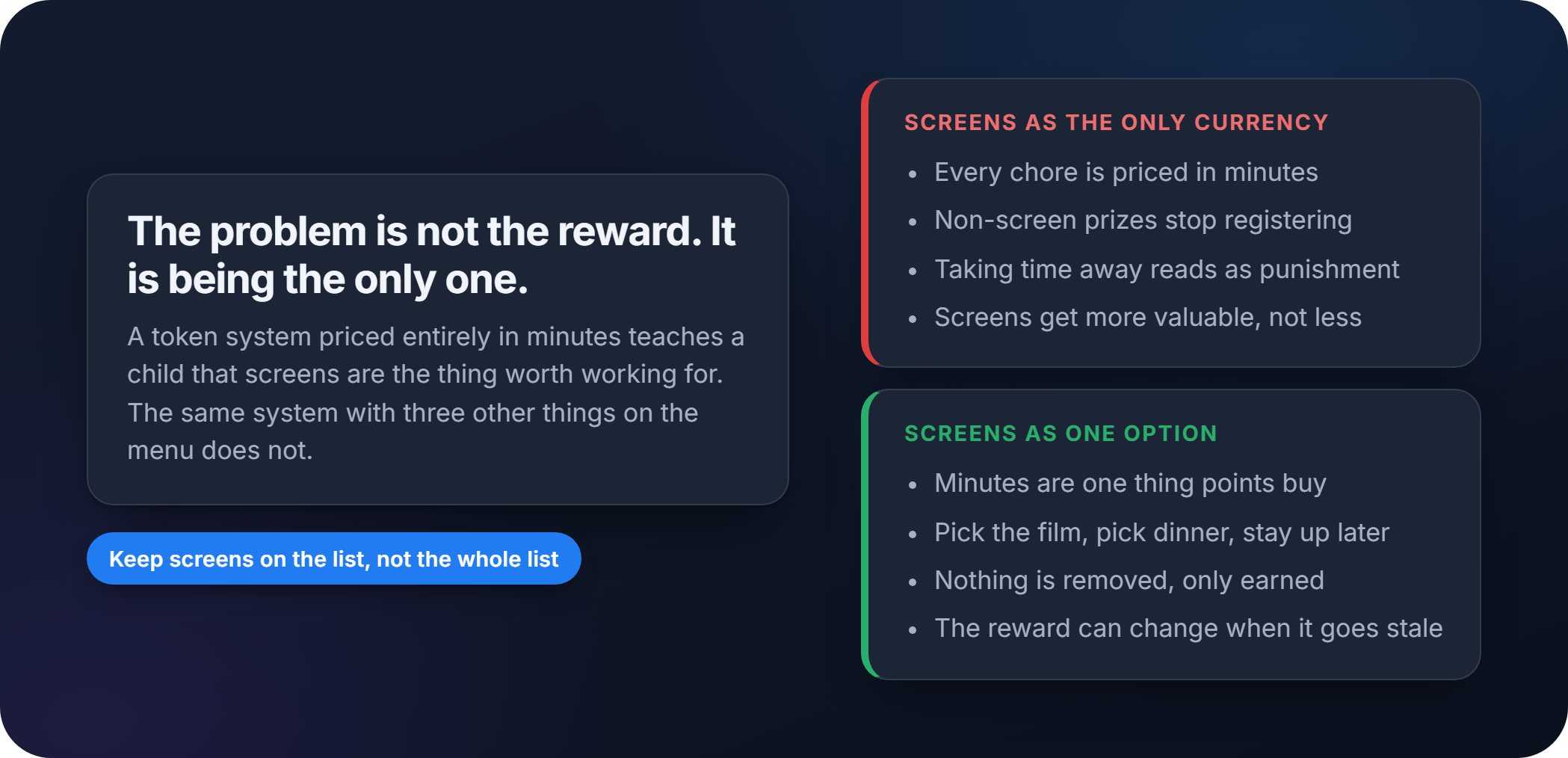
That last one isn't a nice-to-have. It's the thing the Guelph finding is pointing at.
How to set up a screen time token system
You can build a working system in under half an hour. This is the order that avoids the most common setup mistakes.
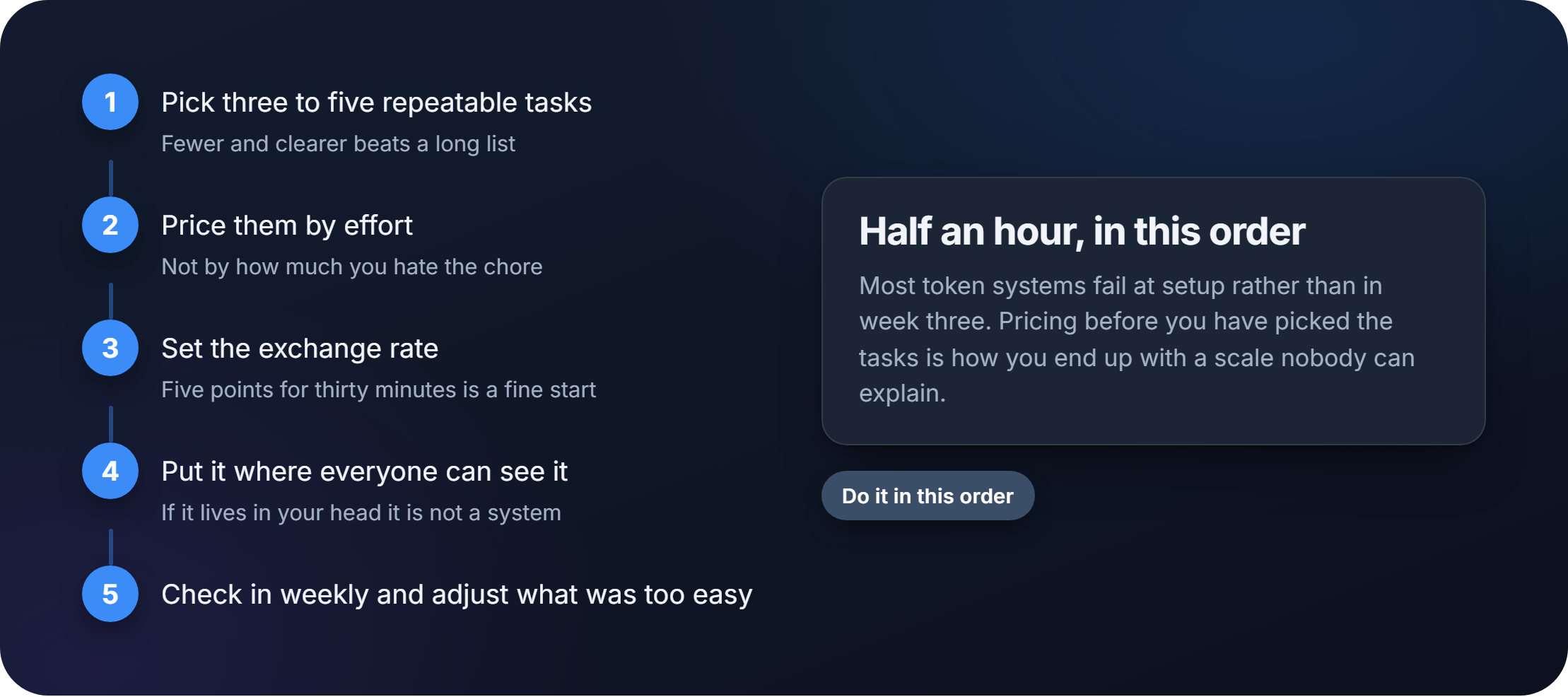
- Pick three to five repeatable tasks. Making the bed, unloading the dishwasher, homework done without reminders. Fewer and clearer beats a long list nobody remembers.
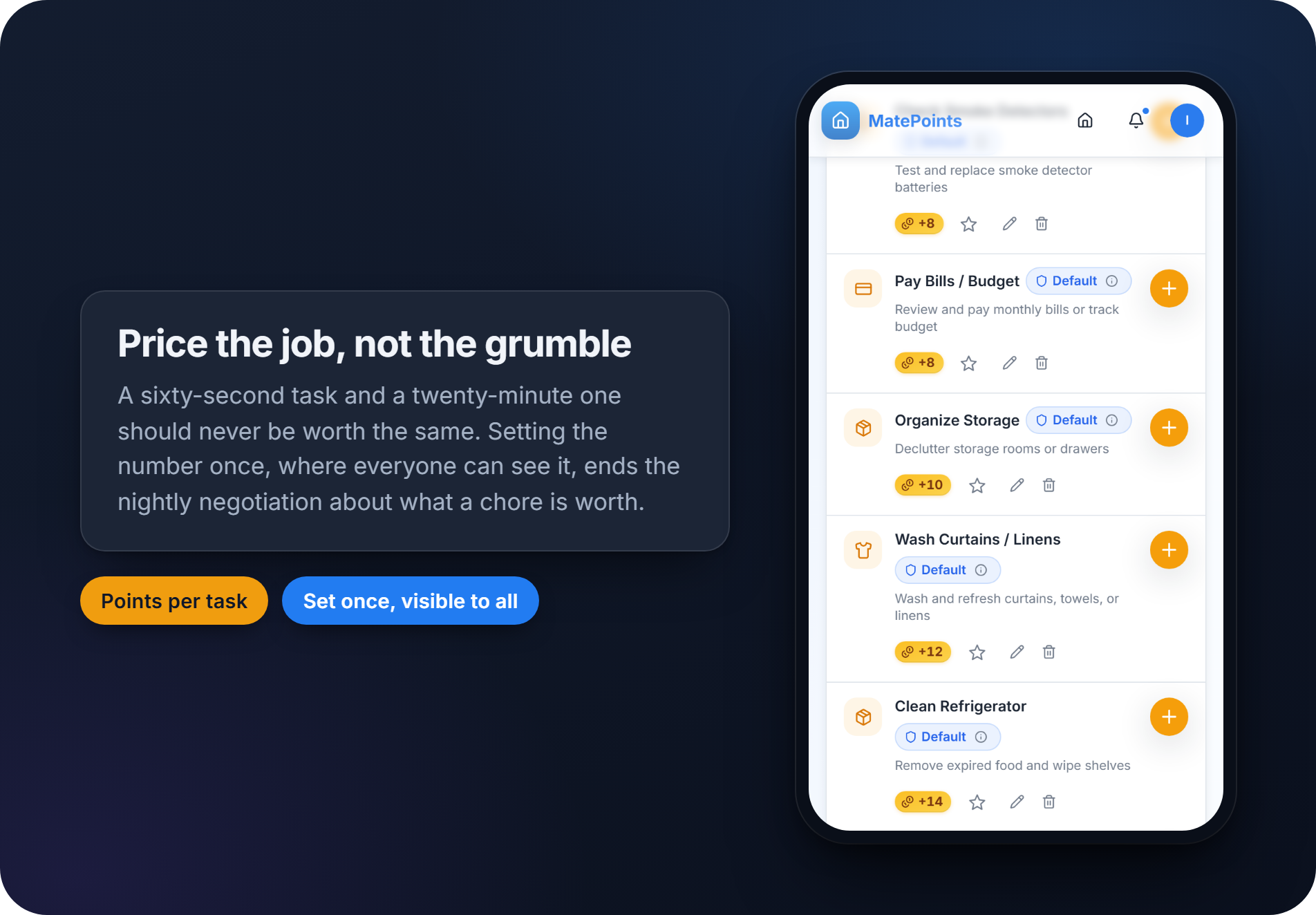
- Price them by effort, not by how much you personally hate the chore. A sixty-second task should never earn the same as a twenty-minute one.
- Set your exchange rate. See below.
- Make it visible. If the system lives in your head, it isn't a system.
- Tally daily, review weekly, and adjust whatever turned out too easy or too stingy.
Pro tip: if your child can't explain the rules back to you in one sentence, the system is too complicated. Simplify before you add anything new.
What a fair exchange rate looks like
Fairness here is mostly about proportion: the reward should match the work rather than being a jackpot for folding one towel. Timily's guidance gives two starting benchmarks — a fine-grained model where each point is worth roughly a minute, for older kids who like precision, or a flat token model where five points buys thirty minutes, for younger kids who need something simpler. Their suggested range is 10 to 15 minutes per task for younger children and 15 to 30 for older ones, with bigger physical tokens and about three tasks up to age seven, a written point system with four or five to age ten, and a digital tracker above that.
Printable tech time tokens come in 10, 15 and 30 minute denominations, which saves inventing values from scratch. For a bigger job, stack a bonus token rather than redesigning your scale.
When to swap paper tokens for an app
Paper charts work fine for one kid in one house. They fall apart once there are two parents, three kids and a babysitter all needing to know the current balance. That's the moment an app earns its place, because it logs a completion the second it happens instead of relying on somebody's memory at bedtime.
Worth looking for before you pick a tool:
- Shared household accounts, so every caregiver sees the same live balance
- NFC or QR chore logging, so completing a task doesn't mean opening an app
- Achievements or milestones, for motivation beyond the basic point trade
- A visible redemption history both kids and parents can check
- Adjustable parental controls that stay transparent to the whole household
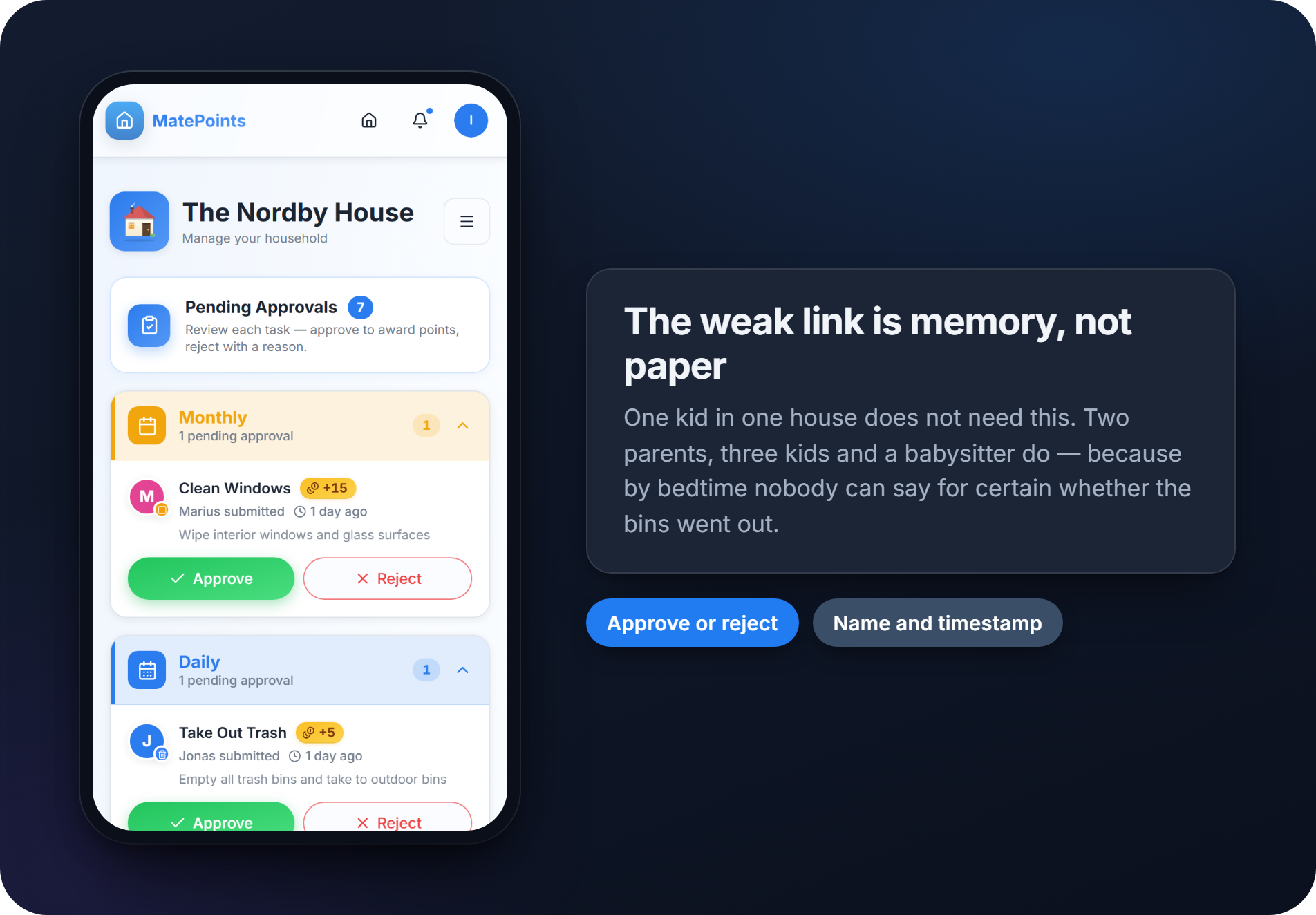
MatePoints is built around that structure. Every completion carries a name and a timestamp, so "I did it yesterday too" stops being a matter of memory, and achievements hang a real reward on a milestone rather than letting points just accumulate. Two things need Pro: tap-to-complete, where a kid taps an NFC tag or scans a QR code stuck by the sink instead of opening the app, and creating achievements with rewards attached. Logging chores, approving them, earning and redeeming rewards, and the full history are free.
Automation doesn't replace the conversation about screen time, but it does remove the daily argument over whether a chore actually happened.
Keep the privacy settings visible to the whole household rather than buried where only one parent can see them — a system built on trust falls apart fast if kids feel tracked rather than rewarded.
Why reward systems stop working after a few weeks
Most token systems fail for one of four reasons: the rules were never clear, enforcement got inconsistent, rewards inflated until minutes stopped meaning anything, or the novelty wore off. The fixes are usually smaller than parents expect.
- Rewrite the rules in one plain sentence your kid can repeat back
- Rotate which chores are available every two or three weeks
- Hand out an occasional surprise bonus token, unearned and unannounced
- When a kid negotiates for more points, ask "what would make this feel fair to both of us?" instead of just caving
A system that works for one child can flop for their sibling, and that's normal rather than a sign you designed it wrong. Kids who like structure do well with a fixed chart and the same chores daily; kids who bore fast need variety built in; an anxious child may need unused points to roll over rather than reset, so a missed day doesn't erase progress.
For kids with attention differences, keep the gap between effort and payoff short. Children with ADHD discount delayed rewards far more steeply than their peers, often taking a smaller reward now over a larger one later — so a token handed over the second a task finishes does work that a promise of minutes tonight does not. Fewer, larger denominations help too: less to decide.
Once a child manages their own balance reliably for a month or two, retire the point-by-point tracking and move to a flat weekly budget. That's the real goal.
What to reward with, if not minutes
For years the advice was a number of hours. That changed: in its 2026 policy statement, Digital Ecosystems, Children, and Adolescents, the American Academy of Pediatrics moved away from counting hours toward the 5 Cs — Child, Content, Calm, Crowding Out and Communication. The one that matters here is crowding out: not how long the screen was on, but what it displaced, and what you can crowd back in.
That reframes the exercise. A reward system isn't a way to ration a ceiling somebody else set. It's a way to decide what fills the space — which is why the prize doesn't have to be minutes at all.
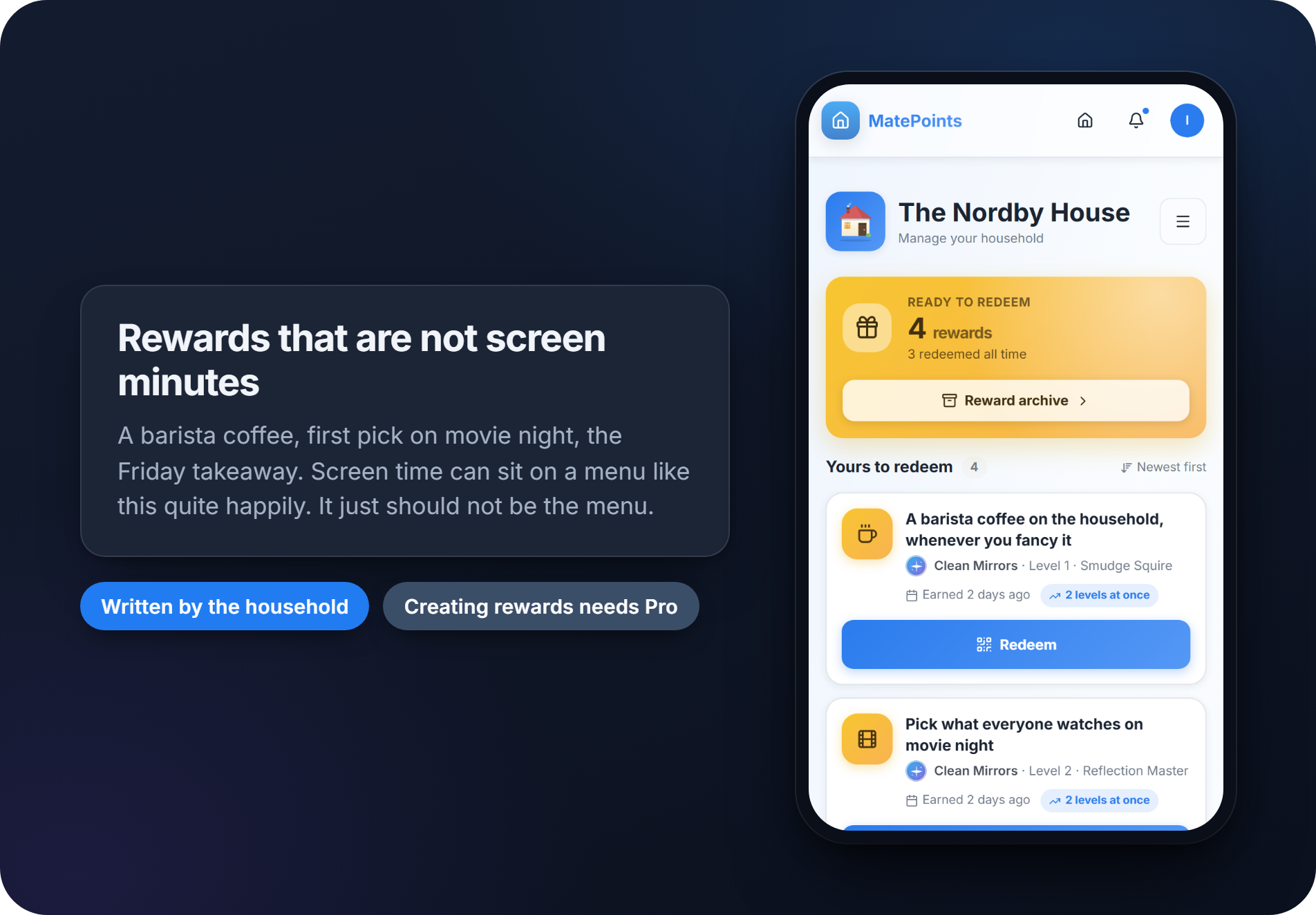
Some that cost nothing: choosing the film, picking dinner, staying up fifteen minutes later, first go in the front seat, an hour out somewhere at the weekend. Screen minutes can sit on that menu quite happily. They just shouldn't be the whole menu — and if you're weighing up paying cash instead, that's a different question with its own trade-offs.
Two caps are worth setting whichever currency you use. Don't let earned minutes stack indefinitely, or a productive week turns into six hours on a Saturday. And never take back time that was already earned — that turns a reward system into a threat system, and kids stop trusting it.
A parent's honest take on running these systems at home
Small households, one or two kids, tend to do fine with a paper chart for months before anything needs to change. Add a third kid or a second working parent and the wheels come off fast, mostly because nobody can agree on whether a chore actually got done. That's the exact gap automated tracking closes, and it's why the shift from tokens to an app tends to happen the moment a household gets more complicated, rather than because paper stopped working on its own.
The behavioural pattern worth watching isn't compliance. It's whether a kid starts checking their own balance unprompted. That's the real sign a system has taken hold.
— Marcus
Try it on your own household
If you've been through two paper charts and a whiteboard nobody updates, the pattern is familiar: enthusiasm for a week, then silence. Setup takes about as long as making the bed — create a household, add the three to five tasks you actually argue about, price them by effort, and invite everyone else living there. They log completions from their own phones, and you can see what's getting done without asking.
Start a household on MatePoints and give it a week.
Sources
- Mothers' and fathers' media parenting practices associated with young children's screen-time (BMC Obesity, 2018)
- Controlling children's behavior with screen time leads to more screen time (University of Guelph via ScienceDaily)
- Digital Ecosystems, Children, and Adolescents: Policy Statement (Pediatrics, 2026)
- The 5 Cs of Media Use (American Academy of Pediatrics)
- Screen Time Reward System That Kids Actually Stick With (Timily)
- Screen Time for Kids: Printable Tech Time Tokens (Teach Beside Me)
- Clip To Rewards — ScreenTime Tokens
- Disrupted waiting behaviour in ADHD (Child Neuropsychology, 2022)