Chore completion tracking: start with 5 to 8 chores
Chore completion tracking that lasts: start with 5 to 8 chores, make marking one done take seconds, and review the week in five minutes.

Chore completion tracking works when marking a chore done takes seconds and somebody looks at the record once a week. The fastest reliable setup is an app with clear completion status and a history, unless your household prefers something low-tech, in which case a printable chart works just as well. Households with several people and scattered schedules do better with an app. Homes with young children who need a visible cue on the fridge do better with paper. Either way, start with 5 to 8 chores, not the whole house.
This guide covers the tracking itself: logging, checking and reviewing. Still need the list? Start with our daily chore checklist. Deciding where it lives? See how to set up a family task board.
Four practical approaches to chore completion tracking
- A chore tracking app. Best for households juggling several people and chores that come round again. Good ones show status at a glance (pending, completed, sometimes overdue), send reminders and keep a history log.
- Printable charts. Best for younger kids or anyone who wants a physical, always-visible reminder. WeekSheets' free printable weekly chore chart is edited in the browser and printed as a PDF, with no account needed. Taped to the fridge, it covers most families' needs.
- Hybrid templates. Best for households comfortable with spreadsheets or Notion who want more structure than paper but don't need a dedicated app. Quin's Chore Tracker, a free Notion template by Quinlan Creates, is a starting point you can adapt to hold owners, status and a running history on one page.
- Smart-home check-ins. Best for tech-forward households already running Home Assistant. The open-source simplechores integration exposes each chore's due date, last completion and assignee, and counts the chores completed today, this week, this month and this year.
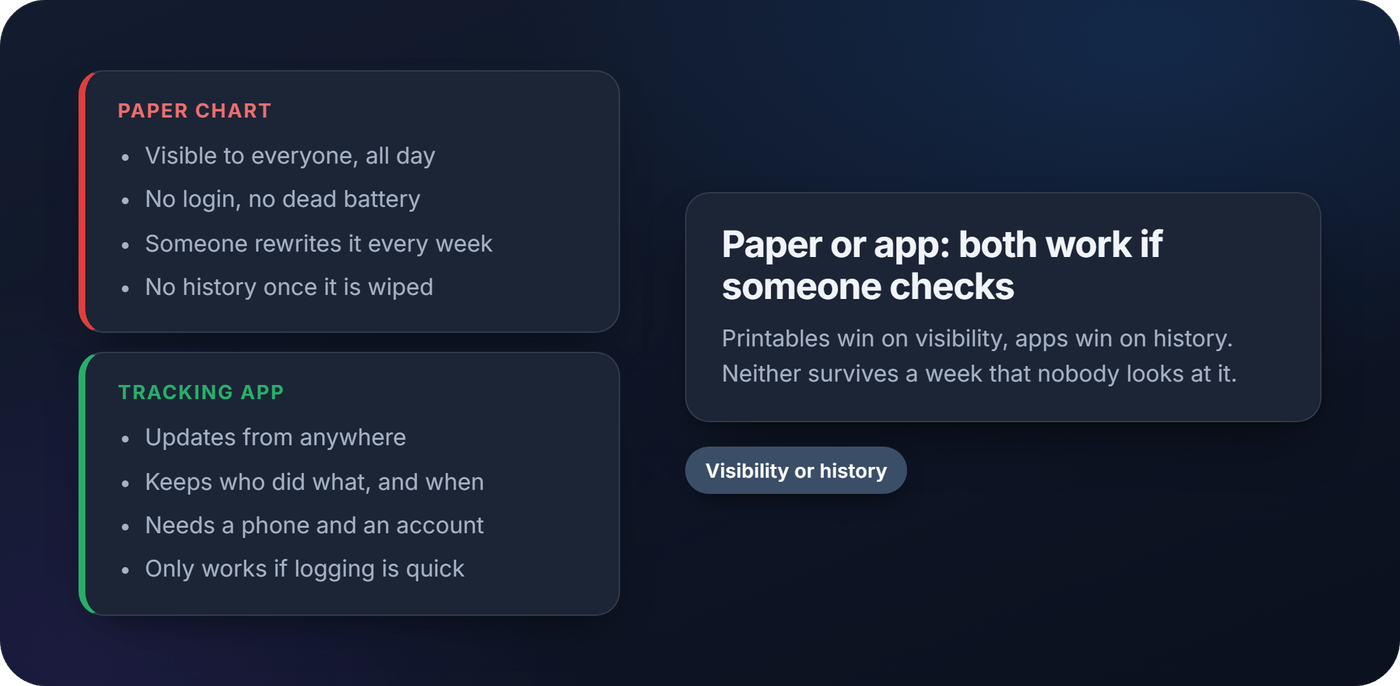
Each approach solves the same problem differently: apps win on reminders and history, printables win on visibility, hybrids win on flexibility, and smart-home setups win on effort. None of them work if nobody checks them, which is really the whole game.
How to track chores: a five-step setup
The usual mistake is over-engineering the first version instead of starting small and adjusting.
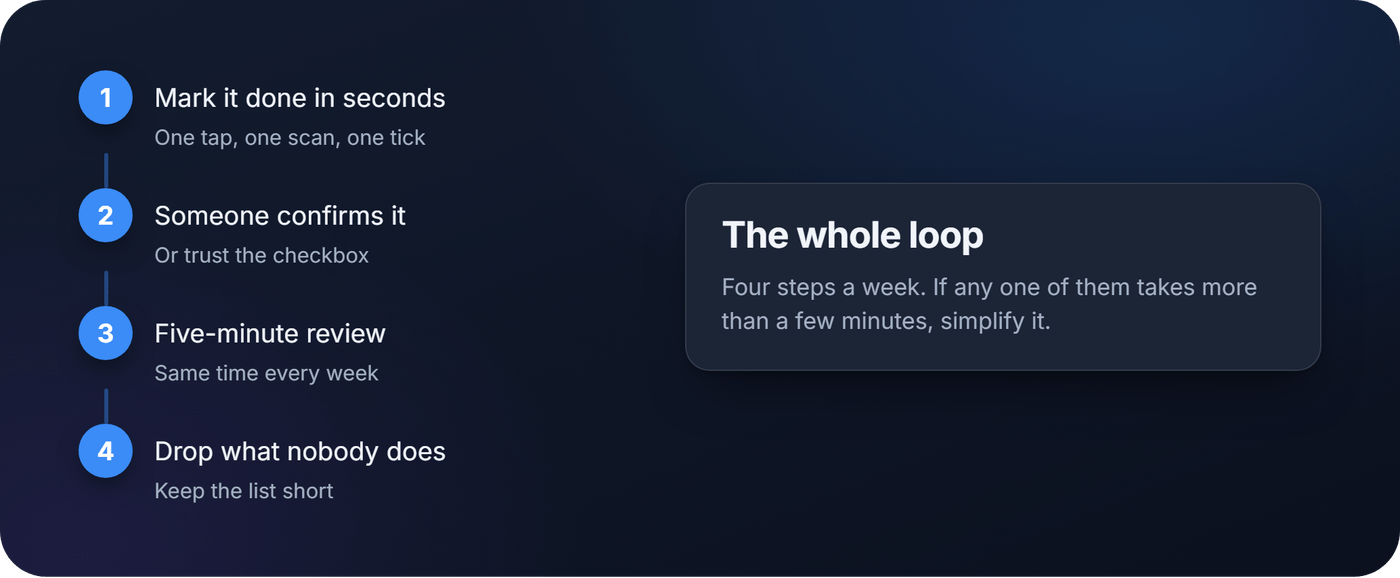
- Assign roles and pick 5 to 8 starter chores. Don't try to track everything on day one. List the recurring tasks that actually cause friction (dishes, trash, laundry) and agree who owns each one.
- Choose your method and decide how often each chore repeats. Daily, weekly or on a rotating schedule. Write it down so nothing sits in limbo.
- Decide how completion gets verified. Some households trust a self-reported checkbox. Others want a quick approval from a parent or housemate before a task counts as done, or a photo dropped in a shared album.
- Log every completion and keep a simple history. An app's log or a spreadsheet column: a record of who did what and when makes most disputes disappear fast.
- Run a five-minute weekly review at a fixed time. Look at what got missed, adjust the chore list, and drop anything nobody actually follows through on.
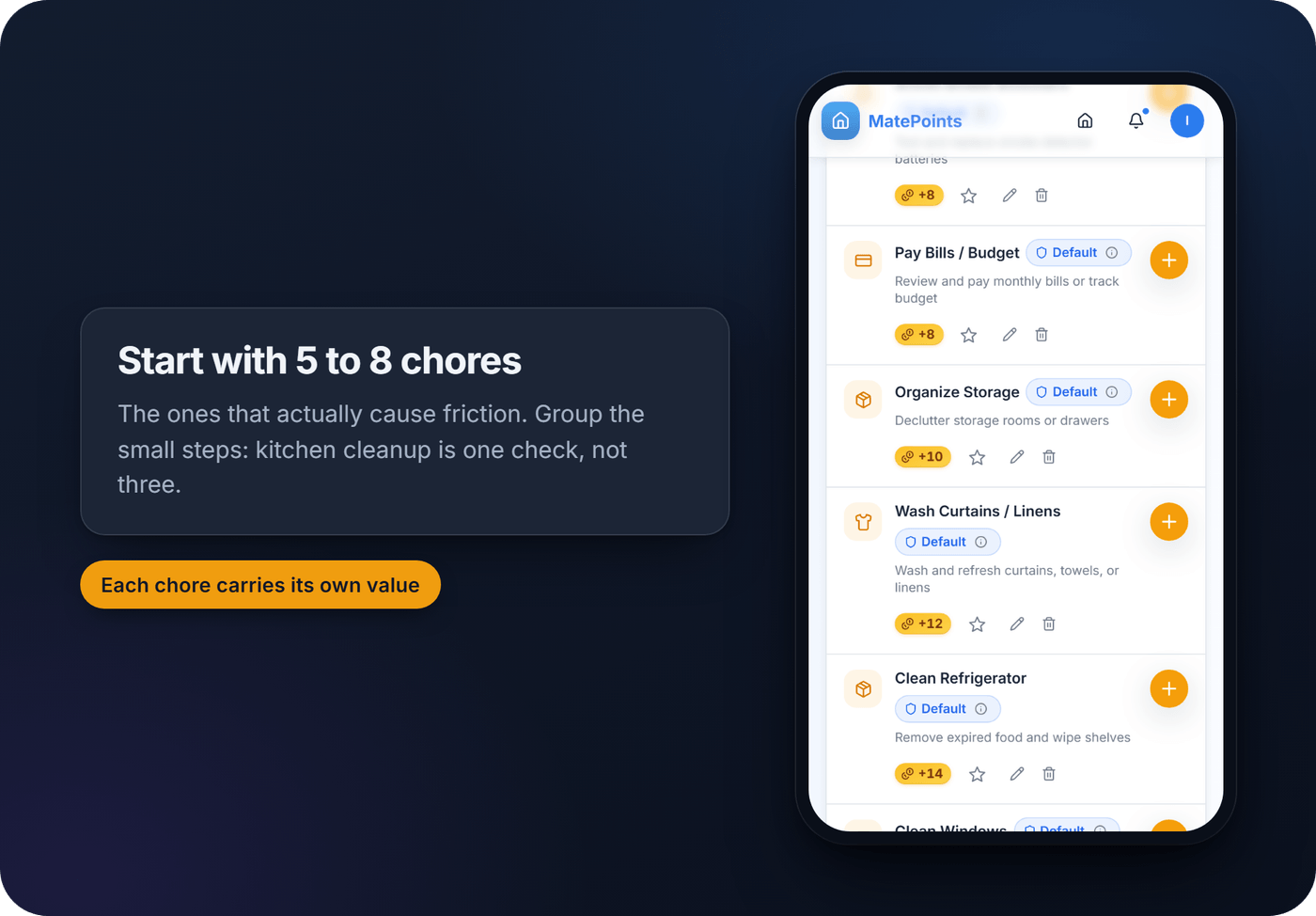
Pro tip: Group small tasks into one "completed" check instead of tracking every micro-step separately. Marking "kitchen cleanup" as one task beats logging dishes, counters and trash as three separate items, especially for kids under 10.
Tie the review to something your house already does: Sunday after dinner, or straight after the school run. "After Sunday dinner, we open the list" is an if-then plan, and a meta-analysis by Peter Gollwitzer and Paschal Sheeran (2006) found that plans of that shape had a medium-to-large effect on whether people reached their goals.
The biggest reason chore systems fail isn't laziness. It's friction. In my view, if marking something complete takes more than a few seconds, people quietly stop doing it. One-tap logging, NFC taps or QR scans cut the "mark it done" step down to almost nothing.
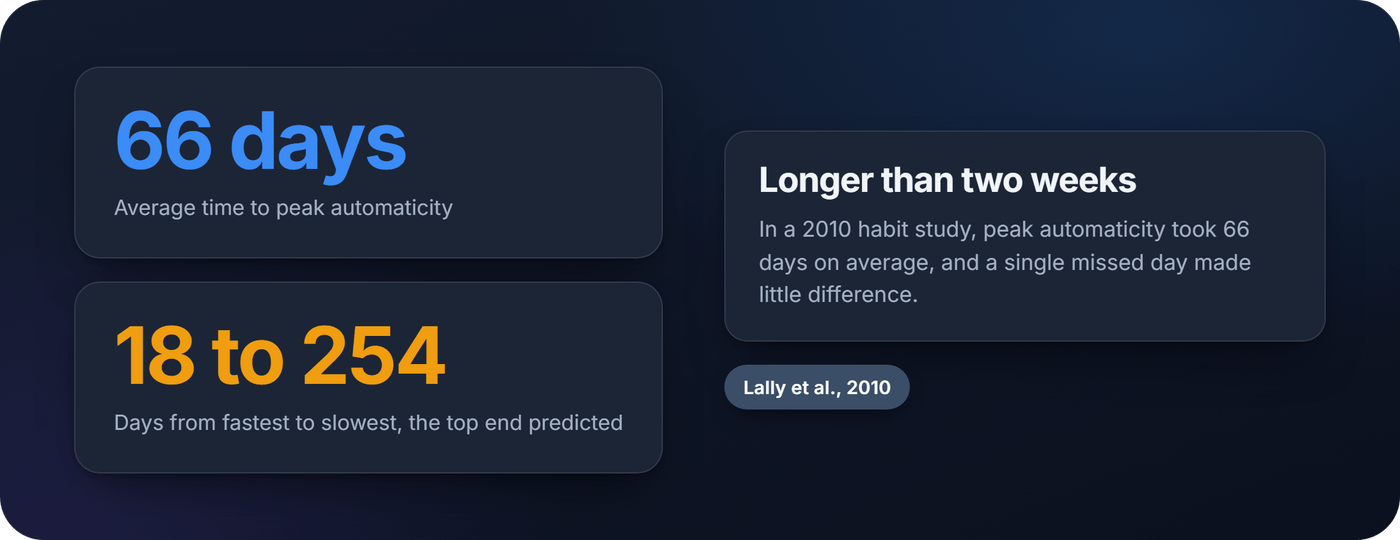
Give the routine longer than you think, too. In a 2010 study by Phillippa Lally and colleagues, 96 volunteers each linked a new daily behavior to a daily cue, like sit-ups after morning coffee. As the BPS Research Digest reported, it took 66 days on average to reach peak automaticity, and anywhere from 18 days to a predicted 254. A single missed day had little impact. So a skipped Tuesday is not a failed system, but a skipped month is.
Chore reminders setup: household reminders people don't ignore
A chore reminder app is only as good as its timing. Reminders that fire at 6 a.m. for a chore due at 8 p.m. train people to ignore them. Four rules for household reminders that last:
- Remind at the moment the chore can be done, not hours before.
- One reminder per chore, not a nag every hour.
- Tie it to the cue you already chose. The bins reminder fires after dinner because the bins go out after dinner.
- Use what is already on everyone's phone. You may not need a chore reminders app at all: a repeating phone reminder or a shared calendar event does the job.
The same goes for the grocery list and chores. Keep the shopping list wherever your household already writes it, a shared note or a list app, and keep the chore tracker for chores. Two simple tools beat one crowded one.
What features actually matter in chore management software
Here's what separates a tool people keep using from one that gets deleted after a month.
- Clear completion states. Pending and completed should be distinct at a glance.
- Recurrence that fits your house. If you want the app to schedule chores for you, check that it actually does. Not every tool does.
- One-tap or scan-based check-in. NFC tags or QR codes turn "mark this done" into a two-second action instead of a multi-screen process.
- Motivation systems. Points, rewards and approval workflows give tracking a reason to matter beyond guilt.
- History access. A record you can review protects against disputes and helps spot patterns over time.
Don't expect proof that any particular app changes behavior. A 2023 review in JMIR Pediatrics and Parenting by Summer Joy Weber and colleagues rated 16 apps that help parents set and track goals for their children. Quality was moderate overall (3.42 out of 5), and several apps scored well. None had been tested for efficacy. So judge task tracking tools on friction and fit: how fast a chore gets logged, and whether the tool matches how your house already works.
Printable chore charts and spreadsheet templates worth adapting
Paper still works, and for a lot of households, it works better than an app ever will. For young children it is the child chore completion tracker that makes most sense: a chart the parent keeps, at the child's eye level.
A simple weekly printable chart needs just three things: a column per household member, a row per chore, and a checkbox grid for the week. Print it, pin it somewhere everyone passes daily, and print a fresh one as the week resets.
If you'd rather go digital without a dedicated app, a shared spreadsheet or an adapted Notion template can give you:
- A column for owner, status and due date per chore
- A history you can scroll back through at the weekly review
- A view you duplicate for a new week or a new household member
Some families split the difference: a printable chart on the wall, plus a weekly photo of it dropped in a shared album. The kid-friendly cue stays visible and parents get a searchable record. As home chore organization goes, it is hard to beat for the price.
How MatePoints handles chore completion tracking
MatePoints builds chore tracking around what households want once they've tried paper: fast logging, clear status, a record, and a reason to keep going.
- Points per chore. Every chore carries a point value the household sets.
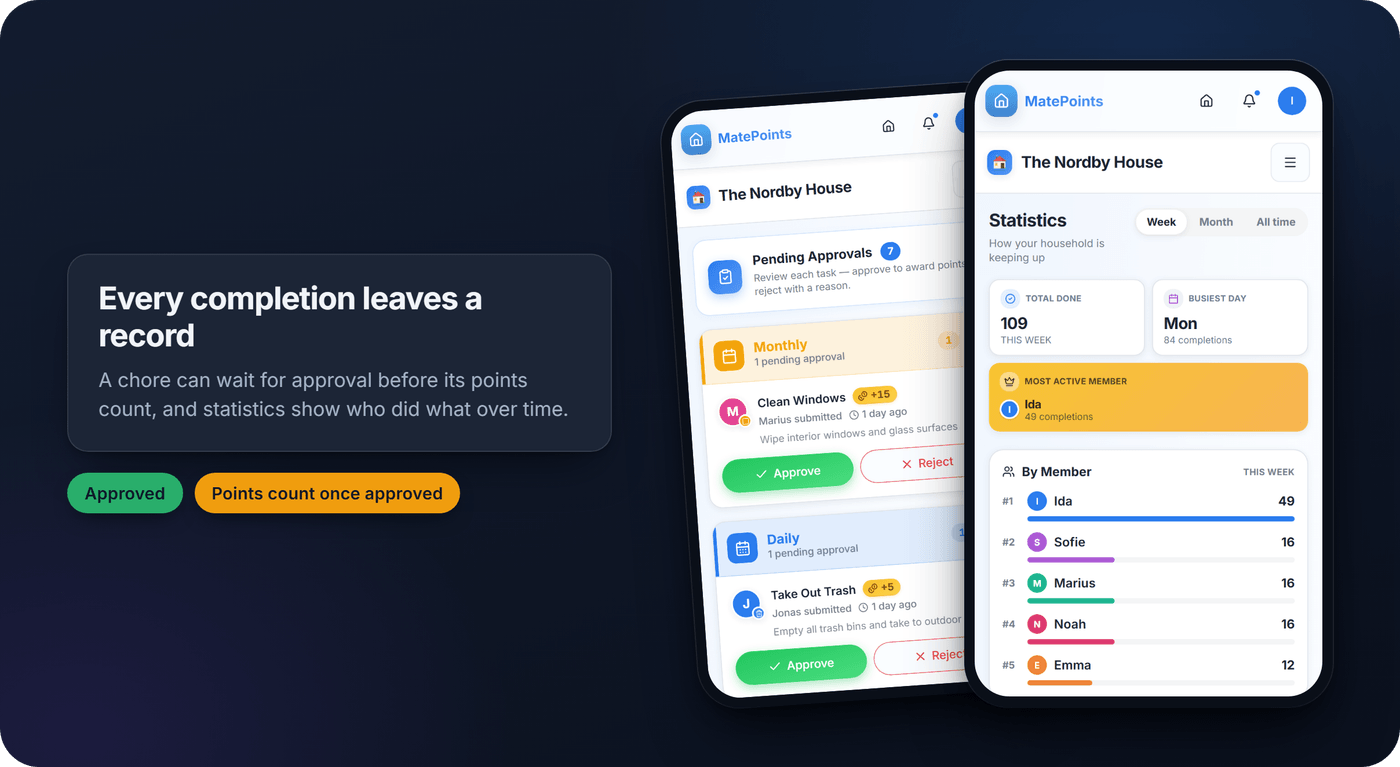
- Approvals. The owner can require approval for residents' completions, so points count only once someone with approval rights confirms the chore. Approvers are notified when something is sent for approval, and the person who did it hears when it is approved or rejected.
- Task history and status. The history page shows who did what and when: the owner sees everyone's, everyone else sees their own. A task status page shows where each completion stands, with the reason if it was rejected.
- Statistics and streaks. Per member and per task group, with spotlights such as the most neglected chore, plus day streaks.
- Tap or scan to log. An NFC tag or a QR code on the bin or the dishwasher logs the chore in seconds. Creating tags and QR posters needs Pro, and a tap or scan only completes a chore in a household with a Pro owner. Then every member can use them.
- The planner. Plan a chore for yourself on the calendar, or post a wish anyone can claim. If the slot has a start time, you get a reminder about 30 minutes before it.
What it does not do: chores don't repeat on a schedule, carry due dates or go overdue, and it doesn't rotate or assign chores to a person. Outside the planner there are no chore reminders, so keep a phone reminder for those. There is no grocery list, no photo proof and no smart-home link. Every member needs their own account, and our Terms set a minimum age of 13, so a younger child's chart stays on paper.
If you're working out who should approve what, our guide to choosing a household app by roles covers it. When you're ready, set up your household on MatePoints and add your first 5 to 8 chores.
Why low-friction systems beat complicated ones
Complicated systems collapse because they demand more attention than the chores themselves. A tracker that takes three taps to log one dish feels worse than just doing the dishes without logging it.
Incentives can get people through the first weeks, but in my view they don't build the habit. Routine does, and routine takes about two months, not two weeks. My honest advice for those first two months: pick fewer chores than you think you need, make logging nearly instant, tie the check-in to something you already do, and don't touch the reward structure until the habit itself feels automatic.
Marcus
FAQ
What is the best app for tracking chore checklists?
The one your household will actually open. Look for clear pending and completed states, logging that takes seconds, and a history you can review. If points, approvals and NFC or QR check-ins appeal, MatePoints covers those. If you need scheduled recurrence and due dates, check that the app you pick has them.
How do you keep track of chores consistently?
Low-friction logging and a short weekly review at a fixed time, not a complicated system. Start with 5 to 8 chores, tie the check-in to something you already do, and give the routine around two months before you judge it.
Is there a free chore tracking app?
Several apps have free plans. MatePoints' free plan covers chores with points, approvals, the leaderboard, statistics, history, the planner and streaks. Pro adds creating achievements with rewards and NFC and QR check-ins. It does not track allowance or money.
Do printable chore charts actually work for younger kids?
Yes. A printed chart gives younger kids a visible, persistent cue that doesn't need a screen or a login. Many families pair it with a weekly photo of the finished chart, which keeps the wall chart and adds a small digital record.
Sources
- Free Printable Weekly Chore Chart, WeekSheets
- Quin's Chore Tracker, Quinlan Creates, Notion template gallery
- simplechores, a Home Assistant integration, hoechstleistungshaartrockner on GitHub
- Implementation intentions and goal achievement: A meta-analysis of effects and processes, Gollwitzer and Sheeran, Advances in Experimental Social Psychology, 2006
- How are habits formed: Modelling habit formation in the real world, Lally, van Jaarsveld, Potts and Wardle, European Journal of Social Psychology, 2010
- How to form a habit, Christian Jarrett, BPS Research Digest, October 2010
- Commercially Available Mobile Apps With Family Behavioral Goal Setting and Tracking for Parents: Review and Quality Evaluation, Weber, Mulvaney et al., JMIR Pediatrics and Parenting, 2023