Family task board: how to set one up in 30 minutes
How to create a family task board in 30 minutes: fridge board, printable or app, a simple family kanban layout, and a weekly reset that sticks.

Most families do best starting a family task board on paper and adding an app once the routine sticks. A dry-erase board or a printed family chore chart is the fastest start, because everyone can see it without opening anything. Households juggling several caregivers, split schedules or shared custody usually outgrow paper fast. Either way, the setup below gets a board running in about 30 minutes, including a simple family kanban board that turns one long family to-do list into three columns.
Fridge board, printable chart or app: which family task board fits
Every family task board comes down to three real options, and each one solves a different problem.
A fridge dry-erase board or a wall-mounted command center gives you instant visibility. No login, no app to open, no excuse about a dead phone battery. The catch: someone has to physically update it, and if that person is always you, the board becomes one more thing on your plate instead of less.
Printable charts are the fastest, cheapest entry point. You print one page, tape it to the fridge, and you're done. Canva's chore chart templates let you customize names, tasks and colors, then keep the design in your account so you're not rebuilding it every week. A written chart also puts every task where everyone can see it, instead of in one parent's head.
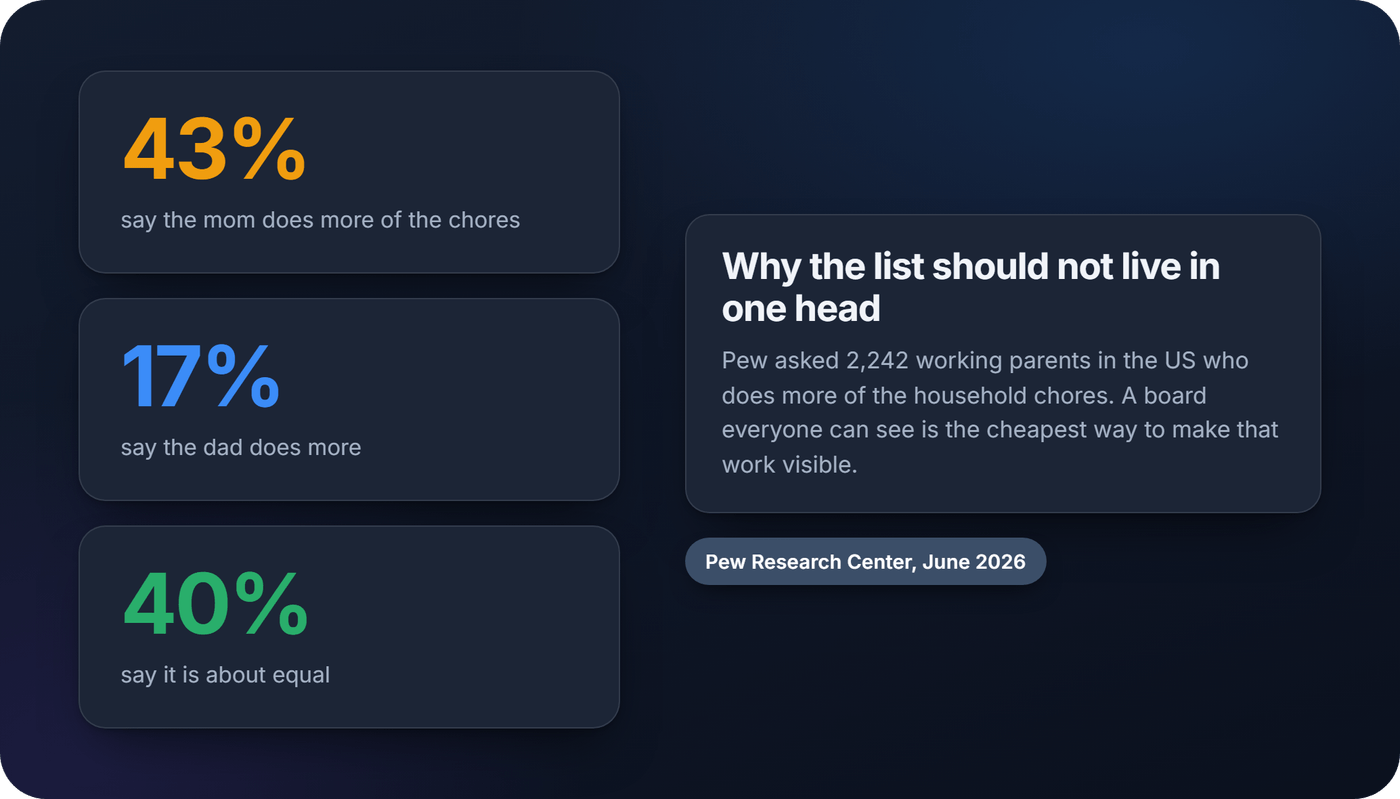
That head is usually the same one. In a 2026 Pew Research Center survey of 2,242 US working parents, 43% said the mom does more of the household chores, 17% said the dad does, and 40% said it's about equal.
Family apps solve the two things paper can't: several people updating the same list from different places, and a record of who did what that nobody has to remember. Most are freemium, so check what the free tier covers before the whole family signs up. A subscription costs less than a weekly argument over whose turn it was to take out the trash, but it is still a recurring line on your card.
Quick breakdown by household type:
- Young kids, one primary organizer: printable chart or fridge board
- Split households or shared custody: an app, so both homes see the same list
- Teens with phones: an app, since they'll check it where they already are
- Multi-generational or roommate households: an app with points, so everyone's effort shows up in one place
What a family task board has to get right
Six things separate a family task board that gets used from one that gets ignored by week three.
- Visibility. Can everyone see it without asking? A board buried in a junk drawer or an app nobody opens fails immediately.
- Ease of update. Aim for about ten seconds to mark a chore done. Dry-erase markers and one-tap check-offs pass. Complicated spreadsheets don't.
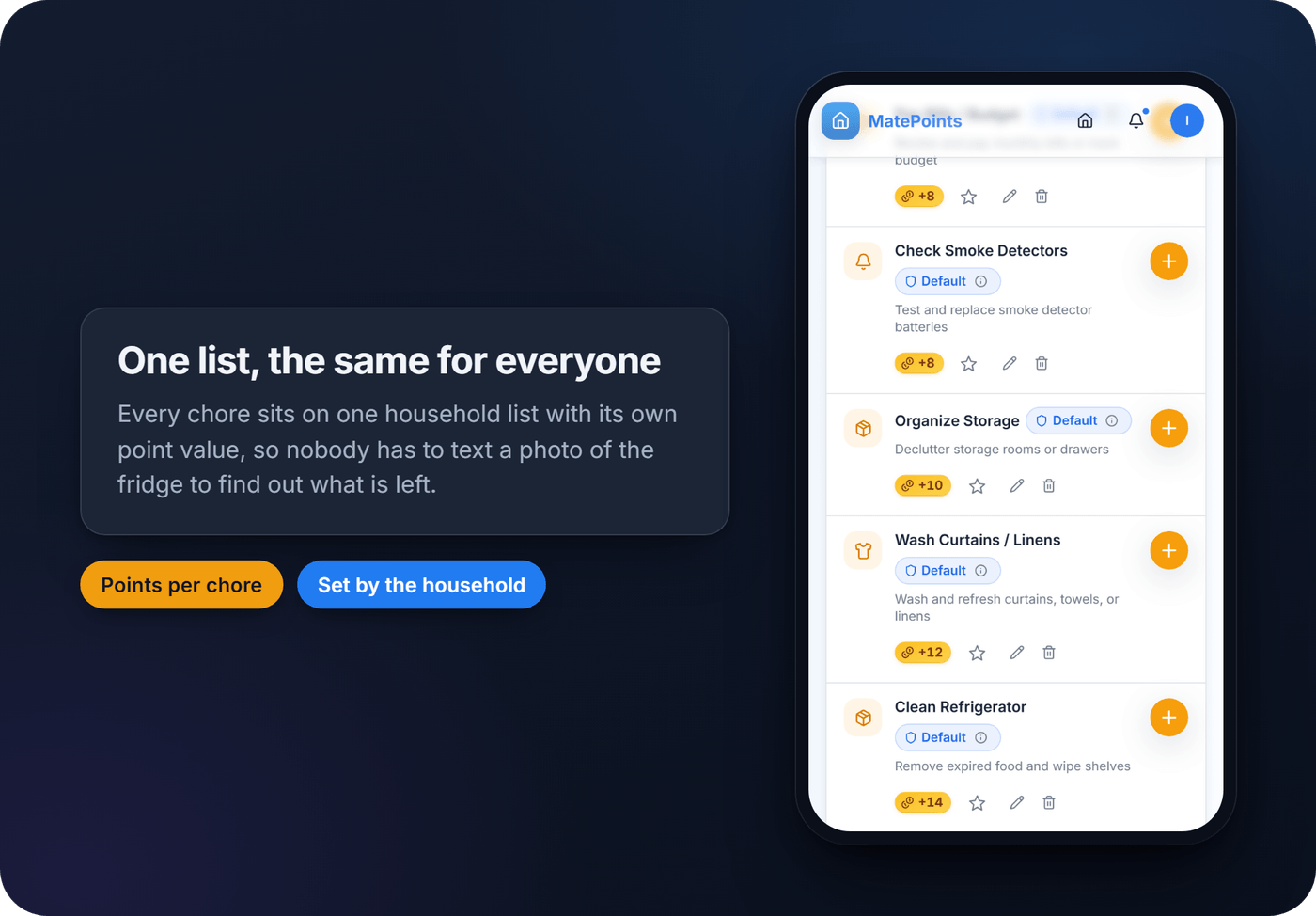
- One shared version. Does everyone see the same list, or does someone need to text a photo of the fridge?
- Rotation. Weekly rotation cuts down on the "why do I always get dishes" fight. In an app, check whether it rotates for you or leaves that to you.
- Some kind of payoff. A sticker, a choice of Friday's film, or points toward something the household agreed on.
- Durability and cost. A laminated chart lasts for years. A subscription only earns its keep if the whole family actually opens it.
One red flag: any system that needs one parent to re-enter every chore each week. That's a design flaw, not a discipline problem.
How to create a family task board in 30 minutes
Fridge or wall board:
- Choose a spot in the morning traffic path, kitchen or entryway, not a hallway nobody walks through.
- List household members down one side, days or task categories across the top.
- Write specific tasks, not vague categories ("feed dog at 7am" beats "help with dog").
- Book a 10-minute Sunday reset to wipe, rotate and rewrite the week. I'd rotate weekly rather than daily, which leaves too many half-finished handovers.
Printable chart: laminate it, post it at kid height, and tie a dry-erase marker to it on a string so it never disappears into a drawer. Keep a laminated copy even if you go digital later. It's your backup for WiFi outages, travel and the week everyone forgets to charge their phone.
Family kanban board:
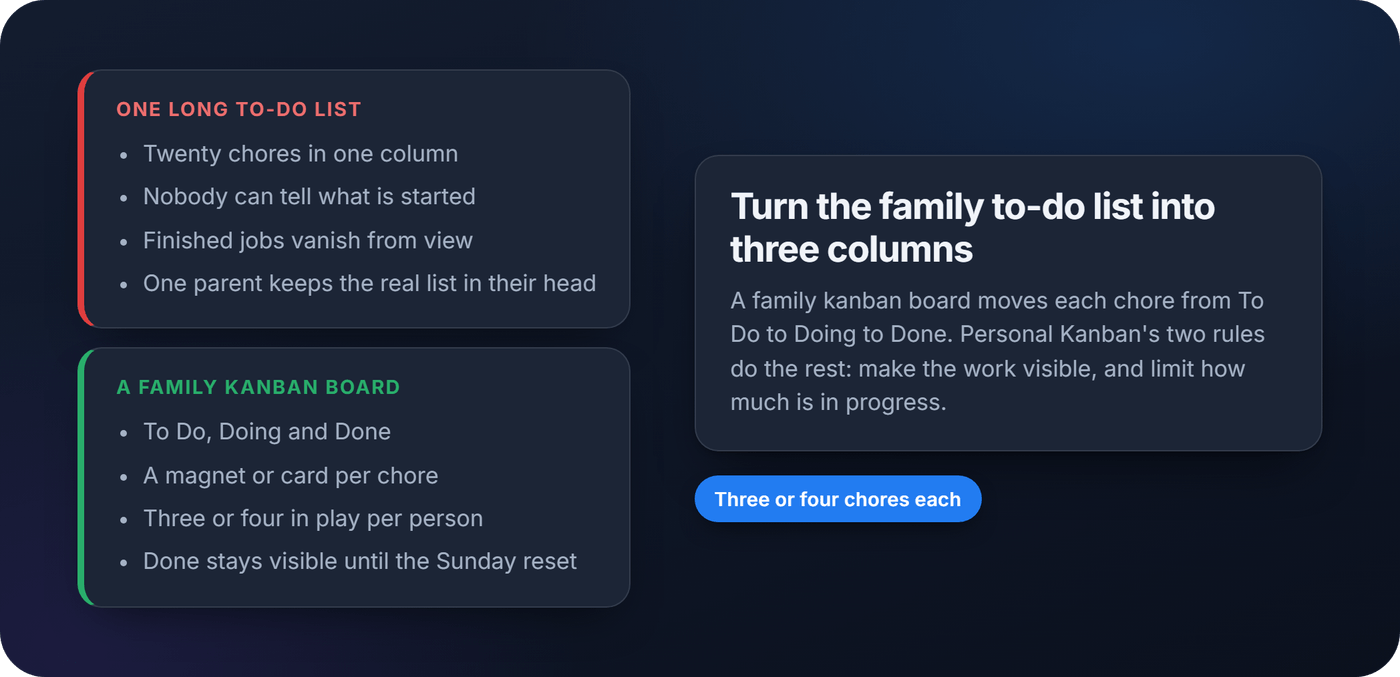
- Split the board into three columns: To Do, Doing and Done.
- Put each chore on its own magnet or sticky note, with a name on it, and move it right as it happens.
- Keep three or four chores in play per person. Personal Kanban, the 2011 book by Jim Benson and Tonianne DeMaria Barry, boils the method down to two rules: make the work visible and limit your work in progress. A short column is the second rule in practice.
- Leave Done full until Sunday. Clearing it together is part of the reset.
App setup:
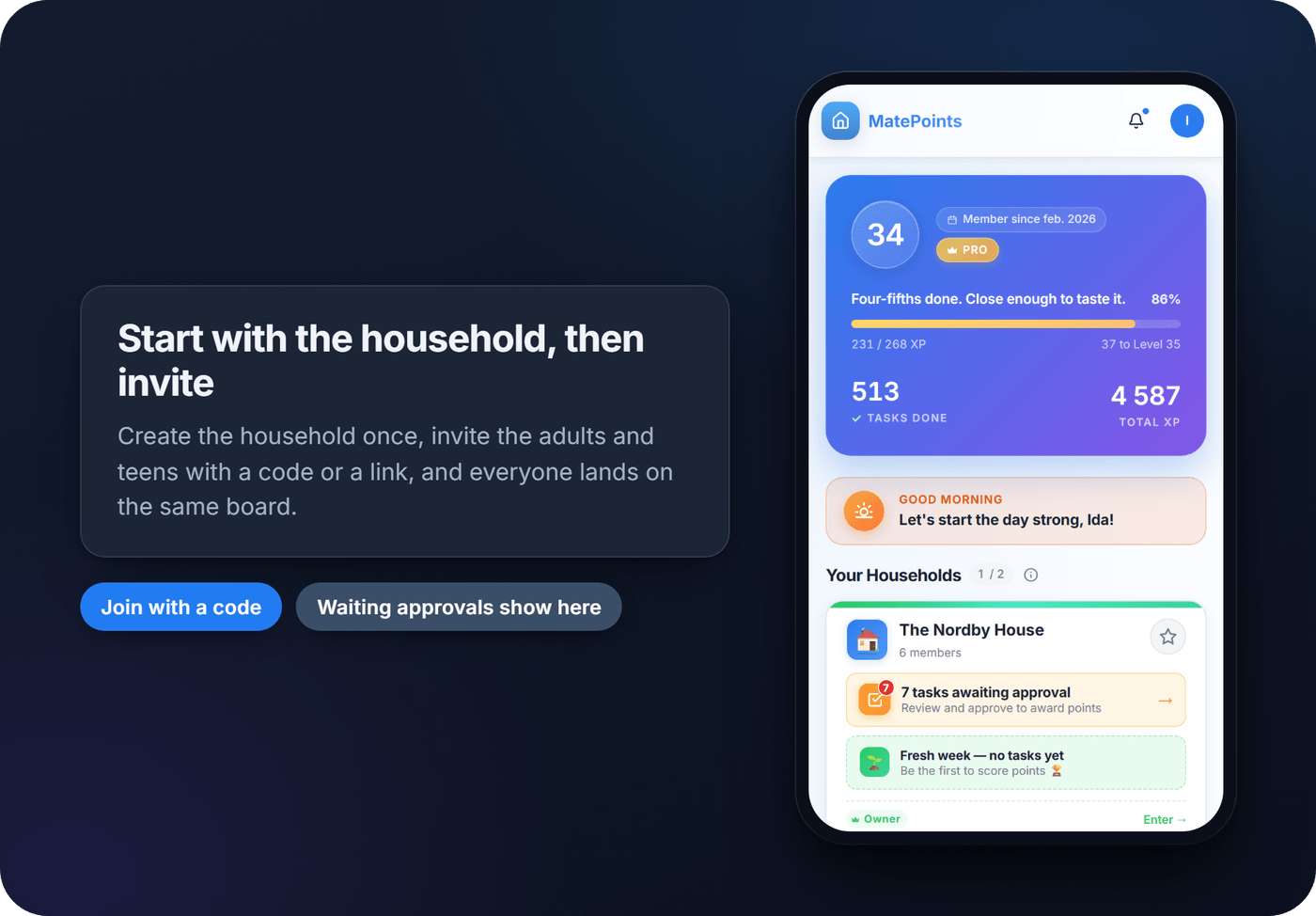
- Create your household and invite the adults and teens who will use it.
- Add your chores with clear names. Check whether the app repeats them on a schedule, or whether you still plan that at the Sunday reset.
- Agree the reward structure before day one, and keep notifications to the ones people will actually read.
Pro tip: Whichever setup you choose, run a two-minute family walkthrough the first evening. Show everyone exactly where to look and how to mark something done. In my experience it's the step people skip, and it's why so many boards are ignored in week one.
Write chores a child can finish
Vague chore wording is the quiet killer of most task boards. "Clean your room" means nothing to a 4-year-old; "put blocks in the bin" does.
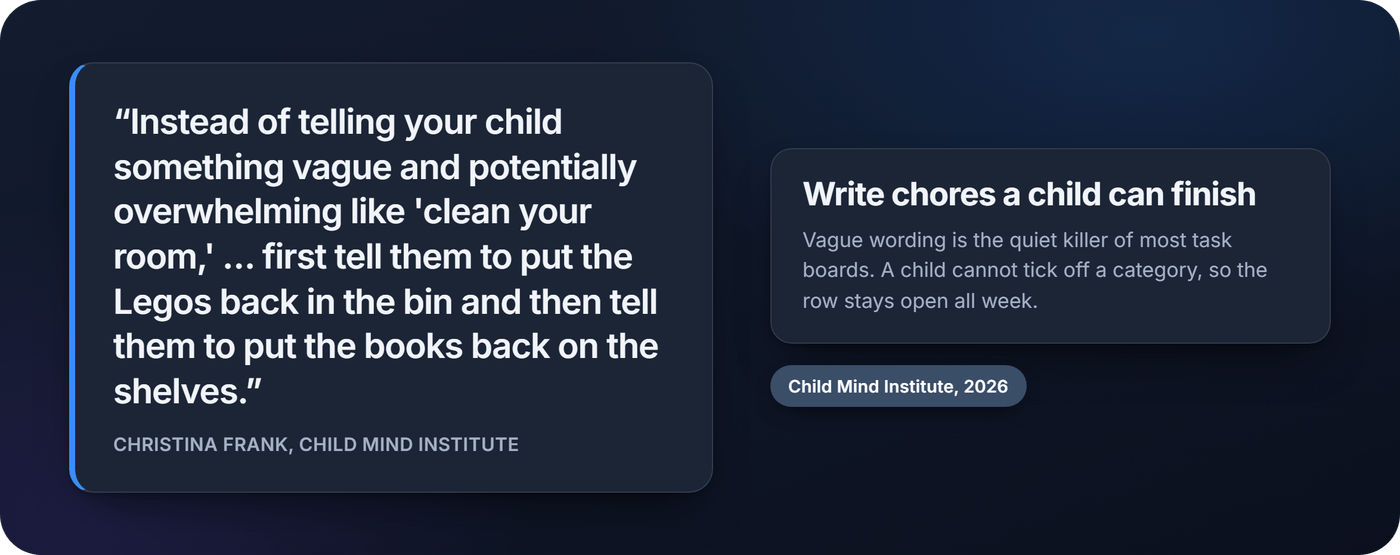
That is the Child Mind Institute's advice too, updated in May 2026, alongside a visual chart and regular family check-ins. Start small. The American Academy of Child and Adolescent Psychiatry says 2- to 3-year-olds can put toys and groceries away, and 4- to 5-year-olds can help feed pets and make their beds, "maybe not perfectly". Our family chore chart guide has the full age-by-age ladder.
For rewards, three patterns come up again and again: sticker streaks for young kids, a team goal the whole household earns together, and points per chore. One I'd leave out is screen time, and the reasons have their own article.
The weekly reset is where your family task board doubles as a weekly family planner. Bruce Feiler, who brought agile software practice home to his family, runs a weekly family meeting around three questions, as summarized by Farnam Street: what went well this week, what could we improve, and what will each of us commit to working on. Ask them on Sunday, then move next week's chores into To Do.
Where MatePoints fits on a family task board
MatePoints is a shared household task organizer for the parts paper struggles with: one list everyone can see, fast updates and a record nobody has to argue about.
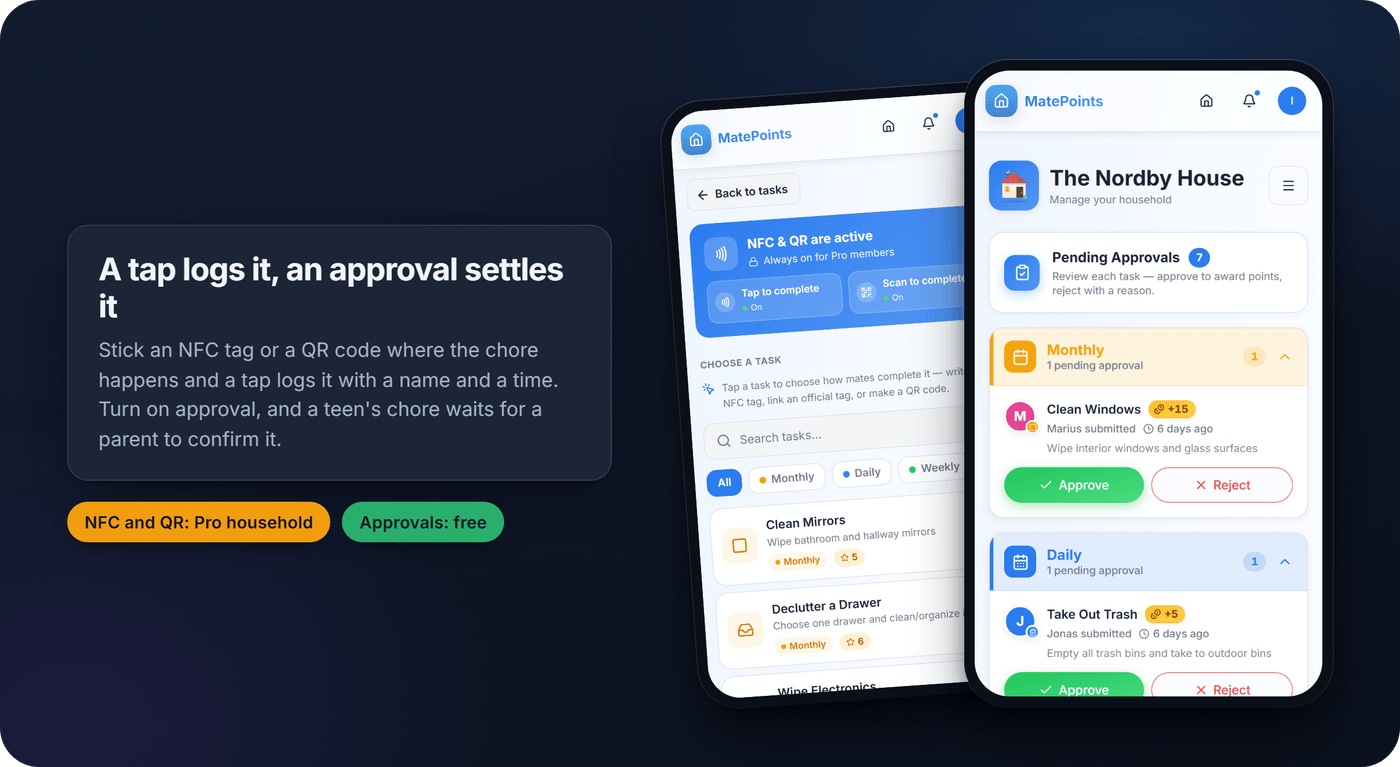
Every chore carries a point value the household sets. A completion is logged with a name and a time, and the leaderboard shows the day, week, month and all time, which helps settle "who's actually doing anything". Turn on approval and a teen's completed chore waits for a parent to confirm it before the points count. If the household owner has Pro, you can stick an NFC tag or print a QR code on the bin or the dishwasher, and a tap or a scan logs the chore where it happens. Writing a tag needs Chrome on Android; tapping one works on any phone with NFC.
What it doesn't do, so you can plan around it:
- It doesn't rotate chores or assign them to a person. Anyone in the household can complete any chore, so keep rotation on the Sunday reset.
- Chores don't repeat on a schedule or have due dates. The planner lets someone put a chore on the calendar for themselves, or post one anyone can claim.
- Every member needs their own account and must be at least 13. Young children stay on the fridge board; adults and teens use the app.
- It's a web app you install from the browser, not an App Store download, and it needs a connection to update.
For a two-home family, each parent can own a household on the free plan and be a member of the other. Owning more than one household needs Pro.
Before adding your family's routines to any app, check how it handles your data. Ours is on the privacy and security page. When you're ready, set up your household on MatePoints and put this week's chores on the board.
Why most chore systems fail (and what to fix first)
Most advice on family chores focuses on the wrong problem. It obsesses over which template looks nicest or which app has the most features, and skips the actual failure point: nobody designs for the second week. The first week always works. The real test is whether the board survives a busy Tuesday when nobody feels like updating it, or when one parent quietly starts absorbing everyone else's tasks.
If you take one thing from this guide, prioritize update speed over feature count. A board that takes ten seconds to mark a chore done will outlast one with better graphics and more friction. Points earn their reputation not because they're magic, but because they replace nagging with something closer to a game, and games get replayed.
Start smaller than you think you need to. Three or four chores per person, tracked consistently, beats a color-coded ten-task system that collapses by Thursday.
FAQ
What is a family kanban board?
A family kanban board is a task board split into columns, usually To Do, Doing and Done. Each chore sits on its own card or magnet and moves right as it happens. It borrows the two rules of Personal Kanban: make the work visible, and limit how much is in progress at once.
What columns should a family task board have?
Start with three: To Do, Doing and Done. If several people share the board, give each person a row or a color rather than more columns. Add a column only when the three stop answering a question your family keeps asking.
How many chores should each person have?
Three or four in play per person is a good starting point. It's a rule of thumb rather than a research figure, but it follows the limit-work-in-progress idea behind kanban, and a short list is easier to finish and check.
How often should we update our family task board?
Mark chores done as they happen, then do a full reset and rotation once a week. Weekly is easier to follow than daily, and the reset doubles as a short family check-in.
Do you need an app for a family task board?
No. A fridge board or printable chart works well for young kids with one organizer. An app earns its place when several people update the list from different places, when the family lives across two homes, or when nobody wants to be the one keeping score.
Sources
- How working parents divide family responsibilities, Pew Research Center, June 2026
- Chore chart templates, Canva
- The Complete Guide to Personal Kanban, Wrike (on Personal Kanban by Jim Benson and Tonianne DeMaria Barry, 2011)
- How Can I Get My Kids to Do Chores?, Christina Frank, Child Mind Institute, updated May 2026
- Chores and Children, Facts for Families No. 125, American Academy of Child and Adolescent Psychiatry, updated June 2018
- Agile programming, for your family, Bruce Feiler, TED, 2013
- The Secrets of Happy Families, Farnam Street (on Bruce Feiler's book, 2013)