Household management app: choose by roles, not features
How to choose a household management app: set roles before chores, check approvals and proof, and spot the gaps before the whole household signs up.

Yes, a household roles app can end the "who did the dishes" fight, but only if you pick the right style. Simple shared-list apps work for low-friction households that just need visibility. Gamified apps with NFC or QR check-ins fit households that want proof of completion and a reason to care. Whichever household management app you try, test it by inviting two household members and giving each one a role before you commit to anything else.
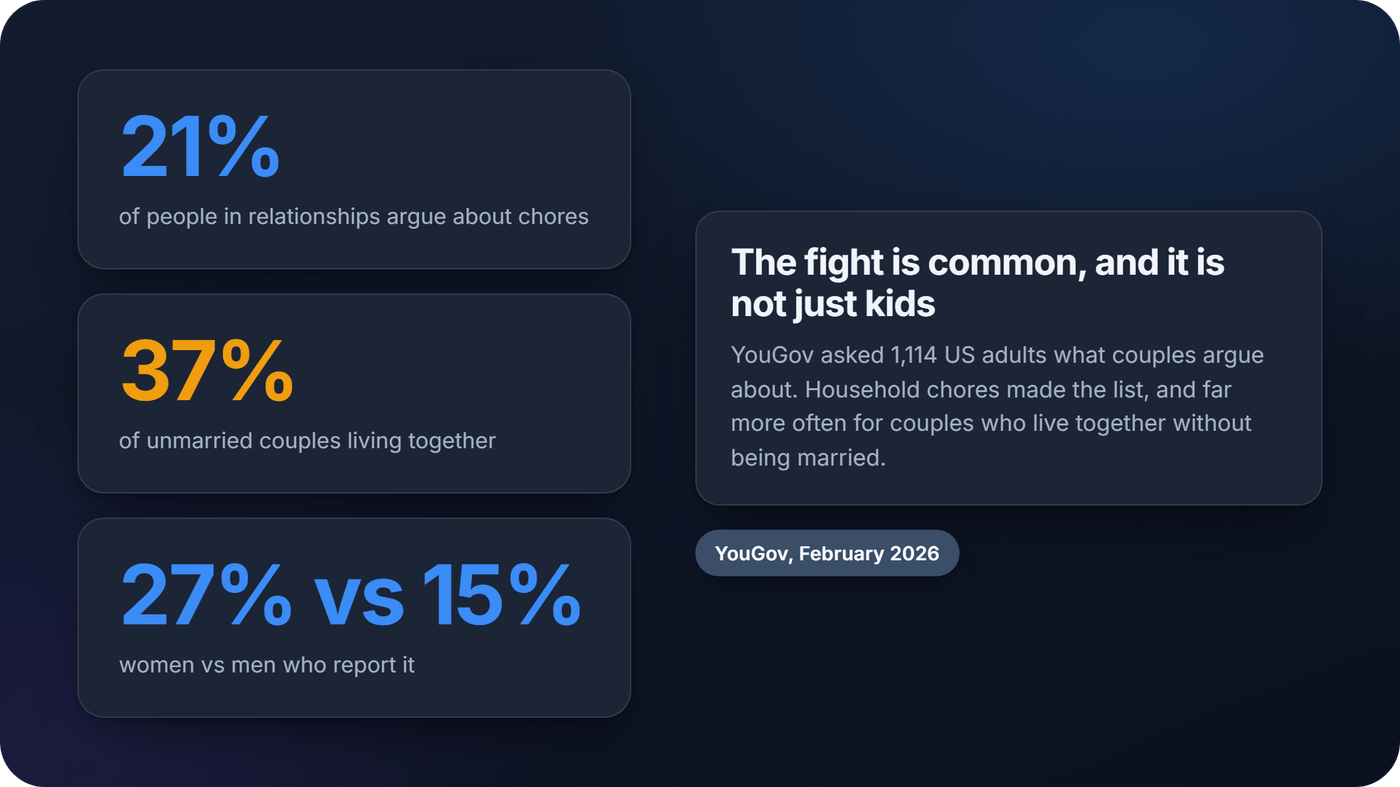
The fight is common. In a YouGov survey of 1,114 US adults in early 2026, 21% of people in relationships said they argue about household chores. Among unmarried couples living together it was 37%, and women were more likely than men to report it, 27% against 15%.
How to assign household tasks: roles first, then responsibilities
Most chore apps start with a list. The arguments usually start somewhere else: who decides what goes on it, who checks it, and who notices when it slips.
Sociologist Allison Daminger calls that cognitive labor. In her 2019 study of 35 couples in the American Sociological Review, it meant anticipating needs, identifying options, making decisions and monitoring progress. Because that work is "often invisible" to the person doing it and to their partner, she found it is "a frequent source of conflict for couples."
So split the job in two before you open any app:
- Roles decide who runs the system: who adds and edits chores, who confirms a chore is done, who invites people.
- Responsibilities decide who does which chore this week.
A shared household chores list with no roles quietly leaves one person doing all the deciding, even when everyone does the dishes.
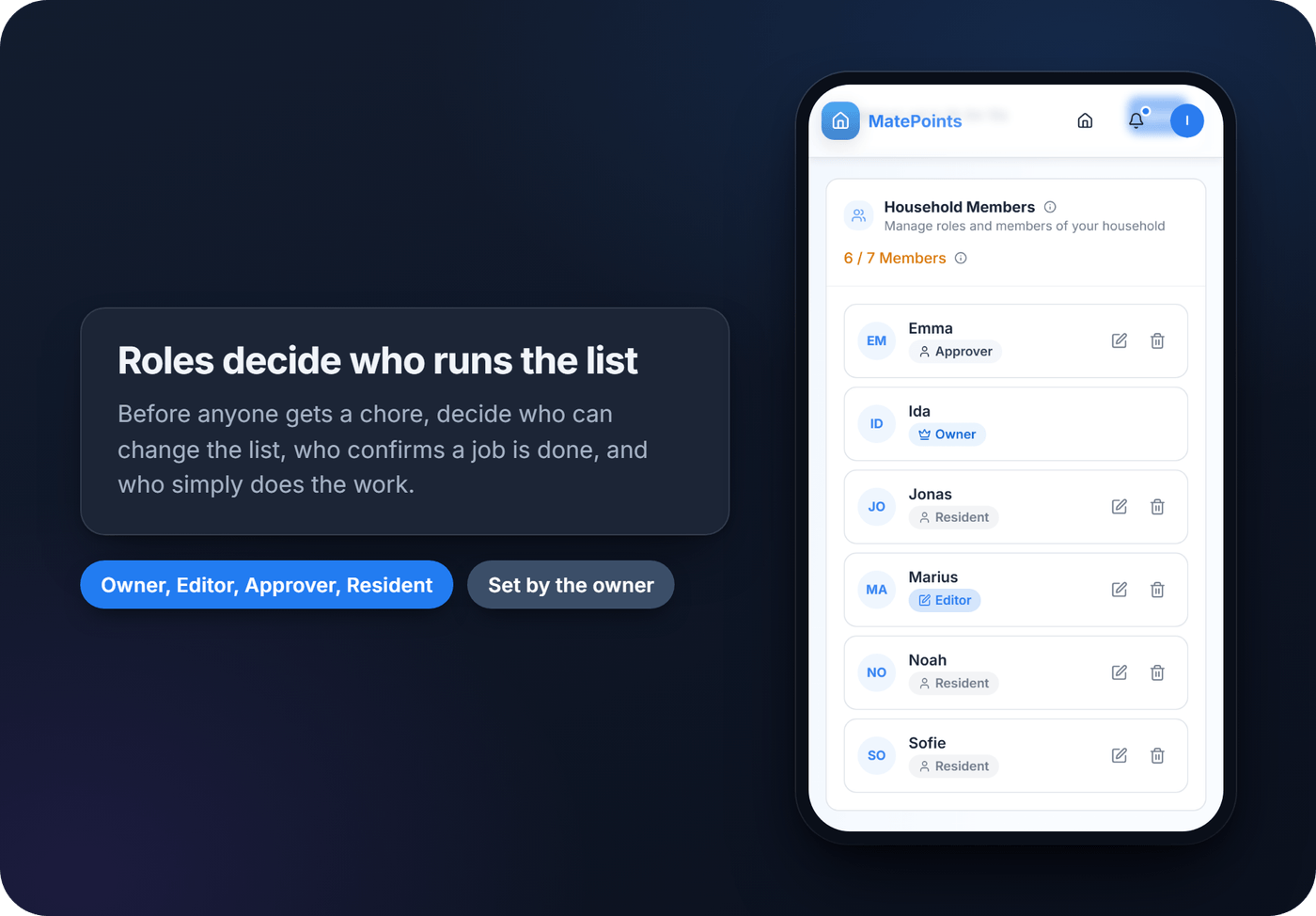
A simple way to set it up:
- One person owns the list and invites everyone else.
- A second adult can edit it, so the list doesn't live in one person's memory.
- Someone approves the chores that get disputed. It doesn't have to be the owner.
- Everyone else completes chores. Nobody needs edit rights to do the dishes.
- Write down this week's responsibilities where everyone can see them: in the app if it assigns chores, on the fridge if it doesn't.
What a household management app should actually have
The difference between a chore app that gets used and one that gets deleted usually comes down to a specific set of features, not branding or app-store polish. Look for:
- Roles and permissions. Who can edit chores, who can approve them, and who can only complete them.
- Clear assignments and rotation, so nobody gets stuck doing the same dreaded task every single week.
- Reminders and completion tracking. Notifications for due chores and a visible history of who did what, and when.
- Shared shopping lists and calendar sync, if you want grocery runs and chore schedules in the same place.
- Reward mechanics, whether that's points, badges, leaderboards, or a real reward attached to a milestone.
- Every device your household uses: phones, tablets and a browser at minimum.
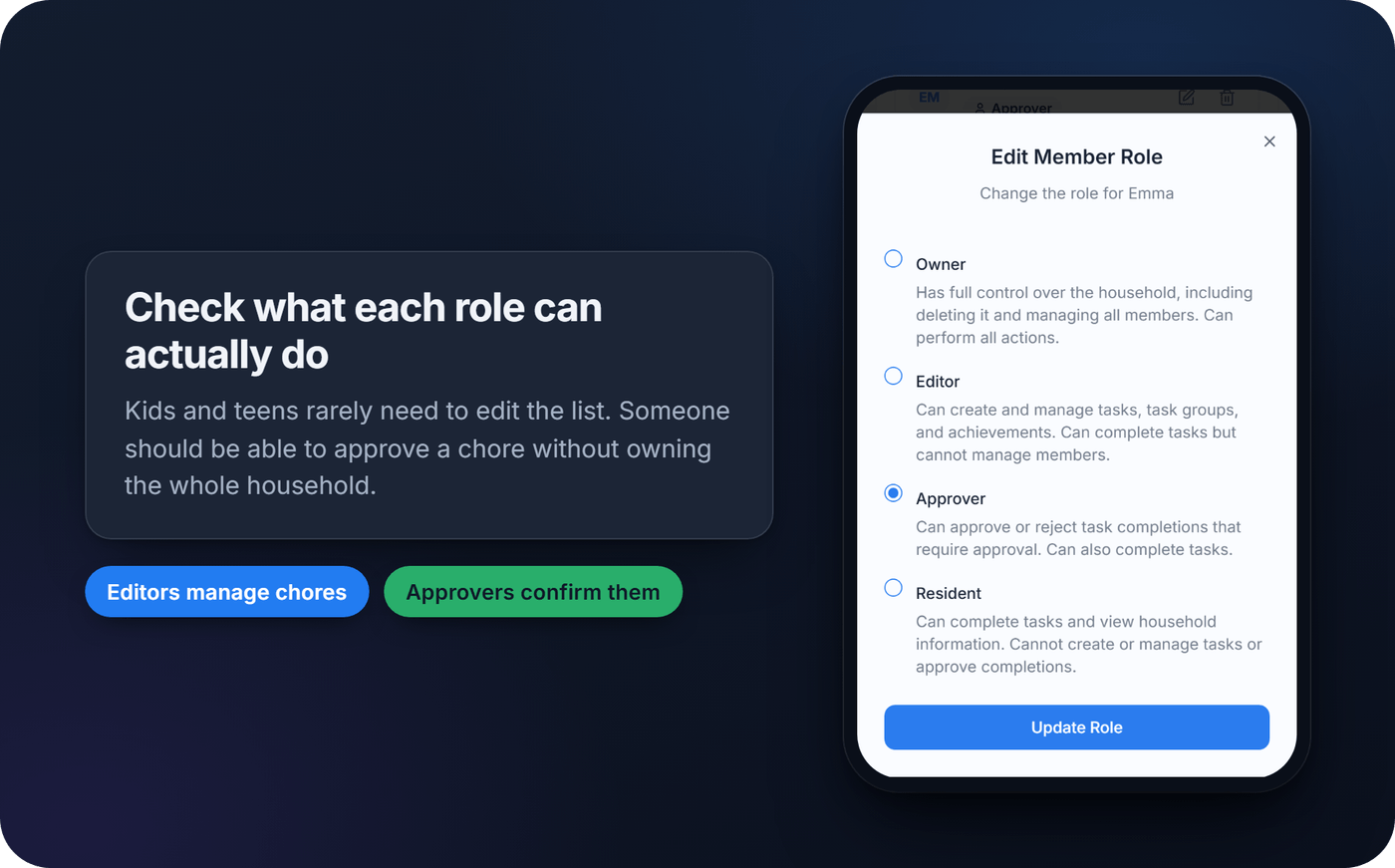
- An approval step, so a parent or house lead can confirm a chore is actually done before points count.
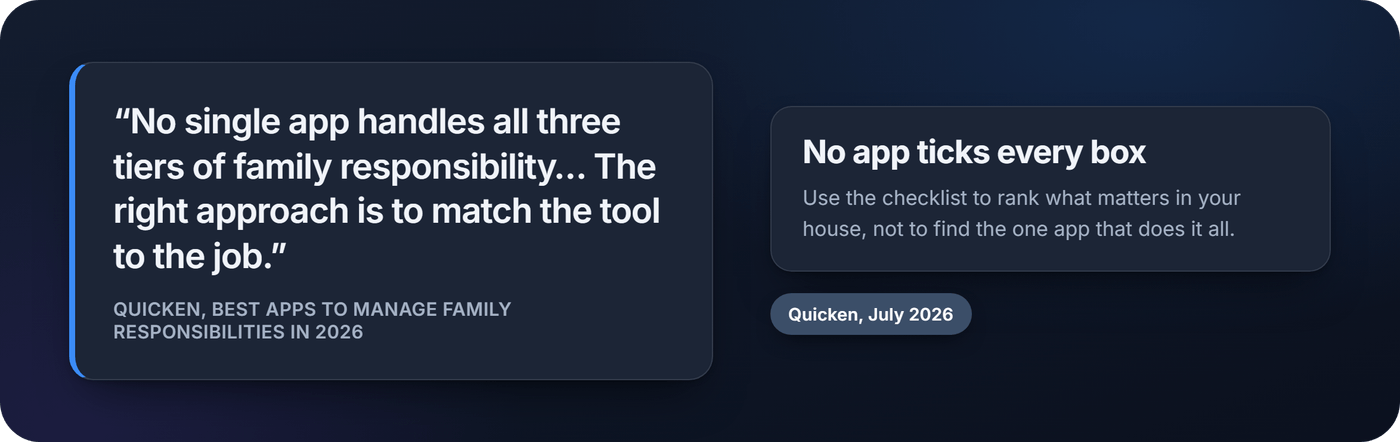
Don't expect one app to tick every box. Quicken's July 2026 roundup of family apps puts it plainly: "No single app handles all three tiers of family responsibility," and its advice is to "match the tool to the job." Use the list to rank what matters in your house.
How to choose a chore organization app for your household
Start with who is actually using it. Two roommates who barely see each other need something different from a family looking for a family chore management app for three kids under twelve, and matching the tool to the group matters more than any single feature.
- Match the app to your household type. Kids need simpler permissions and age-appropriate rewards. Roommates usually want a neutral, dispute-proof record. Couples often want something closer to a shared to-do list than a competition.
- Decide your reward philosophy first. Some households just want fair, visible task tracking. Others want points, streaks and a leaderboard. Pick before you compare apps, because it narrows the field fast.
- Check the billing model before everyone joins: per household or per person, and what the free tier caps.
- Time the onboarding. Setup should take minutes, not a weekend. If inviting a second household member takes more than a couple of taps, you'll pay that friction every time someone new joins.
- Look at trust signals. Read the privacy page and check when the app was last updated. A changelog that hasn't moved in over a year is a warning sign.
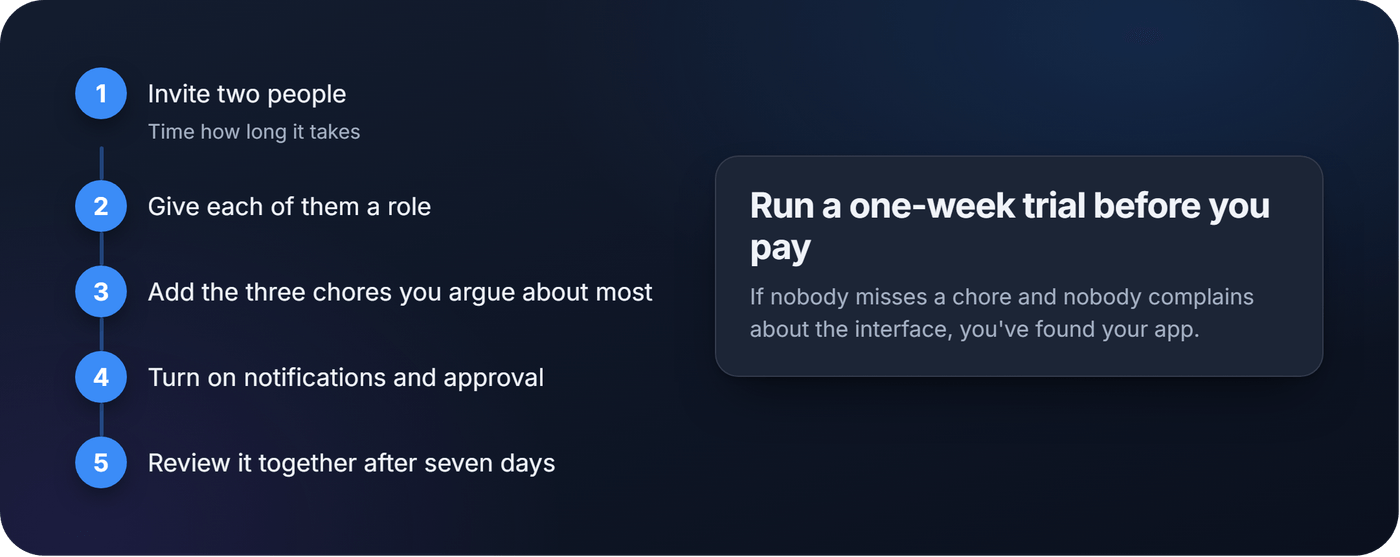
Pro tip: Before committing to any paid tier, run a one-week trial. Invite two people, give each a role, add the three chores you argue about most, and turn on notifications and approval. If nobody misses a chore and nobody complains about the interface, you've found your app.
Does gamification actually make people do more chores?
Gamification works when it turns an invisible effort into a visible, verifiable one. Points, streaks, badges and leaderboards give people a reason to check in instead of ignoring the chore list until someone snaps. A chore that earns 10 points toward Friday's reward feels different from a chore that earns silence.
Feedback is the mechanism, and it isn't magic. In a meta-analysis of feedback interventions by Avraham Kluger and Angelo DeNisi, feedback improved performance on average, but more than a third of the interventions made performance worse.
That's why gamification isn't universally the right call. Households where the work is already unequal for reasons outside anyone's control, like a member working night shifts, can turn a leaderboard into a source of resentment instead of motivation. Competitive framing also backfires in households where one person dislikes being compared to others. If you'd rather test the idea without an app, these chore games run on a kitchen timer.
A workable setup looks like this:
- Assign point values to common chores based on effort, not just frequency.
- Set a weekly or monthly reward tied to a milestone.
- Use an approval step so a completed chore is confirmed before points post, which cuts down on disputes over whether something was actually done.
Devices, pricing and privacy: what to check before signing up
A household roles app touches personal routines, so it's worth five minutes of reading. If the app is in an app store, read its privacy label, but know what it is: both Google Play's Data safety section and Apple's App Store privacy information are written by the developer, and Google says its independent security review "does not verify the accuracy and completeness" of that section.
- Check member, chore and household limits on the free tier, since paid tiers usually exist to lift them.
- Confirm whether billing is per household or per user.
- Check how the app behaves when a phone is offline.
- Read the privacy policy before adding kids' names or schedules.
Where MatePoints fits
MatePoints is built around the two ideas in this guide: roles, and a chore that is provable instead of debatable.
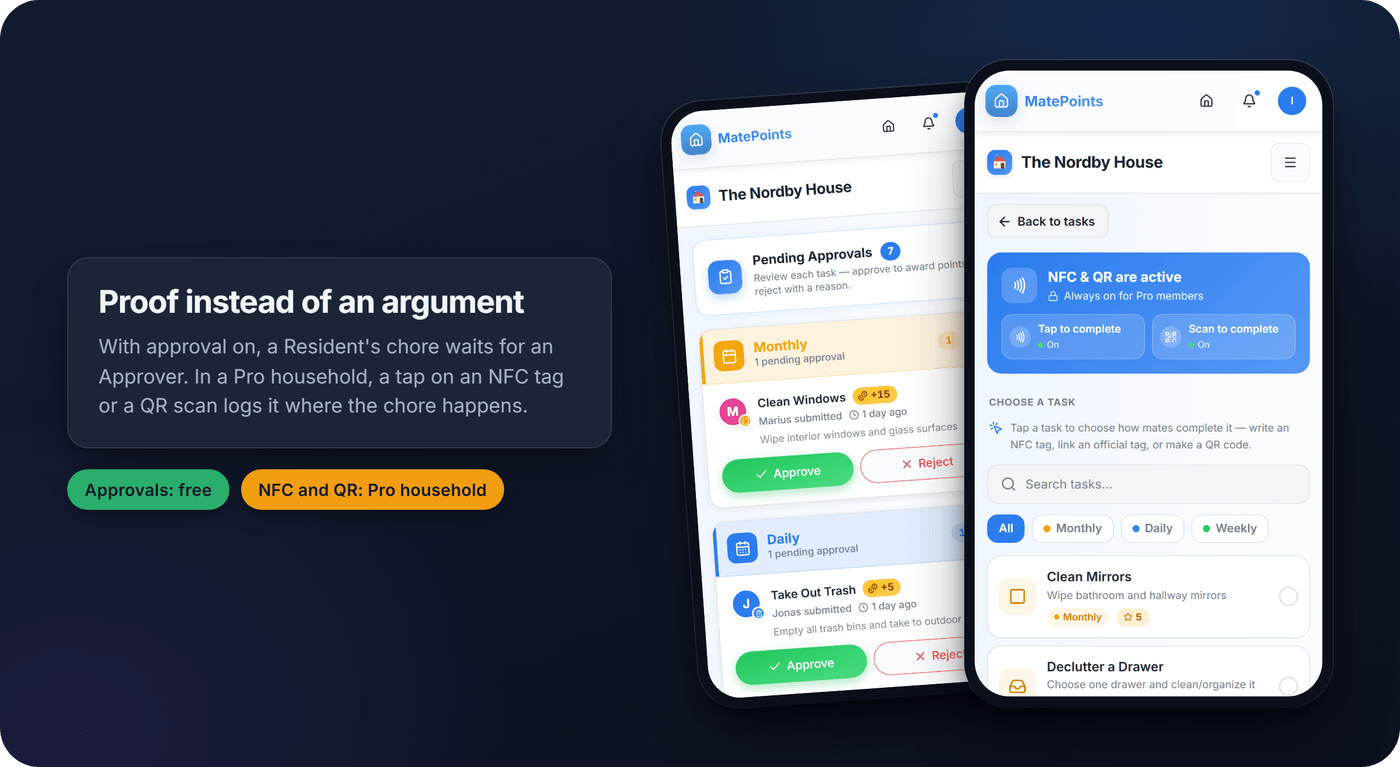
Every household has four roles. The Owner has full control, including managing members. Editors create and manage chores, task groups and achievements. Approvers approve or reject completions that need approval. Residents complete chores and see the household's information. Turn on approval and a Resident's chore waits for someone to confirm it before the points count.
Each chore carries a point value the household sets, and the leaderboard shows today, the week, the month and all time. If the household owner has Pro, you can stick an NFC tag or print a QR code where a chore happens, and a tap logs it. Writing a tag needs Chrome on Android; tapping one works on any phone with NFC. Households with Pro can also attach a reward they write themselves to an achievement milestone. Points are never spent.
Be clear about what it doesn't do, so you can plan around it:
- It doesn't assign or rotate chores. Anyone in the household can complete any chore.
- Chores don't repeat on a schedule or send due reminders. The planner lets someone put a chore on the calendar for themselves, or post one anyone can claim.
- No shopping lists, calendar sync, wall display or smart-home triggers.
- It's a web app you install from the browser, not an App Store download, and it needs a connection.
- Every member needs their own account and must be at least 13.
There's no store privacy label to read, so our privacy and security page covers how account and household data is handled. When you're ready, create a household on MatePoints, invite your roommates or family, and set everyone's role before the first chore.
Why most chore apps get abandoned
The conventional advice says pick the app with the most features. That's backwards. The apps that get abandoned are usually the ones that tried to do everything and made onboarding a chore in itself.
What actually works is picking one clear mechanism, verified completion through NFC or QR, points tied to fair effort, or a simple shared list, and letting that mechanism carry the whole system. Gamification isn't a gimmick when it replaces an argument with a fact. It becomes a gimmick when it's bolted onto an app that still can't answer a basic question: did this chore get done, and who did it?
Prioritize clear roles, verification and low onboarding friction first. Everything else, themes, leaderboards, integrations, is worth having, but it won't save an app that nobody can be bothered to open.
FAQ
What is a household roles app?
A household roles app is a chore or household management app where each member has a role that controls what they can do: who edits the chore list, who approves completed chores, and who only completes them. Roles decide who runs the system. Responsibilities decide who does each chore.
How do you assign household tasks fairly?
Set roles first, so one person isn't doing all the deciding. Then agree who does which chore each week, base point values on effort rather than frequency, and use an approval step for the chores that get disputed.
What is the best app for household tasks?
There's no single best app for every household. Simple households do fine with a shared checklist app. Households that want measurable participation and proof of completion tend to prefer gamified apps with roles, approvals and NFC or QR check-ins.
What is the best chore app for adults?
Adults sharing a home, whether roommates or partners, usually do best with neutral, verifiable completion tracking rather than childlike reward systems. An approval step or a tap on an NFC tag settles disputes with a fact instead of an argument.
How do household points and rewards systems work?
Most apps let you give chores point values and track who completes them. Some let members spend points on rewards. In MatePoints, points are never spent: they count toward levels and the leaderboard, and a household can attach a reward it writes itself to an achievement milestone.
Sources
- What do couples argue about? Tone of voice, communication styles and money top the list, YouGov, February 2026
- The Cognitive Dimension of Household Labor, Allison Daminger, American Sociological Review, 2019
- Best Apps to Manage Family Responsibilities and Collaboration in 2026, Quicken, July 2026
- The effects of feedback interventions on performance, Kluger & DeNisi, Psychological Bulletin, 1996
- Understand app privacy and security practices with Google Play's Data safety section, Google Play Help
- About privacy information on the App Store, Apple Support