Scan to unlock rewards: set it up in one week
Scan to unlock rewards turns a finished chore into points with one tap. Here is how to set it up in a week, and how to keep it from feeling like surveillance.

Scan to unlock rewards means tapping an NFC sticker or scanning a QR code when a chore is done, so the points land without anyone opening an app and hunting through a list. Points build up, and at an agreed threshold they buy something real. The appeal is obvious: the gap between finishing a job and getting credit for it shrinks to about a second.
The honest version is that this works very well while you are running it, and you should plan for that rather than be surprised by it. Set it up in a week, on one chore, and you will know within a fortnight whether your household wants it.
The four parts, and why the tag holds nothing
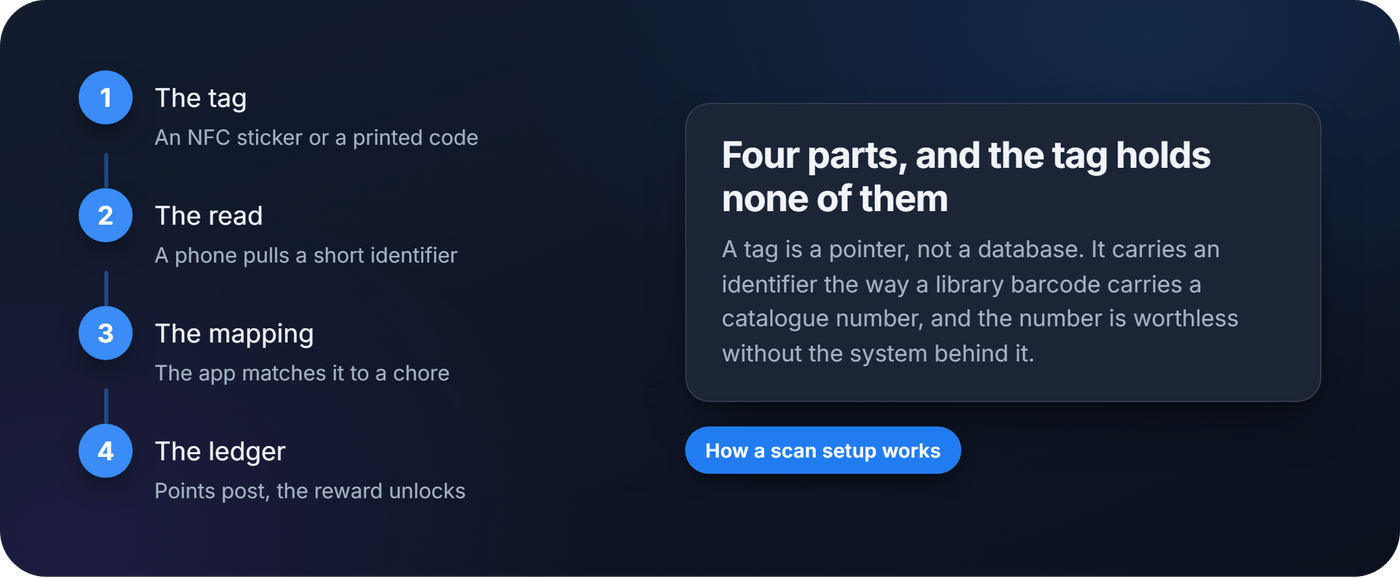
Every scan-to-unlock setup has the same four pieces.
- The tag or code sits on or near the job: the bin, the washing machine, the dish rack.
- The phone read pulls a short identifier off it. Nothing else.
- The mapping layer matches that identifier to a chore and to whoever scanned it.
- The ledger posts the points and releases the reward when the balance gets there.
The important detail is the third one. A tag is a pointer, not a database. It carries an identifier the way a library barcode carries a catalogue number, and the number is worthless to anyone without the system behind it. That is what makes a sticker on your bin a low-stakes object: if a visitor scans it, or a child peels it off, nothing about your household leaks.
Set it up in a week
Day one, pick one chore. The most-argued-about one. Not five.
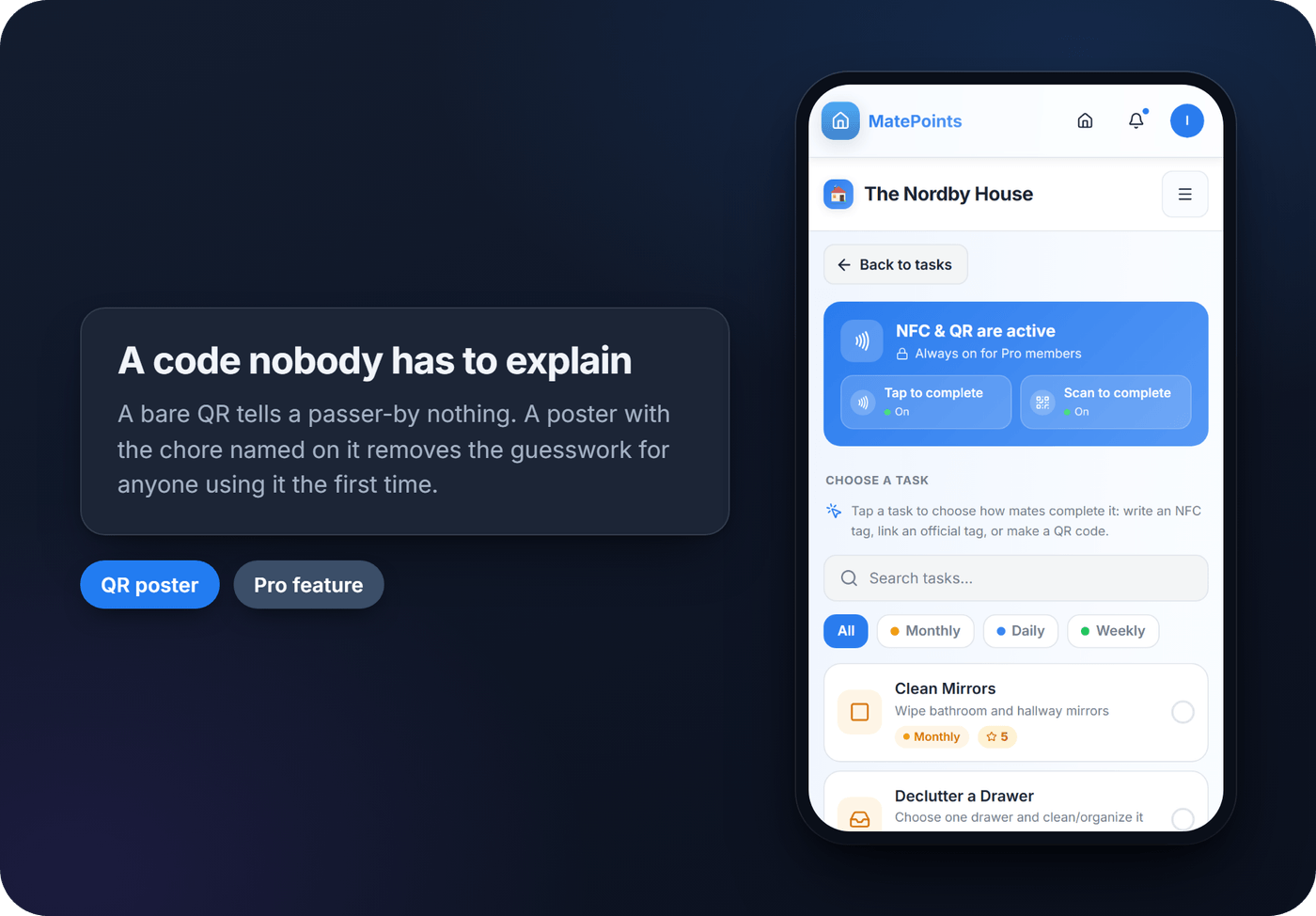
Day two, choose the medium. NFC if the phones in the house have it and the spot is awkward to photograph, like a washing machine you approach with an armful of laundry. QR if you cannot assume what hardware everyone owns, or if the thing you are labelling is a printed rota on the fridge. Both are fine. The common mistake is agonising over this instead of starting.
Day three, place it where the hands already are. On the bin lid, not the wall beside it. On the machine, not the door frame. Test the read before you commit the adhesive, and if you are sticking NFC to a fridge or an oven, buy on-metal tags, because a bare sticker on metal frequently will not read.
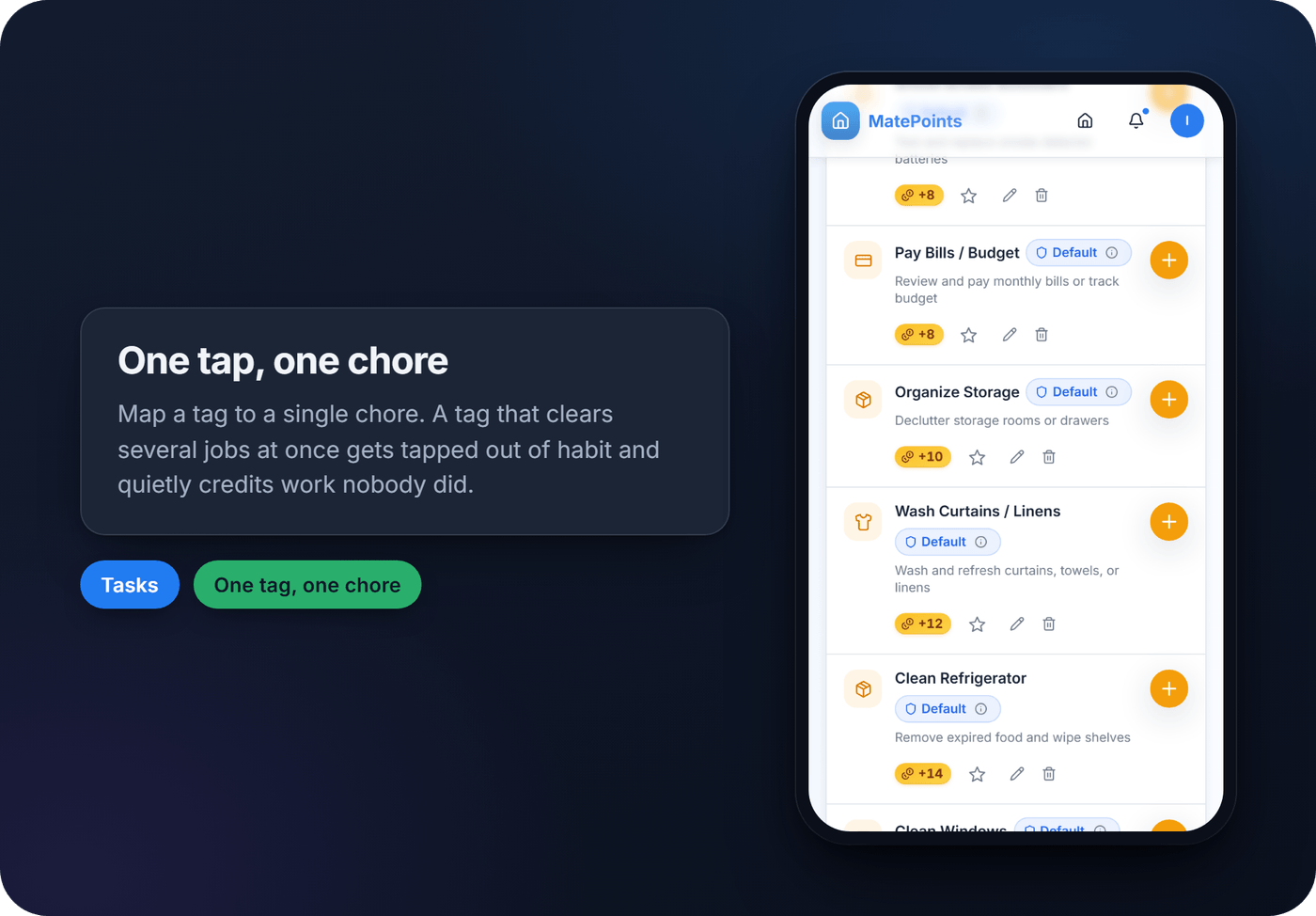
Day four, map one tag to one chore. Not two. A tag that clears several jobs at once gets tapped out of habit and quietly wipes work nobody did.
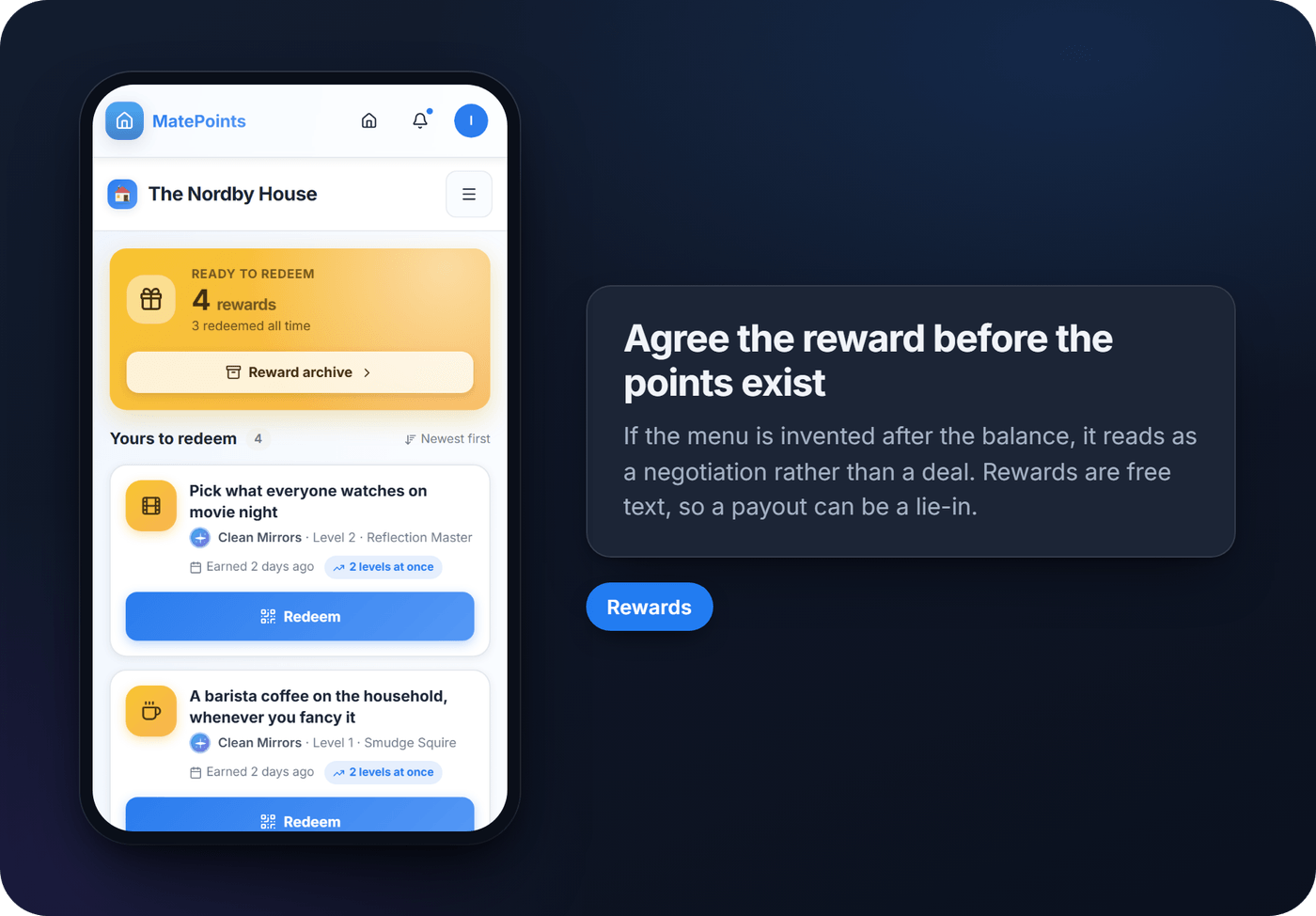
Day five, agree what the points buy. Before anybody earns any. A takeaway, first pick of the film, a skipped turn on the rota. If the reward is invented after the points exist, it reads as a negotiation rather than a deal.
Day six, test it yourself. Tap it. Check the right chore logged and the right points landed.
Day seven, tell the house the rules, including how to log a chore when the tag will not read. Then leave it alone for a fortnight.
Designing points people actually chase
Weight the points by how unpleasant a job is, not how long it takes. Scrubbing a bathroom and wiping a counter can both take ten minutes and they are not the same ask. If you want the arithmetic in more detail, our guide to chore reward systems covers how to price a reward against a balance.
Beyond that, three rules earn their place:
- Mix the cadence. Something small and frequent, something larger and occasional. A menu with one item on it stops working quickly.
- Rotate the menu. The same prize stops being a prize.
- Approve the expensive ones. Low-stakes chores can post instantly. For anything carrying real points, a human confirmation keeps the numbers trustworthy.
What the research actually says about sticking
This is where most articles on this subject overpromise, so here is the evidence with its caveat attached.
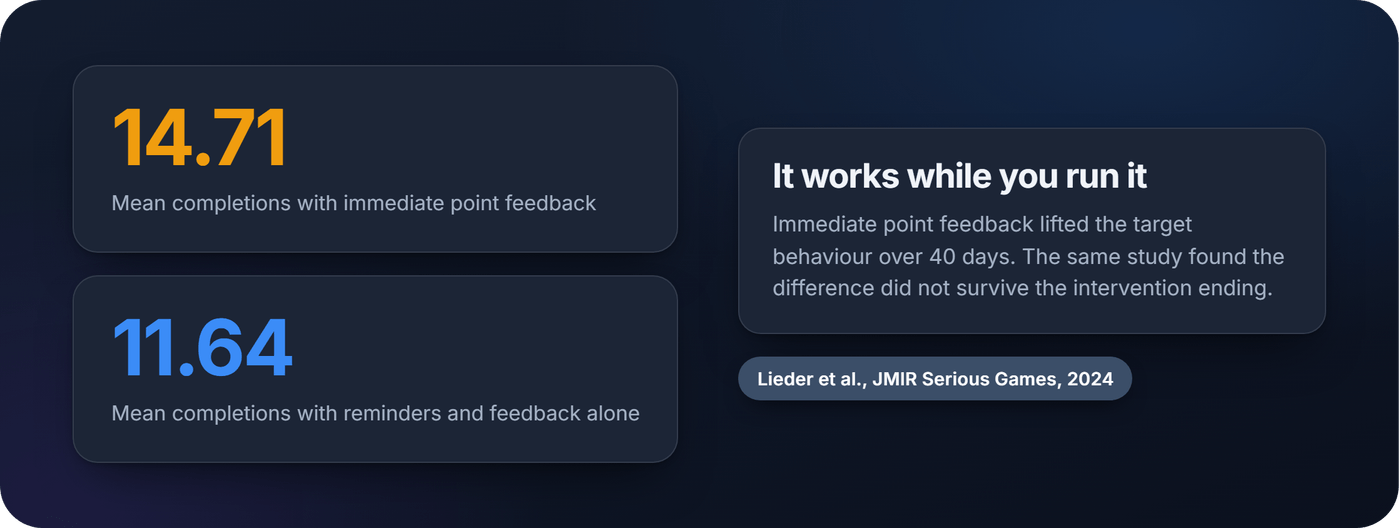
In a 2024 proof-of-concept study in JMIR Serious Games, Falk Lieder and colleagues tested a chatbot that paired goal-setting and reminders with mathematically computed point feedback. Over a 40-day run, people getting the optimised gamification performed the target behaviour a mean of 14.71 times against 11.64 for the group getting reminders and feedback alone. That is a real, measured lift from tightening the loop. The same paper is equally clear that once the intervention ended, the groups looked the same again. The points did not build a habit that outlived them.
A systematic review in PLOS ONE covering 15 studies and 10,499 participants found the same shape at a larger scale: gamification increased engagement in 12 of them, but the effect appeared to lessen over time as the novelty of points and badges wore off.
One thing did partly survive being switched off. In the BE FIT trial in JAMA Internal Medicine, 94 families competed in teams for 12 weeks and hit their daily goal on 53% of days against 32% for the control group. Twelve weeks after the game stopped, they were still ahead, 44% against 33%. The difference between that trial and the chatbot is that the accountability was to other people rather than to a number.
The practical reading for a household: the tag and the points are the scaffold, and the housemates are the thing that keeps holding it up. Build in the social half deliberately rather than hoping the points do all the work.
Keeping it from feeling like surveillance
A scan log is a record of when someone was in a room. That is worth saying out loud before you switch it on, particularly if there are teenagers in the house.
Decide together who can see what. A household's overall completion rate is a different thing from the exact minute one person tapped the bathroom tag. Give older children a say in their own visibility, let anyone sit out the leaderboard while still earning points, and keep the detailed history for settling a specific dispute rather than for browsing. A system people feel watched by gets quietly abandoned, and they will not tell you that is why.
Our privacy and security page sets out what MatePoints stores and who can see it.
When a tag stops working
Tags fail. Stickers get greasy, QR codes get smudged, NFC reads go odd near metal and through thick cases. None of that should cost you the system.
- Keep a manual way to log a chore, always. One dead tag should never block one job, let alone the whole house.
- Replace rather than repair. An intermittent tag is worse than a dead one, because it teaches people the system is unreliable.
- Re-check the mapping every month or so, especially if you have moved tags around. A tag pointing at the wrong chore pays the wrong person.
The honest recommendation
Pilot small. One chore, one tag, one modest reward, one week. You will learn more from watching how your specific household reacts to that single loop than from any setup guide, this one included. If it works, add the second chore. If nobody taps it, the problem is the chore or the reward, not the technology, and adding four more tags will not fix it.
Marcus
Running it in MatePoints
MatePoints does this without you stitching anything together. Writing a blank NFC sticker for a task, or generating a branded QR poster for it, both happen in the app, and a tap or a scan opens the completion page for that task. Points post to the person who did it, approvals go through whoever holds the role, and rewards are free text, so a payout can be a takeaway or a lie-in rather than cash.
Two things to plan for. Creating tags and QR codes is a Pro feature, and tap-to-complete only works when the household has a Pro owner. Once one person has set that up, everyone in the household can tap, including members on the free plan. The free plan covers tasks, points, approvals, achievements and the leaderboard, so you can run the whole loop manually first and decide afterwards whether the tags are worth it.
MatePoints does not talk to smart-home devices or sensors, so nothing detects a chore for you. Somebody still taps. The Subscription page shows the current limits for your account.
Sources
- Gamification of Behavior Change: Mathematical Principle and Proof-of-Concept Study, Lieder, Chen, Prentice, Amo and Tošić, JMIR Serious Games, 2024
- Does gamification increase engagement with online programs? A systematic review, Looyestyn et al., PLOS ONE, 2017
- Effect of a Game-Based Intervention Designed to Enhance Social Incentives to Increase Physical Activity Among Families, Patel et al., JAMA Internal Medicine, 2017
FAQ
What does "scan to unlock rewards" mean for chores?
It means tapping an NFC tag or scanning a QR code when a job is done, which logs the chore and adds points toward an agreed reward. The tag itself holds only an identifier, so the physical object gives nothing away.
Is NFC or QR better for a household?
NFC is faster and suits spots you approach with your hands full. QR works on any phone with a camera and costs nothing to print. Plenty of households use both, NFC on appliances and QR on paper.
Will a points system keep working long term?
Expect the lift while it is running and plan for the novelty to fade. The research is consistent on this. What partly survived in the BE FIT trial was accountability to other people, so make the social side real rather than relying on the points alone.
How do I stop someone faking a scan?
Put an approval step on the chores worth real points and save instant posting for low-stakes jobs. A short, agreed dispute rule matters more than trying to make the tags tamper-proof.
What happens if a tag stops working?
Log the chore by hand. Keeping that option open is what stops one failed read turning into an argument about whether the job was done.