Who does more housework? Settle it with a shared list
Four in ten couples say chores are split equally. Nearly two thirds of mothers say they do more. What a shared task list actually settles.

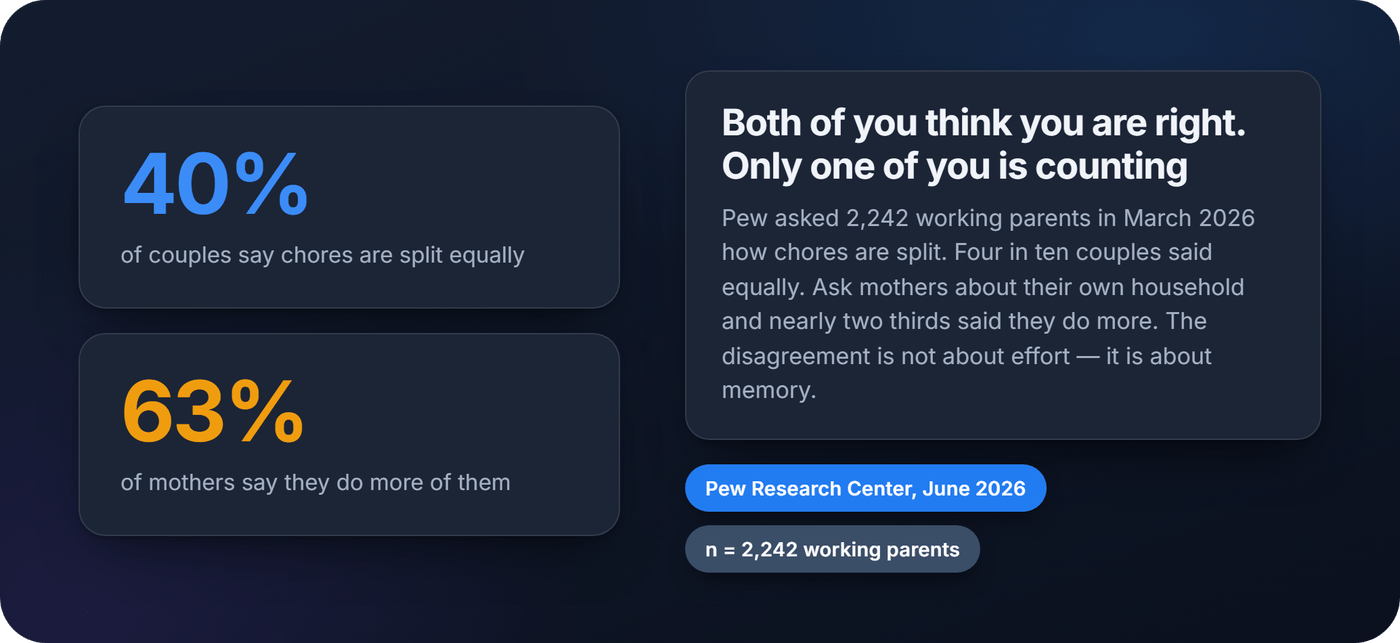
Ask a couple who does more of the housework and you will often get two honest, incompatible answers. Pew Research Center asked 2,242 working parents in March 2026, and among couples where both work full time, 40% said chores were split about equally. Ask mothers about their own household and 63% said they do more. Those are the same households, counted twice, by people who live in them.
A shared task list is not a productivity upgrade. It is a way of settling that argument with a record instead of a memory.
Why you both think you are right
Nobody in that survey is lying. You remember your own effort in detail and your partner's in summary — you were there for every load of laundry you did, and you walked past the ones you didn't.
The gap is also older than any individual argument. A 25-year study following the same people from age 25 to 50, published in the Journal of Family Psychology, found that gender gaps in housework established early in a relationship tend to persist — and that across the tasks it tracked, there were none where men did the most or where the work was genuinely shared. Whatever pattern a household falls into in its first year, it mostly keeps.
That matters for what a list can and cannot do. It will not make anyone generous. What it can do is remove the part of the argument that is about recollection, which is most of it.
What a shared list actually settles
Strip away the features and every shared list does one thing: it turns private effort into a public record. One list, everyone in the household editing it, changes appearing on everyone's phone.
The useful part is not the checkbox. It is the history behind it — who did what, and when.
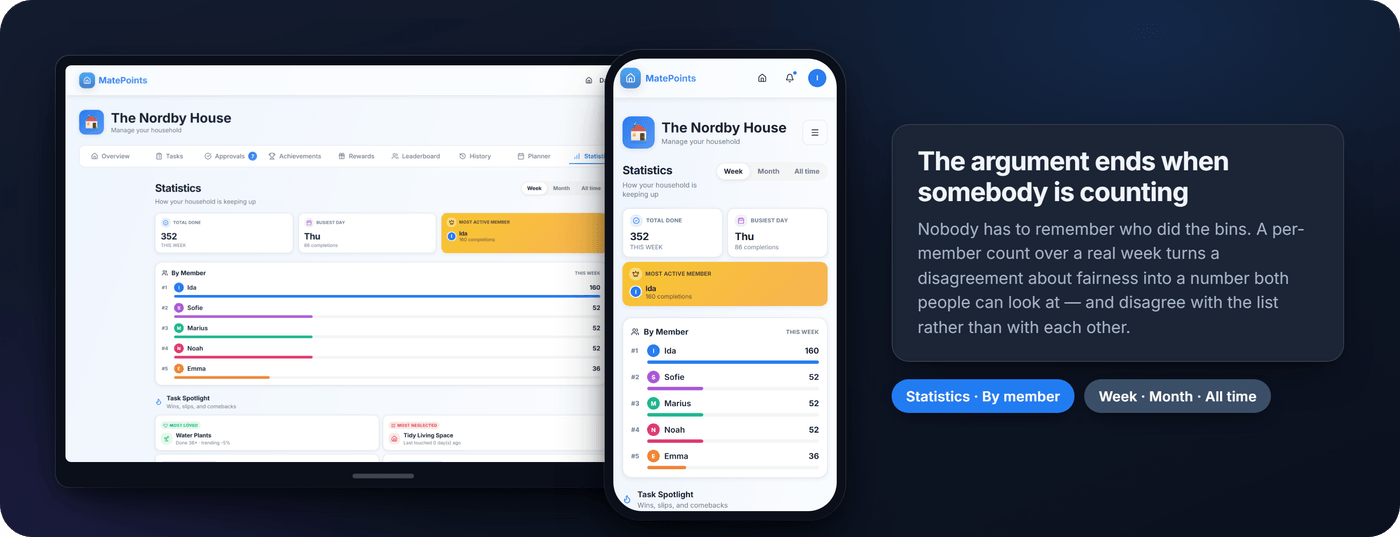
Once a week of completions is visible to everyone, "I always do the bins" becomes a question with an answer. Sometimes the answer is uncomfortable for the person who said it. More often it is uncomfortable for the person who assumed it was even.
Setting one up, and getting everyone in
The setup is genuinely quick. The part people get wrong is the invitation.
- Write the list around the arguments, not the house. Three to five chores you actually disagree about beats forty that cover every surface. You can add the rest later, once anyone is using it.
- Group them the way the week works. Daily, weekly and monthly are three different promises, and mixing them on one flat list is what makes the whole thing feel like nagging. We went into this in more detail in the daily chore checklist.
- Pick the invitation with the least friction. This is where lists die.
On that last point, the four options are not equivalent:
- Email or account invites give the most control — a real login, permissions, and a durable record of who changed what. Microsoft documents this trade-off for its own shared lists. Worth the extra step when the history is the point, which for chores it is.
- A share link is the fastest way in. Anyone with the URL joins without creating anything, which is right for a one-off packing list and wrong for a system meant to last a year.
- A QR code removes the copy-paste entirely, and it is genuinely better when the list lives somewhere physical. Stick one inside a kitchen cabinet and people update the list standing where the job happened, rather than remembering to open an app later.
- An NFC tag goes one step further: tap a phone against a sticker on the washing machine and the chore is logged, with no app to open at all.
What decides whether the list survives
Most shared list apps look similar in a screenshot. The differences that decide whether yours is still running in month six are narrower than the feature lists suggest.
- An owner on every recurring chore. A task assigned to everybody is assigned to nobody. Rotate the owner weekly if you like, but the current week should always have a name on it.
- Values that reflect effort. A flat checklist says wiping a counter and descaling the kettle are the same job, which is the quiet reason the heavy ones stay unclaimed.
- Recurring chores that come back on their own. If somebody has to retype the weekly list every Sunday, that person becomes the household's admin, and they will stop.
- A record everyone can see. Not an audit trail one person can pull up — a standing everybody passes daily.
- Logging that takes one action. Every tap between finishing a chore and recording it is a tap at which people stop bothering.
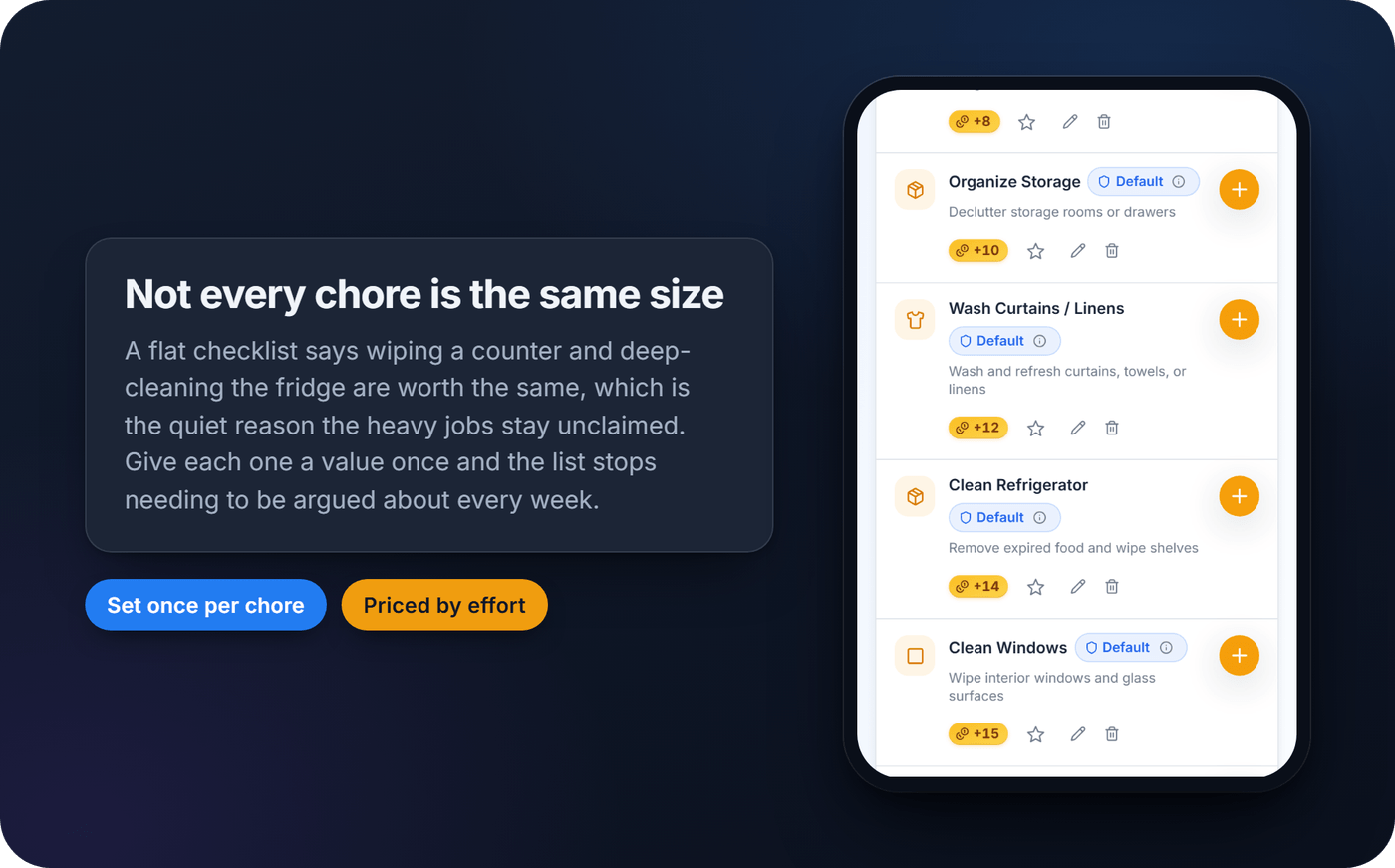
Notice what is not on that list. Nested sub-tasks, threaded comments and multiple assignees per chore all sound useful and all describe a project management tool. Households do not run out of structure. They run out of willingness.
Where shared lists break
Shared lists fail in a handful of predictable ways, and the fixes are dull.
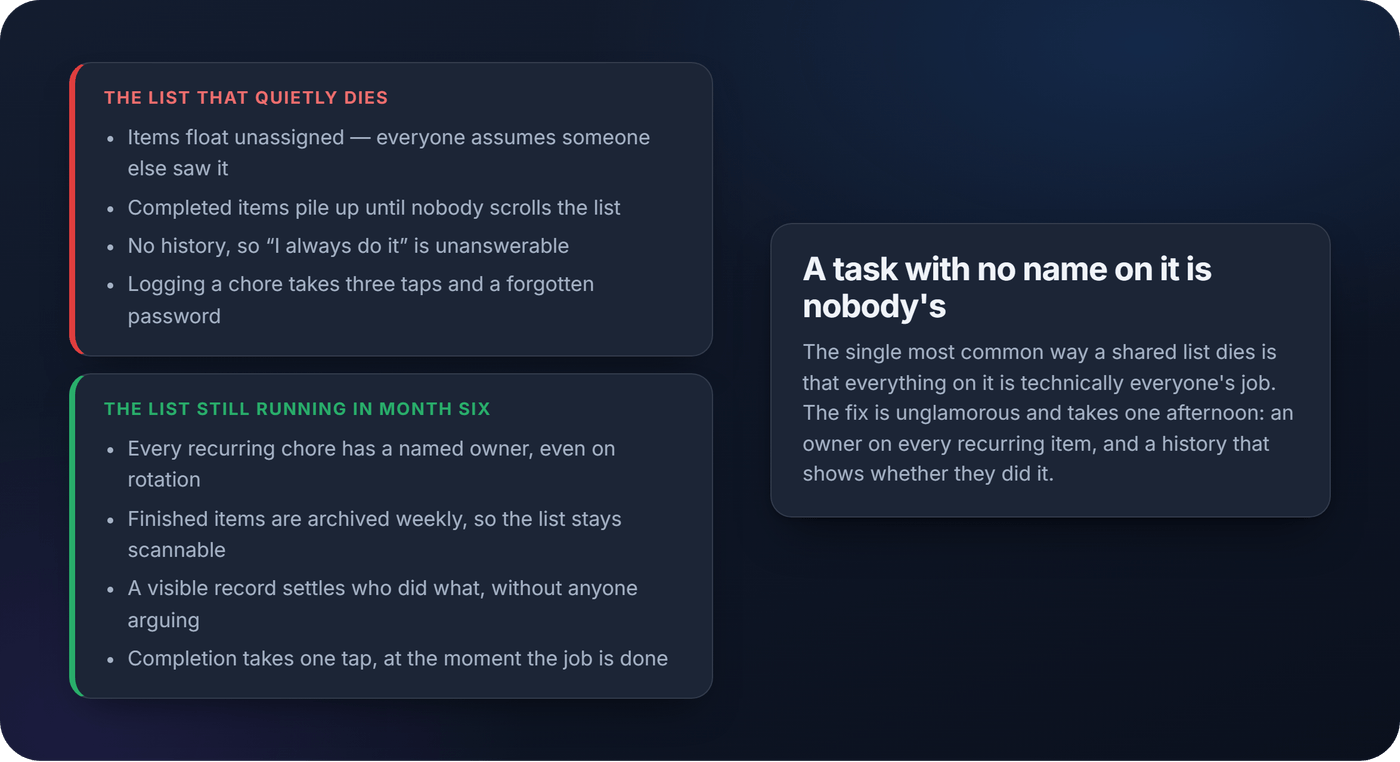
It becomes a graveyard. Finished and abandoned items pile up until nobody scrolls far enough to see what is live. Archive weekly.
Nothing has a name on it. The most common failure, and the one that looks least like a failure — a tidy list that everybody assumes somebody else is handling.
Duplicates from two people at once. Two "bread" entries within a minute is normal on a busy list. A weekly tidy fixes it faster than any setting.
Somebody's phone was offline. An edit that has not arrived yet reads as a broken app. It is usually just a phone in a basement.
People stop opening it. This is the real one, and no feature release fixes it. Notifications help a little. Reducing the effort of using the thing helps much more.
Keep the record where everyone trips over it
A record that only one person consults is a receipt. A record the whole household sees is a norm, and it does more work than any reminder.
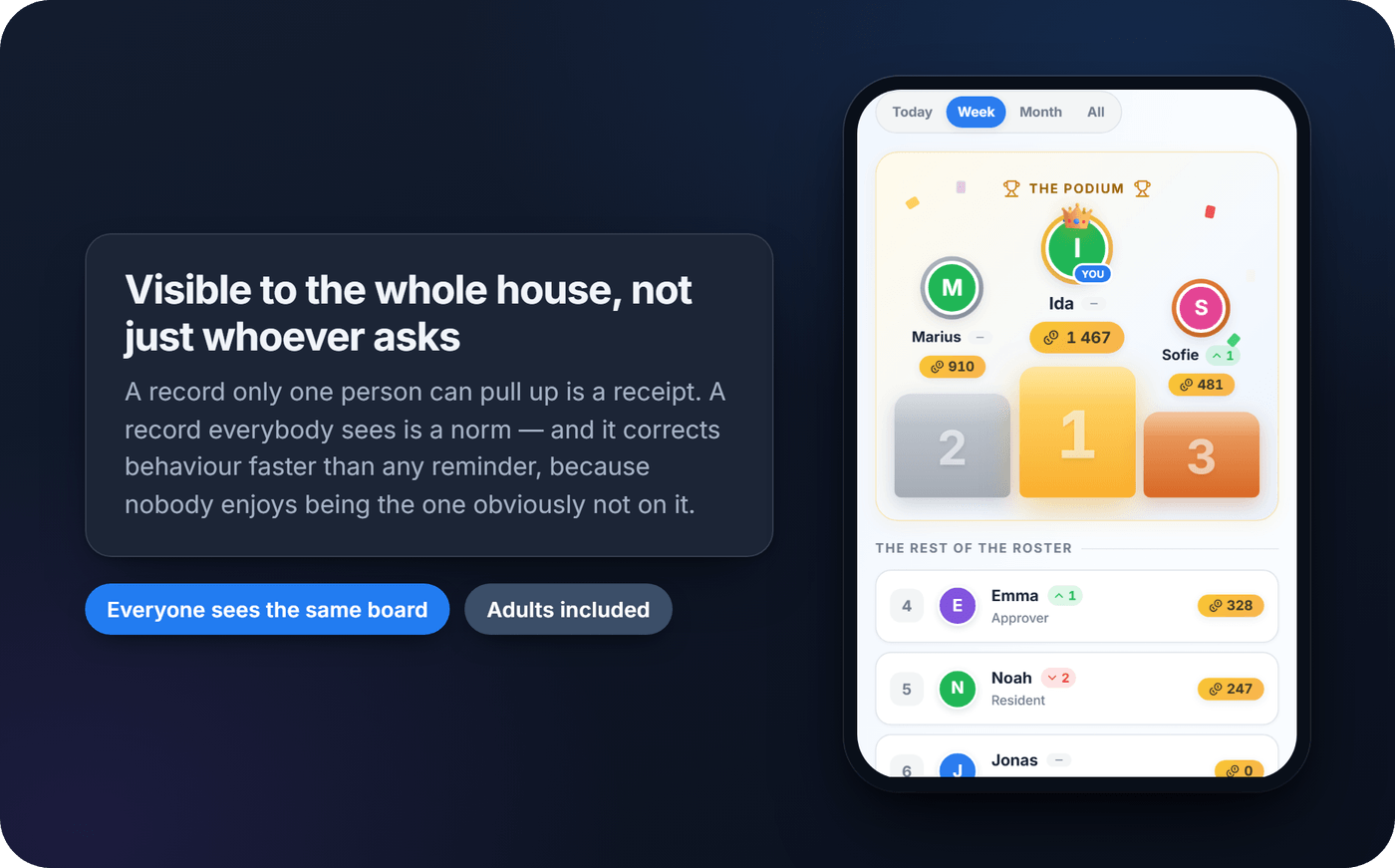
Seeing that one person logged twelve chores this month and another logged two corrects behaviour in a way that asking never quite does — partly because nobody enjoys being visibly absent from a list, and partly because it removes the need to raise it out loud at all. It works in both directions, too. Plenty of people discover they were doing less than they thought, and a few discover they were doing more and had never been able to prove it.
The same visibility is why we are cautious about paying children for chores. We looked at what the research says about allowance and chores separately, and the short version is that a visible record does most of the work a cash incentive is supposed to do, without the side effects.
What I have learned building one
I built MatePoints because my own household needed it, and the thing I did not expect is how little the organising mattered.
The gap between what a shared list promises and what a household experiences is almost entirely friction at the moment someone is supposed to act. A beautifully categorised list means nothing if logging a finished chore costs three taps and a password nobody remembers. That is the whole problem, and most apps solve everything except it.
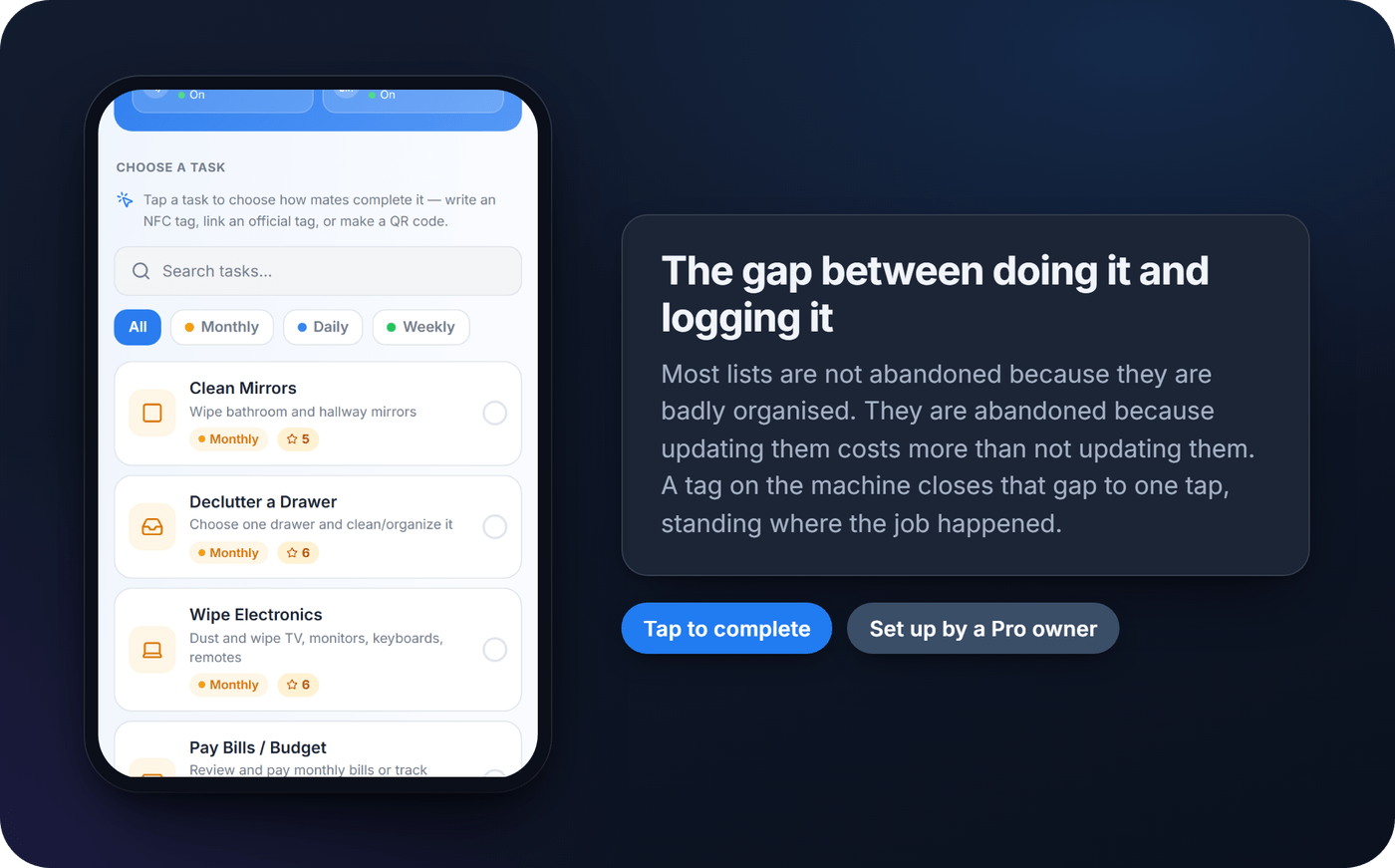
What works better is closing that gap physically. A QR code inside a cabinet or an NFC tag on the washing machine turns logging into something you do standing where the job happened, in about a second. Attaching a point value to a chore adds the other half: a reason to open the list without being asked.
None of it replaces wanting to pull your weight. But between two households with the same intentions, the one where updating the list is nearly free is the one still doing it at Christmas.
Start with one week
You do not need a system. You need one week of honest data.
Create a household, add the three to five chores you actually argue about, price them by how much work they are, and invite the people you live with. At the end of the week, look at the per-member count together. Either it confirms what one of you suspected, or it surprises both of you — and both outcomes are more useful than another conversation about it.
MatePoints is free for one household, and only the household owner needs a paid plan for the extras. NFC tags and QR codes are set up by a Pro owner and then usable by everyone in that household, including members on free accounts. Webhook automations — a completed chore triggering something in your smart home — are still in active development rather than something we would tell you to count on today. If you want the honest comparison against the alternatives, we wrote what makes MatePoints different.
Start a household on MatePoints and give it a week.
Sources
- How working parents divide family responsibilities — Pew Research Center, June 2026 (survey of 2,242 working parents, March 2026)
- Women are still doing most housework: 25-year study — Johnson, Galambos, Krahn & Maroto, Journal of Family Psychology, 2025
- Share a task list — Microsoft To Do support documentation