Reward chart for kids: try a three-chore pilot first
A reward chart for kids that lasts: start with three chores, write the reward menu with your child, and keep it from fizzling after the first month.

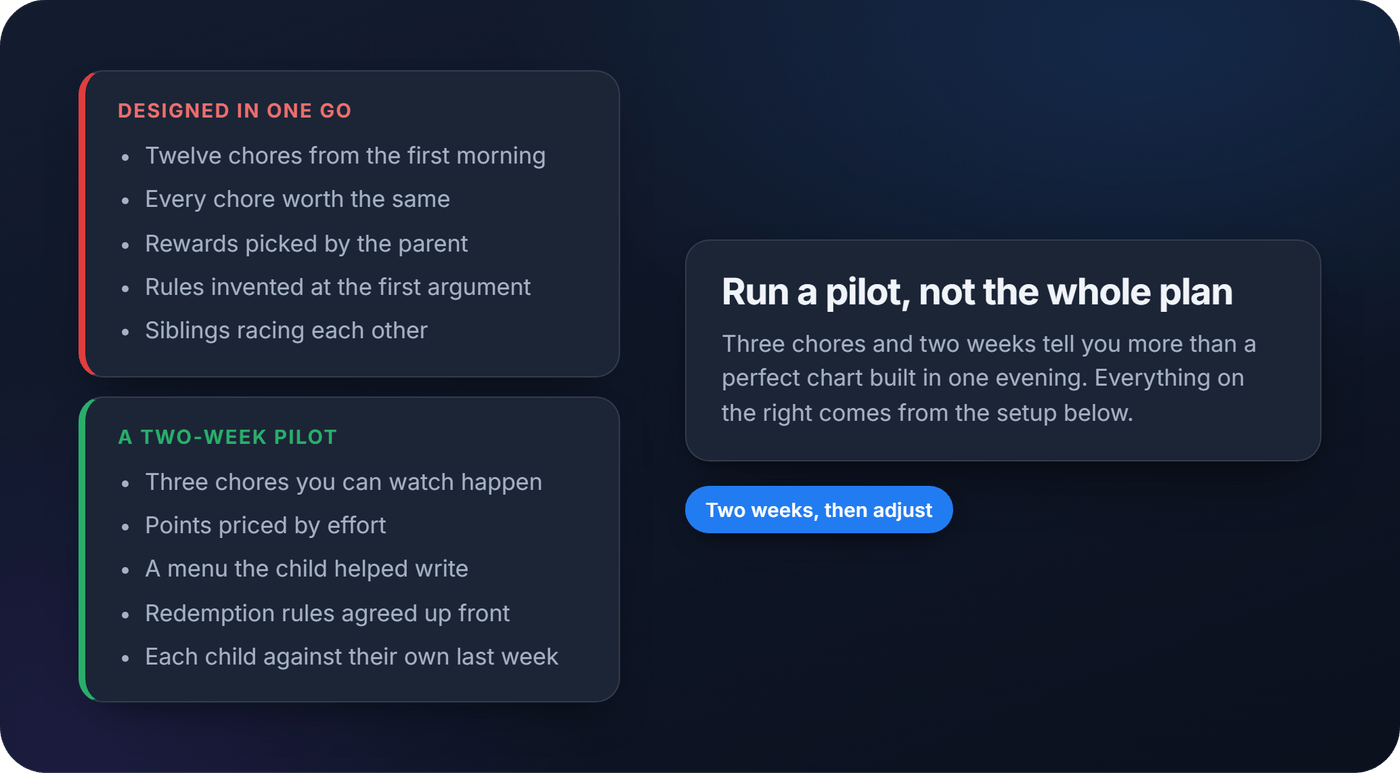
A reward chart for kids works best when it starts small. Pick three chores, give each a point value based on effort, write the reward menu with your child, and run it for two weeks before you judge it. This guide covers that first fortnight, and how to keep the chart alive once the novelty wears off. It works on a fridge as well as in an app.
Still choosing between stickers, tokens, points or an allowance? Start with the comparison of chore reward systems. For which chores suit which age, see the age-by-age family chore chart.
Set up a reward chart in one session
You don't need a week of planning. A working version can go live in a single sitting if you make the decisions in this order.
- Pick a lead organiser. One adult owns the setup and settles whether a chore counts.
- Start with three chores. Not ten. Official guidance goes smaller still: the CDC's advice is to pick a couple of specific behaviors, and Raising Children Network says charts work best for one behaviour at a time. Three is the ceiling for a pilot. For a child new to chores, one or two is plenty.
- Describe each chore as something you could watch happen, and mark it daily or weekly. "Put dirty clothes in the basket" beats "tidy your room".
- Set a 1 to 5 point scale tied to effort, with a weekly target per child.
- Pick a tracking method: paper, an app, or a tag at the chore's spot.
- Draft a short reward menu with small, medium and large tiers, plus the rules for redeeming.
That's the whole skeleton. Everything else is refinement.
How to assign points fairly
Points should track effort, time and complexity, not how much a parent personally dislikes scrubbing the oven. A ten-minute task and a forty-minute task shouldn't earn the same score.
Targets scaled to each child matter more than identical goals. A seven-year-old and a sixteen-year-old chasing the same weekly total sets one of them up to fail every week. Keep point values the same for everyone and scale the target instead.
A small bonus helps too: an extra point when someone does a chore without being reminded. The American Academy of Pediatrics lists starting a task without a reminder among the things that merit praise.
A starting list to adapt (pick three):
- Feed the pet, daily: 1 point
- Load the dishwasher, daily: 2 points
- Fold laundry, daily: 2 points
- Take out the bins, weekly: 3 points
- Vacuum the living room, weekly: 4 points
- Clean the bathroom, weekly: 5 points
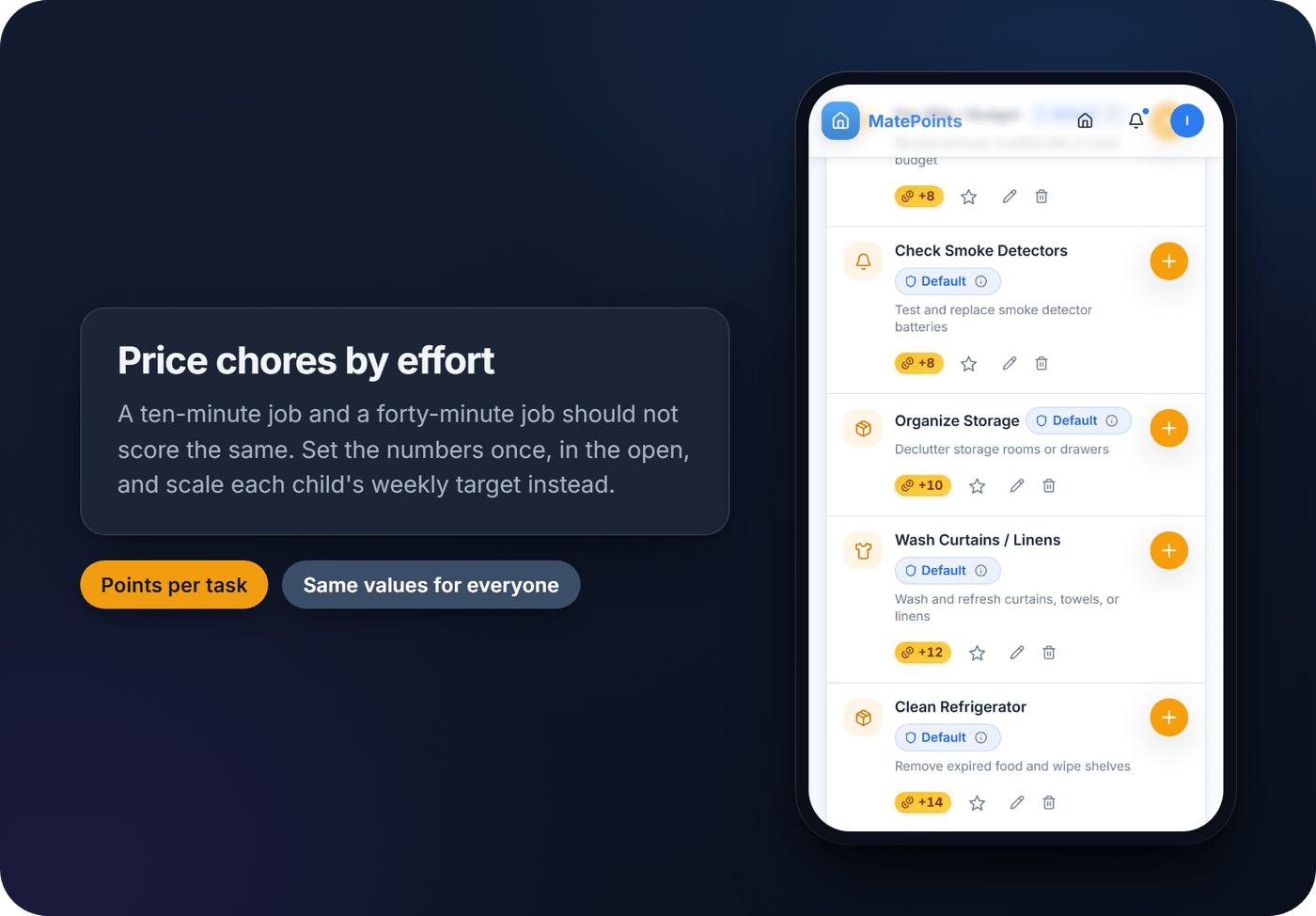
Aim for roughly right, not perfect. You will fix the values at the two-week check.
Build the reward menu with your child
A reward menu works better when the child helped write it. The AAP's guidance is direct: rewards "should be meaningful to your child, and they should participate actively in their selection." The CDC gives the reason: what you like may not be what your child wants to earn.
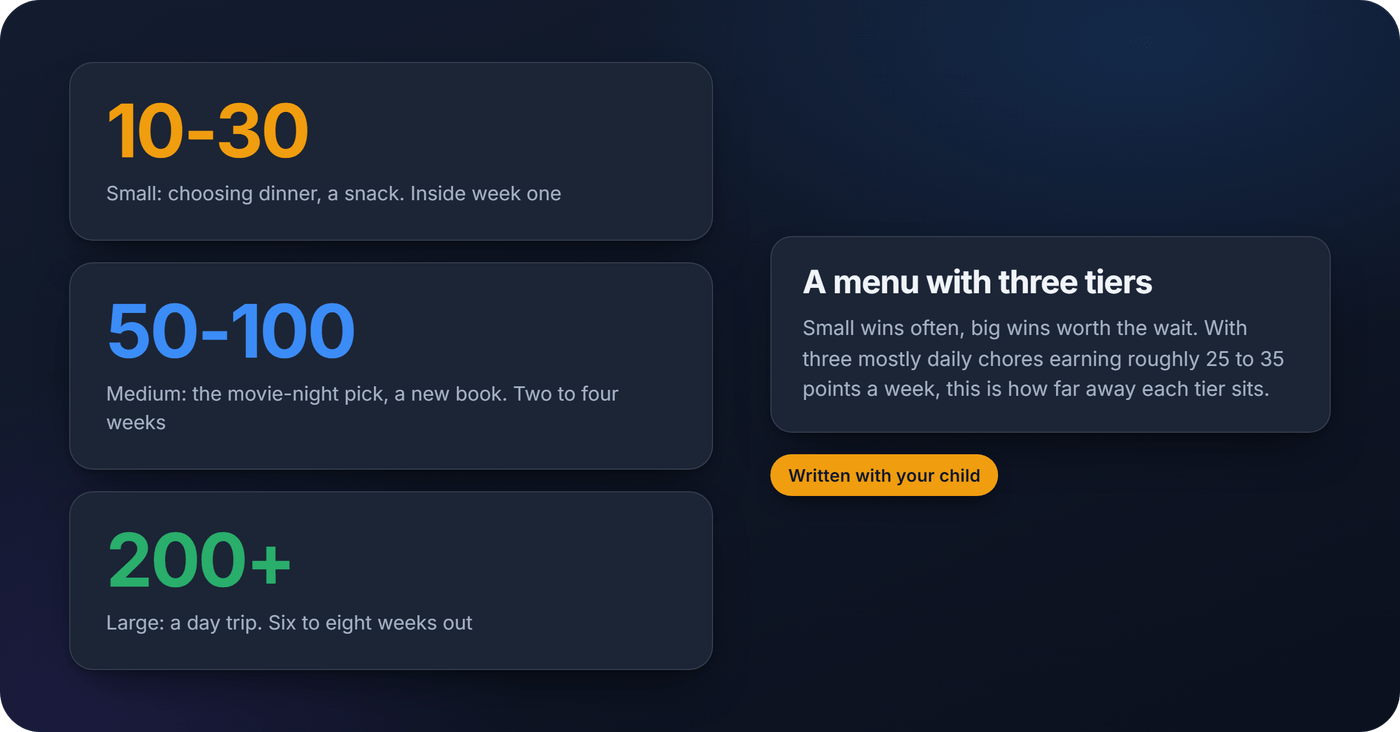
Tier the menu so small wins happen often and big wins feel worth the wait. The AAP suggests small rewards at the end of a day or week, with larger ones reserved for a longer stretch.
- Small (10 to 30 points): choosing dinner, a favourite snack, fifteen extra minutes of a show.
- Medium (50 to 100 points): picking the movie-night film, a new book, a friend sleeping over.
- Large (200 points or more): a day trip, a bigger purchase.
Three mostly daily chores from the list above earn roughly 25 to 35 points a week. That puts a small reward inside week one, a medium one two to four weeks out, and a large one six to eight weeks away.
Leave some chores unpaid on purpose. The AAP puts it plainly: "Children need to have obligations and duties within the family, so they learn to accept responsibility." There is a motivation reason too. A 1999 meta-analysis of 128 experiments by Deci, Koestner and Ryan found that expected, tangible rewards reduced later free-choice interest in an activity, more so for children, while positive feedback raised it. So making your bed stays a family job, and points go on the extras. The argument about paying for chores has its own article.
Decide the redemption rules up front. Can someone cash in half a reward early? Can siblings pool points for a shared prize? Write the answers down. One rule is not up for debate: an earned point stays earned. The CDC says never to take away rewards your child has earned.
Pro tip: Run the first reward menu as a draft for two weeks, then revisit it. What sounds motivating on paper often needs a price adjustment once real redemptions start.
Paper, app or tag: which tracking method lasts
Tracking is where many charts quietly fall apart. Not because the chores were wrong, but because nobody kept up the bookkeeping.
- Paper or a fridge chart: high visibility, zero cost, and somebody has to update it every day. That job usually lands on one tired parent.
- An app: does the tallying and keeps a history you can check from work.
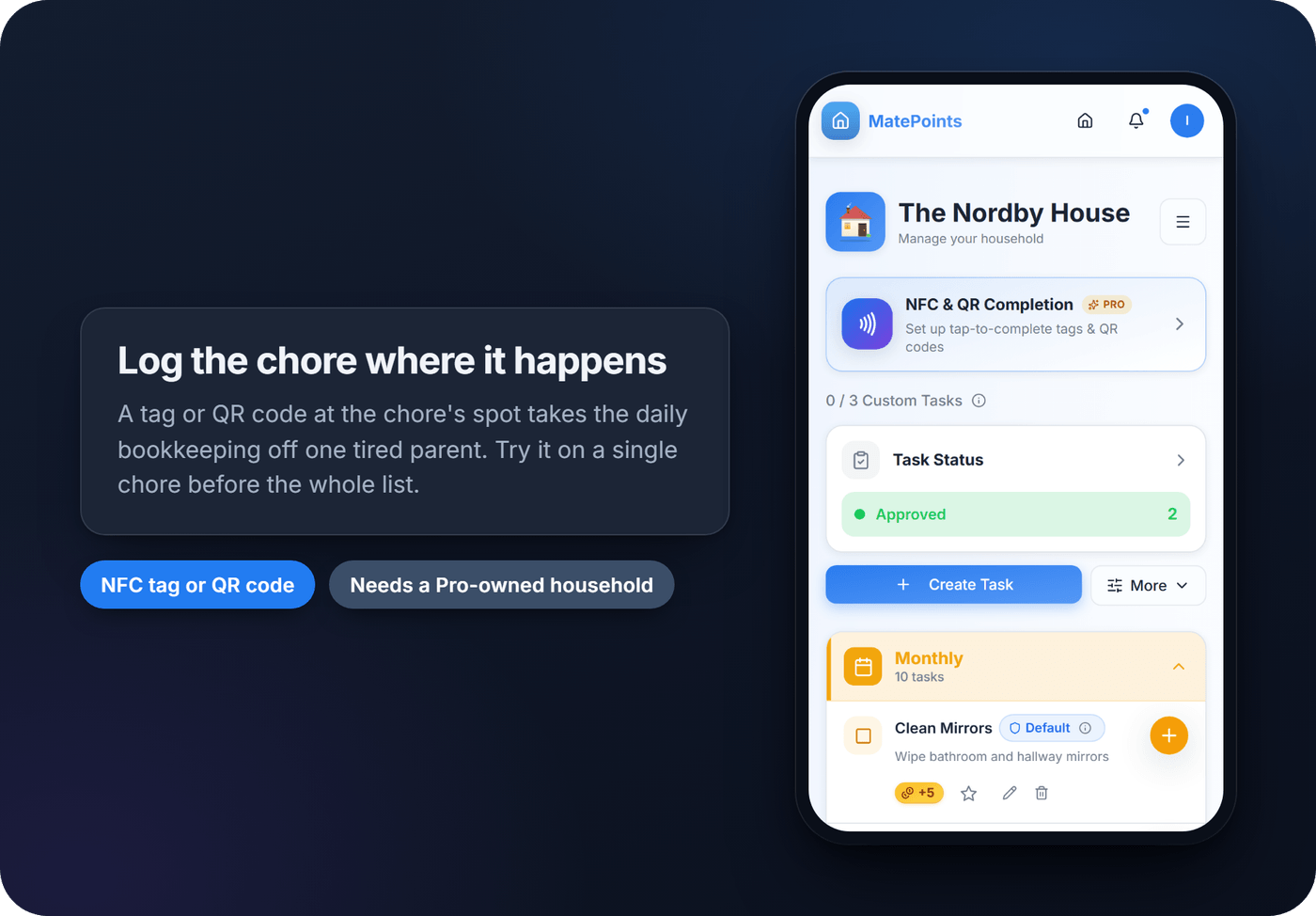
- An NFC tag or QR code at the chore's spot: a tap or scan logs the chore where it happens, which cuts the "did you actually do it" friction.
The same paper-or-phone question comes up with the birthdays on a family calendar, and Lembradia's guide to digital reminder apps that replace your family calendar walks through it. Whatever you pick, try a new tool on one chore before rolling it out to all of them.
Keeping the chart from fizzling out
Raising Children Network notes that most children enjoy collecting stickers at the start, but the novelty can wear off quickly. The real test is week six, not week one.
- Rotate the rewards. The CDC notes that children tire of some rewards and develop new interests, so keep a running list and change it. Swap in a new chore every few weeks too.
- Hold a monthly check-in to reprice chores, retire the ones that aren't working and update the menu.
- Use competition sparingly. Raising Children Network warns that a sibling who is very good at earning rewards can discourage the others. Give each child their own chart and their own goal.
- Track consistency, not just totals. Totals can be gamed. In a 2019 smart-home pilot with three families, the teenagers taking part watered the flowers even without the task, just for extra points. How often chores get done tells you more.
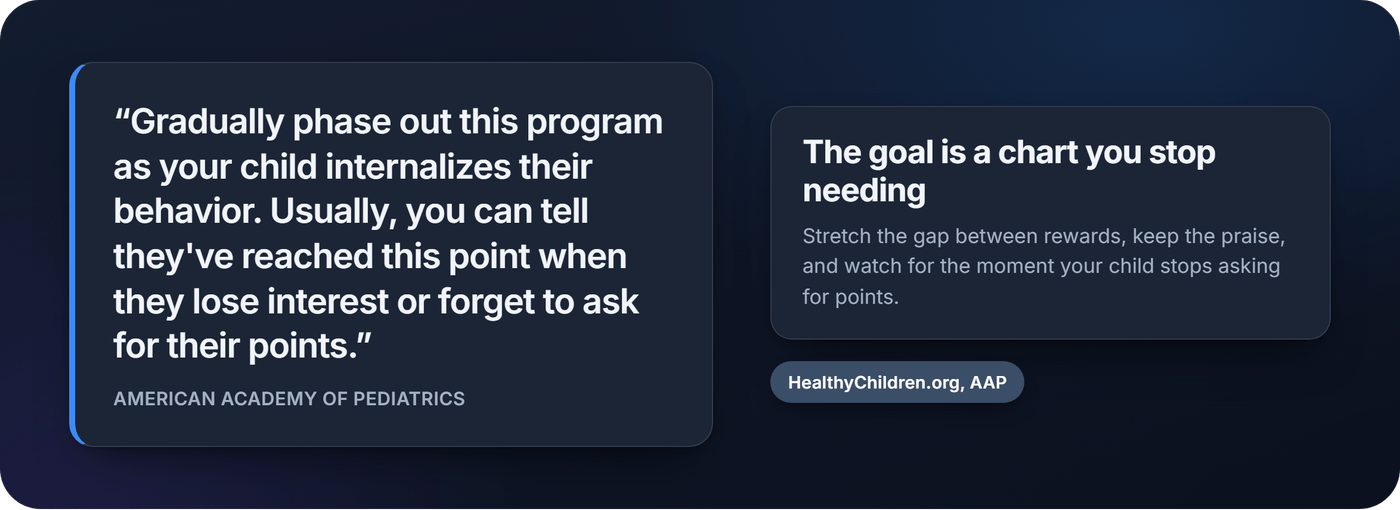
- Plan the exit. Raising Children Network suggests stretching the gap between rewards, from every day to every two days and then every five, with praise in between.
Respecting privacy for older kids
Visibility and privacy pull in opposite directions. The AAP's advice to keep a chart in plain sight, as a source of pride, comes from its book on children aged 5 to 12. Raising Children Network notes older children might prefer the chart somewhere private.
- Share whether a chore got done, not every detail of how or when.
- Keep personal notes private. In a small 2026 Iowa State design study, older children saw parents' access to their reflection journals as an intrusion.
- Ask before any tracking goes live, and explain what gets recorded.
Where MatePoints fits
MatePoints is a points chart with an approval step, built for a whole household.
One limit first. Everyone who uses MatePoints needs their own account, and the Terms set the minimum age at 13, with a parent's consent for anyone under 18. So for a younger child, keep the chart on paper. The app fits teenagers and the adults in the house. How it maps onto the pilot:
- Points per chore. Each task carries its own value, and task groups can label chores Daily or Weekly.
- A parent as approver. Switch on approval and a teenager's completion waits for a parent to check it. Points post once it is approved; a rejection comes with a note.
- A tag at the chore's spot. Tapping an NFC tag or scanning a QR code logs the chore. That needs a household owned by a Pro member; then anyone in the house can tap.
- A cooldown per person, set by the owner, so the same chore cannot be logged again straight away.
- Leaderboards for today, the week, the month and all time. Judge each child against their own last week, not each other.
- Rewards your family writes. An achievement counts approved completions of one chore across three tiers, and each tier can carry a reward you type, like "pick Friday's film". A parent redeems it by scanning a single-use code. Creating achievements needs Pro; earning and redeeming is free.
- Cheers. A one-tap cheer for a housemate, shown in the app and sent as a push notification.
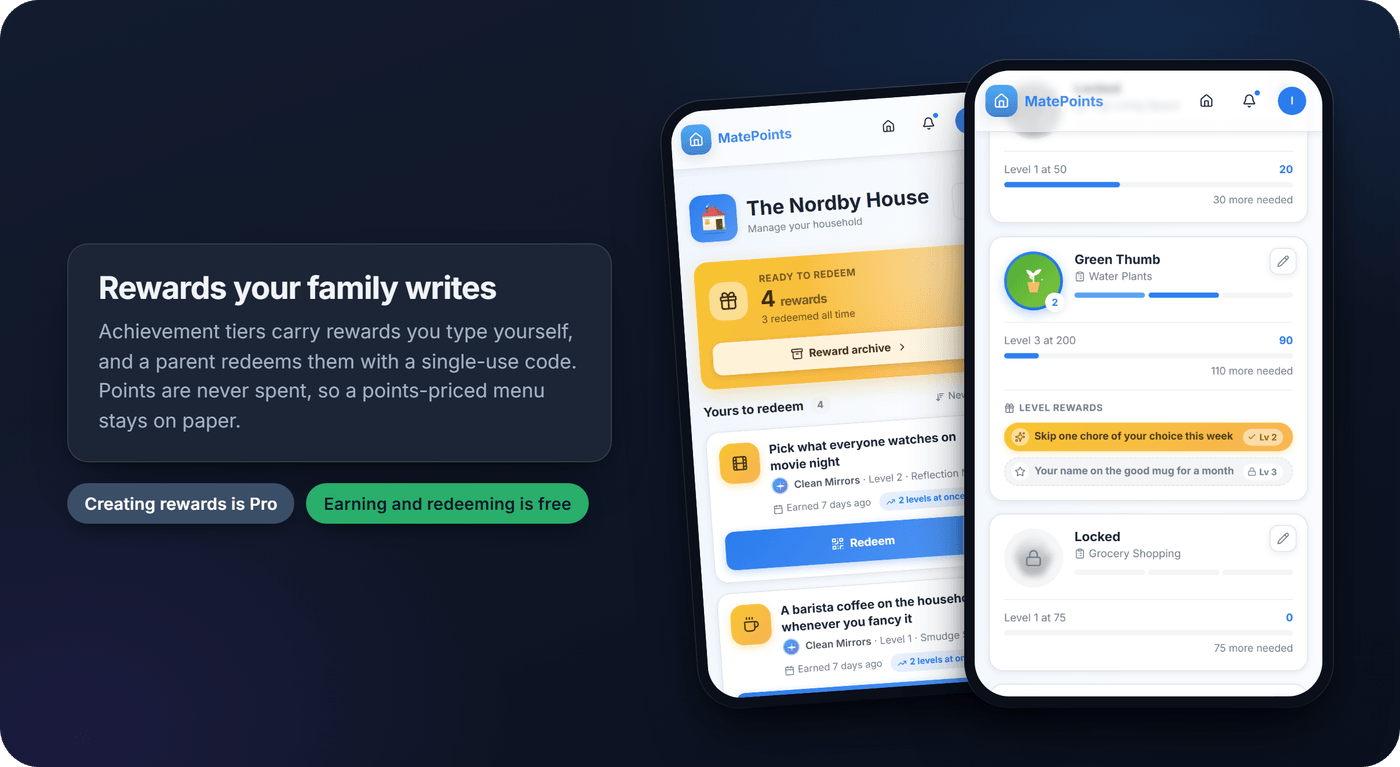
Two things it does not do. Points are never spent, so a menu priced in points stays on paper or in your family's own agreement; achievement tiers are the closest thing in the app. And there is no private mode: everyone in the household sees the leaderboard. The privacy and security page covers how your household's data is handled.
What actually moves the needle in week one
Start with a pilot, not the full system. Three chores and a two-week trial reveal more than a perfectly designed twelve-chore chart that collapses under its own complexity.
Give the point straight away, and say what it was for. The CDC says rewards right after a behaviour are best, and recommends labelled praise ("I saw that you put your toys away!") over "Great job!". The honest footnote: a 2016 field experiment by Leijten and colleagues found labelled praise reduced disruptive behaviour about as much as a plain "well done". The praise did the work. Name the chore anyway while a child is still learning what earns a point.
Don't impose visibility rules unilaterally. Ask first. And if completions suddenly drop off, treat that as information, not a discipline problem. Something in the points, the rewards or the visibility probably needs adjusting.
FAQ
How many chores should a first reward chart include?
Three at most for a two-week pilot, and one or two for a child new to chores. The CDC and Raising Children Network both advise starting with very few.
Should every chore be worth the same number of points?
No. Price chores by effort, time and complexity, and scale each child's weekly target to their age.
Do reward charts undermine a child's motivation?
They can, for things a child already enjoys. Expected, tangible rewards tend to reduce later interest, while positive feedback raises it. Keep points off chores done willingly, pair rewards with praise, and phase the chart out once the habit holds.
Is a paper chart enough, or do you need an app?
Paper works, especially for one or two children. An app or a tag at the chore's spot mainly removes the daily bookkeeping. MatePoints accounts start at age 13, so a younger child's chart stays on paper, and NFC and QR completion needs a household owned by a Pro member.
Should points be visible to the whole family?
For younger children a visible chart is a source of pride. Older children often prefer privacy: share whether a chore got done, keep notes private, and ask before tracking starts.
Sources
- Tips for Using Praise and Rewards, Essentials for Parenting Toddlers and Preschoolers, Centers for Disease Control and Prevention, updated April 2026
- Positive Reinforcement Through Rewards, HealthyChildren.org, American Academy of Pediatrics, updated November 2023
- Age-Appropriate Chores for Children, HealthyChildren.org, American Academy of Pediatrics, updated February 2024
- Reward charts for kids: how they work, Raising Children Network (Australia)
- A meta-analytic review of experiments examining the effects of extrinsic rewards on intrinsic motivation, Deci, Koestner & Ryan, Psychological Bulletin, 1999
- What good is labeling what's good? A field experimental investigation of parental labeled praise and child compliance, Leijten, Thomaes, Orobio de Castro, Dishion & Matthys, Behaviour Research and Therapy, 2016
- A Multi-Agent Gamification System for Managing Smart Homes, Winnicka, Kęsik, Połap, Woźniak & Marszałek, Sensors, 2019
- Responsibuddies: Reducing Family Conflict through Gamified Household Task Management, Jun Kit David Tang, Iowa State University (MS thesis), May 2026