Working from home doesn't mean doing all the chores
Working from home can make you the default for every chore. Name the daytime jobs, give each a size, and rebalance the evenings to match.

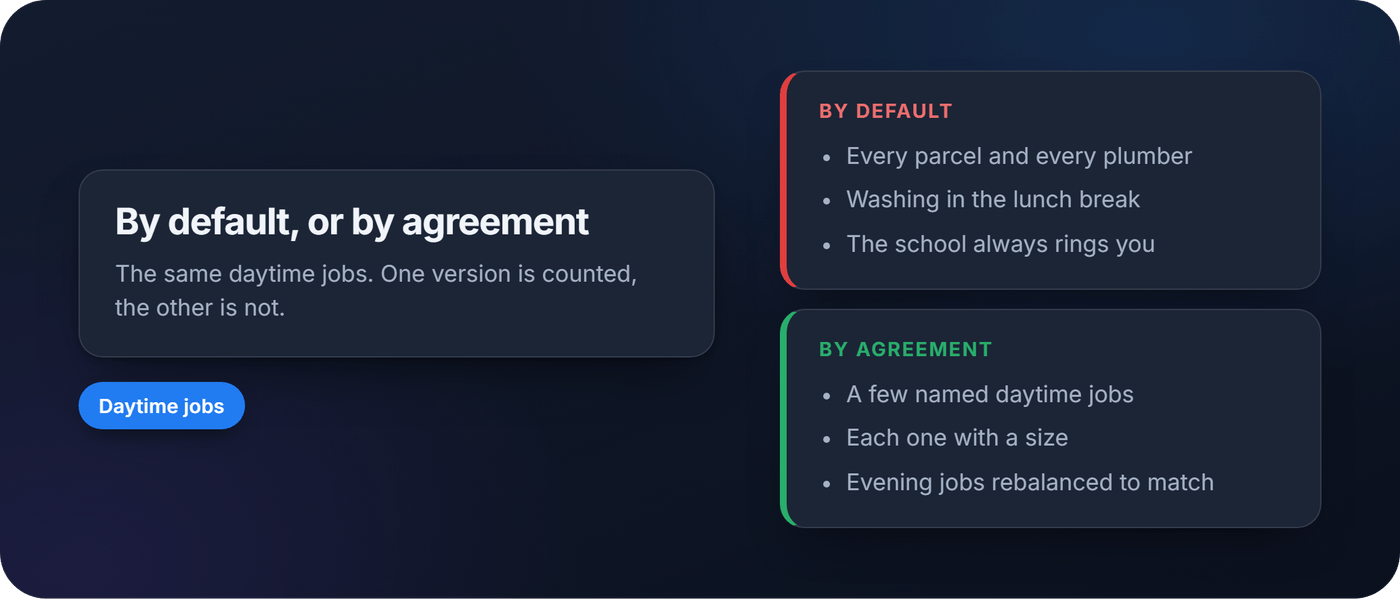
The parcel arrives at eleven. The washing machine finishes at two. The school rings at quarter past three. If you are working from home, you are the one who is there, so you become the default for every chore that happens in daylight. Nobody decided it. It just happened. This guide shows how to split working from home chores fairly: name the daytime jobs, give each one a size, and rebalance the evening and weekend jobs to match.
More of us are at home in the daytime
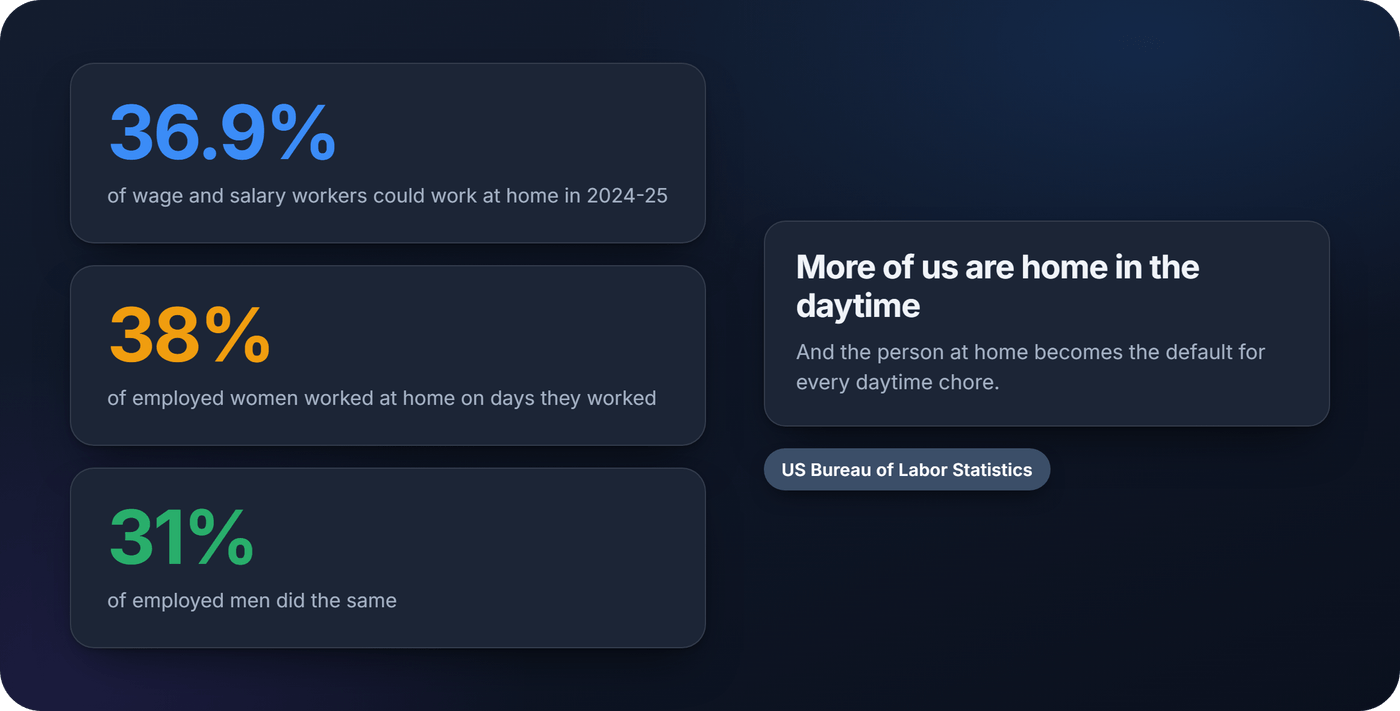
Working from home is no longer a pandemic exception. The US Bureau of Labor Statistics reported in October 2026 that 36.9 percent of wage and salary workers could work at home in 2024-25, up from 28.8 percent in 2017-18. In the same data, 11.8 percent of people who worked at home said their main reason was to coordinate their work schedule with personal or family needs.
Who is at home is not evenly split either. In the American Time Use Survey for 2025, "Employed women (38 percent) were more likely to work at home than employed men (31 percent)" on the days they worked. The same release found that 87 percent of women and 75 percent of men did some household activities on an average day, 2.8 hours against 2.1.
Should the partner who works from home do more housework?
Most people seem to think so. A team of economists tested it directly in a vignette experiment with a representative sample of Dutch adults, published as a 2025 IZA discussion paper by Kotsadam, Løvgren, Moreau, Stancanelli and van Soest. Respondents read about a two-earner couple, and the researchers randomly changed which partner worked from home.
According to the abstract on Bocconi University's gender lab page, "respondents, on average, agree that the partner working from home should execute" routine and emergency chores. The agreement was significantly larger when the person at home was a man. When nobody worked from home, the gender difference was not statistically significant. The authors conclude that working from home "may blast rather than boost gender norms around household work and childcare."
Two honest caveats. The study measures what people think should happen in a made-up couple, not what real couples do. And the page publishes no percentages, so nobody can say how many people agreed.
What couples actually do is older news. Using British panel data from 1991 to 2012, Eleftherios Giovanis found in 2017 that "both men and women who are teleworkers spend more time on housework." He also found that teleworking made shared chores more likely, and that both partners were happier when chores were shared. That last part is the useful one. Being at home is not the problem. Being the default is.
Home is a place of work, not spare time
One line from a long Mumsnet thread on exactly this question (2023) puts it better than most advice: "wfh means just that - you're working, just in a different location." Another reply: "you doing housework over your lunchbreak means you don't get a lunchbreak."
That is the starting point for the conversation. The person at home has the same eight hours of work as the person in the office. What they also have is proximity: they can let the plumber in, move the washing across and answer the school. Those are real jobs. They are worth doing. They just need to be counted.
List the daytime jobs
Sit down together and write down everything that happens between nine and five because somebody is home. Picture a typical week for a couple where one works from home three days:
- Taking in parcels and signing for them
- Letting in a tradesperson, which can block a whole morning
- Starting, moving and hanging a load of washing
- Answering the school, the GP or the vet
- A midday dog walk
- Putting dinner on before the other person gets back
Most couples have never seen this list written down. The person at home usually knows it by heart. The other person often sees none of it, which is how "you're home all day anyway" gets said.
Agree which ones the home worker takes
You do not have to hand every daytime job to the partner at home. Pick the ones that genuinely fit around their work. A parcel at the door takes a minute. A tradesperson with a four-hour window does not, and it may be fairer to take turns or book a day off.
Then agree the hours. Work time is work time, and a lunch break stays a lunch break. A useful rule: the home worker takes the agreed jobs when they fit, and nothing that would mean leaving a meeting or a task half done.

Give each job a size
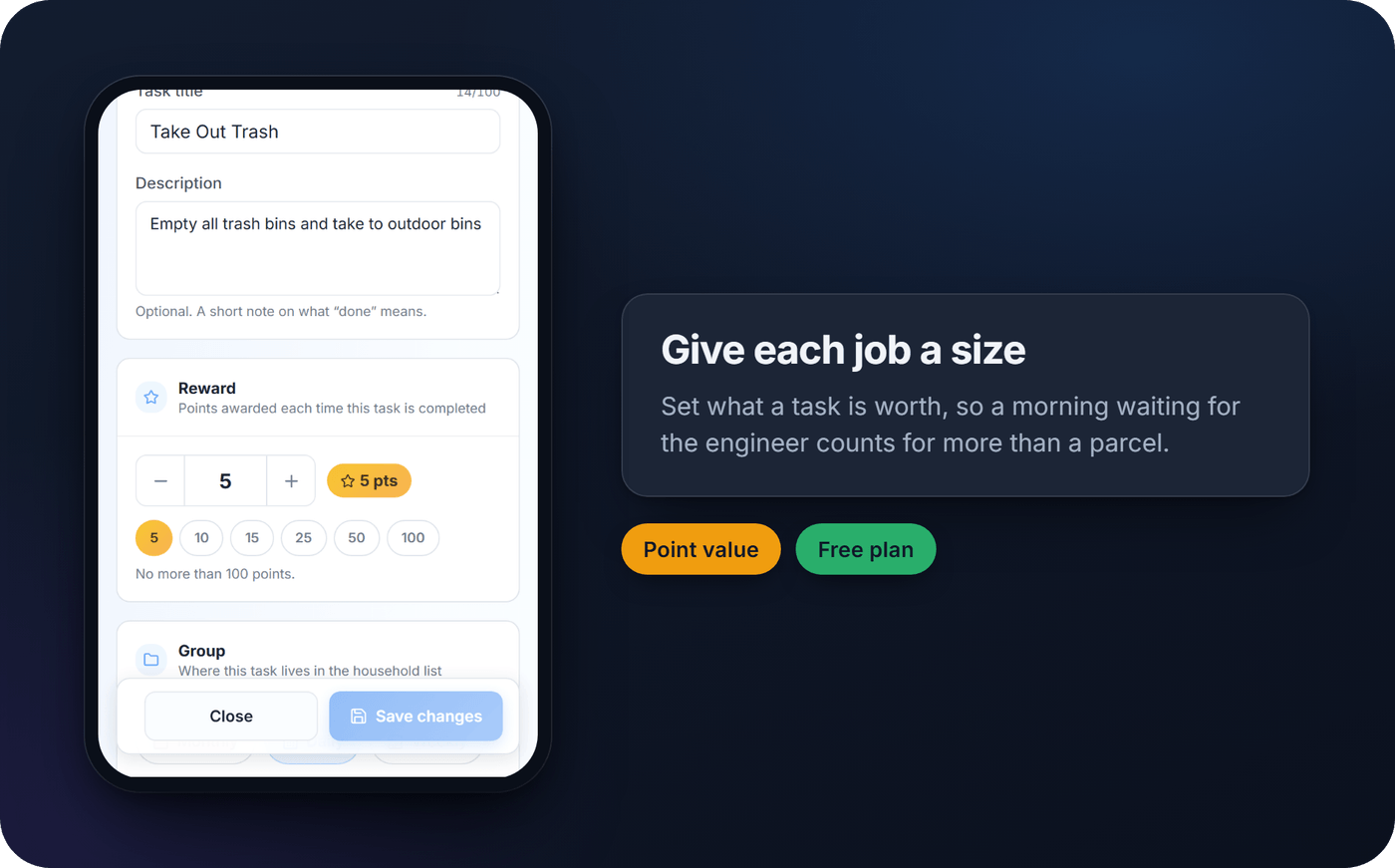
A load of washing and a morning waiting for the boiler engineer are not the same job. If you only count "who did a chore", the daytime jobs either vanish or get overcounted. Give each one a size that matches its effort, then use the same scale for the evening and weekend jobs. Five for a quick one, ten or fifteen for a proper job, twenty-five or more for the big ones.
In MatePoints, that size is the task's point value. Anyone with the Editor or Owner role can set what each task is worth, up to 100 points, and it works on the free plan: you can change what any built-in task is worth and add a few of your own. So "Let the tradesperson in" can be worth more than "Take in a parcel", and the daytime jobs land in the same weekly total as everything else.
If you want to see what all those small jobs add up to in money, our piece on the value of unpaid housework runs the numbers.
Rebalance the evenings and weekends
This is the step that makes the split fair rather than merely visible. If the partner at home now carries a known share of the week in daytime jobs, the other partner picks up more of the evening and weekend jobs to match: the dishes after dinner, the big shop, the bathroom on Saturday.
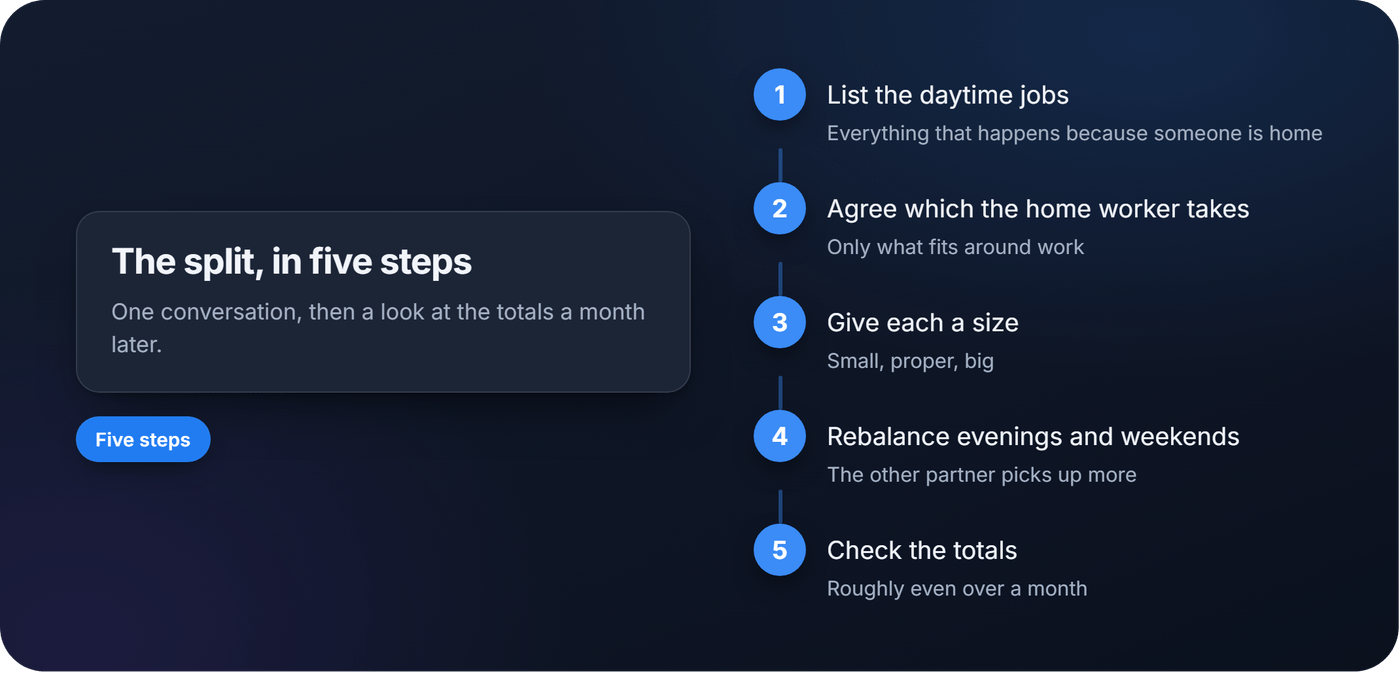
You are not aiming for identical numbers every week. Some weeks the boiler breaks. You are aiming for totals that look roughly even over a month, and a conversation when they don't. For more ways to divide the rest of the house, see dividing household chores and our guide to splitting chores with your partner.
Check the totals, not the feelings
After a month, look at the totals together. If the weekly numbers are close, the split is working. If one side is consistently higher, adjust the sizes or move a job across. Keep it about the list, not about who is tired.
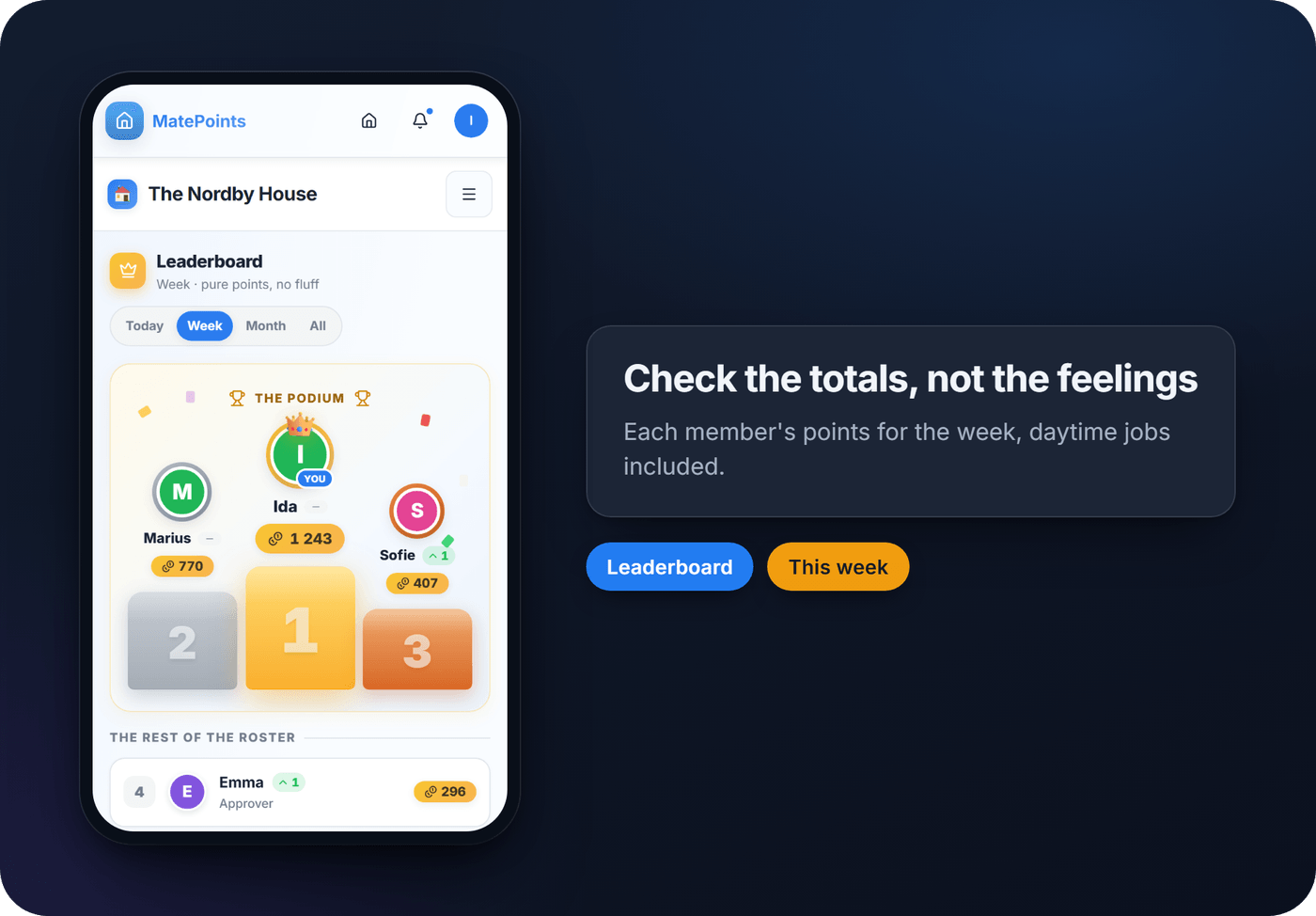
In MatePoints, the leaderboard's Week view shows each member's points for the week, daytime jobs included. That turns "I do everything now I'm at home" into a number you can both look at.
Start with one week
You do not need a system on day one. Write the daytime jobs down this week, put a size next to each, and compare them with the evening list on Sunday. If you want the sizes and totals kept for you, try MatePoints. It is free to start, and you can set what every job is worth in a few minutes.
Sources
- 36.9 percent of wage and salary workers could work at home in 2024-25, U.S. Bureau of Labor Statistics, The Economics Daily, October 2026
- American Time Use Survey, 2025 results, U.S. Bureau of Labor Statistics, June 2026
- When Gender Kicks In: An Experimental Study of Work from Home and Attitudes to Household Work and Childcare, Kotsadam, Løvgren, Moreau, Stancanelli and van Soest, IZA Discussion Paper 18324, December 2025
- When Gender Kicks in (seminar abstract), Gender Lab, Bocconi University, 2026
- Does teleworking affect housework division and improve the well-being of couples?, Eleftherios Giovanis, International Journal of Happiness and Development, ISER University of Essex, 2017
- If you WFH should you do more housework than your DP who doesn't WFH?, Mumsnet, September 2023